
Introduction: Why You Need a Word Counter 🔗
In the digital age, words are currency. Whether you're a student writing an essay, a blogger crafting content, a novelist developing a manuscript, or a marketer optimizing for SEO, knowing your word count is essential. Every platform, publisher, and audience has expectations about content length—and meeting those expectations starts with accurate measurement.
Did you know that blog posts with 2,000+ words get 68% more shares and 77% more backlinks than shorter articles? Or that Twitter's 280-character limit demands precision in every tweet? From academic papers requiring exact word counts to social media captions with strict character limits, mastering your writing metrics is non-negotiable.
Enter the word counter—your essential tool for analyzing text, optimizing content, and ensuring your writing meets every requirement with precision.
What is a Word Counter? 🔗
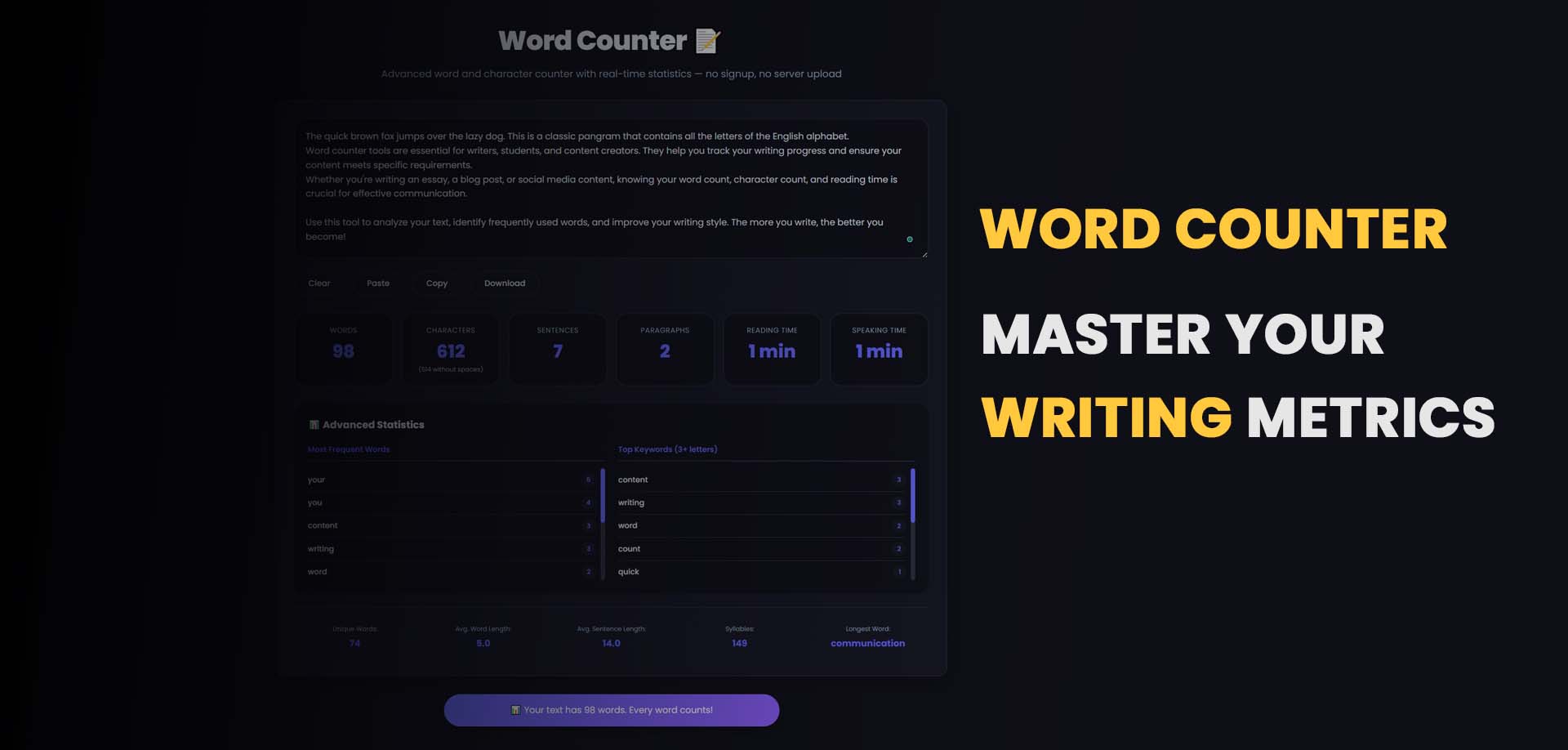
A word counter is a tool that analyzes text to provide detailed metrics about your content. Beyond simply counting words, modern word counters offer comprehensive insights including character counts, sentence structure, reading time, and even SEO analysis.
Key Metrics Provided by a Word Counter 🔗
1. Word Count 🔗
Total number of words in your text. Words are typically defined as sequences of characters separated by spaces or punctuation.
2. Character Count 🔗
- With spaces: Total characters including spaces
- Without spaces: Characters excluding spaces (useful for social media)
3. Sentence Count 🔗
Number of complete sentences, helping assess readability and structure.
4. Paragraph Count 🔗
Number of paragraphs, indicating content organization.
5. Reading Time 🔗
Estimated time to read the content, crucial for user experience planning.
6. Keyword Density 🔗
Frequency of specific words, essential for SEO optimization.
7. Unique Words 🔗
Count of distinct words used, indicating vocabulary diversity.
8. Longest Sentence 🔗
Identifies sentences that may be too complex for readers.
Why You Need a Word Counter 🔗
📝 1. Academic Requirements 🔗
Students and academics face strict word count requirements:
- Essays: Usually 500-5,000 words
- Dissertations: 10,000-80,000 words
- Research papers: 3,000-8,000 words
- Theses: Specific department guidelines
Exceeding or falling short of these limits can result in penalties. A word counter ensures you hit your target precisely.
📱 2. Social Media Optimization 🔗
Each platform has unique limits: | Platform | Character Limit | |----------|-----------------| | Twitter/X | 280 characters | | Instagram Caption | 2,200 characters | | Facebook Post | 63,206 characters | | LinkedIn Post | 3,000 characters | | TikTok Caption | 2,200 characters | | YouTube Description | 5,000 characters |
A character counter helps you craft messages that fit perfectly.
📚 3. Publishing Requirements 🔗
- Novels: 70,000-100,000 words (genre-dependent)
- Blog posts: 1,500-2,500 words for SEO optimization
- News articles: 300-800 words
- Email newsletters: 200-500 words for optimal engagement
🔍 4. SEO Optimization 🔗
Word count directly impacts search rankings:
- Top 10 Google results average 1,400-2,000 words
- Featured snippets often use 40-60 words
- Keyword density ideally 1-2% for target keywords
- Content depth signals authority to search engines
🎯 5. Readability and Engagement 🔗
Reading time affects user behavior:
- Under 1 minute: Quick tips, social posts
- 3-5 minutes: Standard blog posts
- 7-10 minutes: In-depth articles
- 15+ minutes: Comprehensive guides, long-form content
Users spend 4-5 minutes on average reading blog posts. Knowing reading time helps set expectations.
How to Use Our Word Counter: Step-by-Step Guide 🔗
Our free online word counter makes text analysis simple and instant:
Step 1: Access the Tool 🔗
Visit our Word Counter Tool - completely free, no registration required.
Step 2: Enter Your Text 🔗
- Type directly into the text area
- Paste content from any source
- Upload a file (.txt, .docx, .pdf) for instant analysis
- Clear button to start fresh
Step 3: View Instant Metrics 🔗
As you type or paste, metrics update in real-time:
Basic Metrics:- Word Count: Total words in your text
- Characters: With and without spaces
- Sentences: Complete sentence count
- Paragraphs: Paragraph breaks count
- Reading Time: Minutes to read at average pace
- Speaking Time: Minutes to speak aloud
- Longest Sentence: Character count of longest sentence
- Shortest Sentence: Character count of shortest sentence
Step 4: Analyze Keyword Density 🔗
- View most frequent words
- Identify overused terms
- Check target keyword frequency
- Optimize for SEO requirements
Step 5: Export and Share 🔗
- Copy to clipboard for use elsewhere
- Download as text file for reference
- Print for offline review
Word Counter Features in Depth 🔗
Real-Time Counting 🔗
Our live word counter updates instantly as you write or paste, providing immediate feedback without clicking any buttons.
Character Counter with Spaces 🔗
Essential for:
- Social media posts
- Meta descriptions (ideal: 155-160 characters)
- Title tags (ideal: 50-60 characters)
- SMS messages
- Form fields with character limits
Reading Time Calculator 🔗
Based on average reading speed of 200-250 words per minute:
| Content Length | Reading Time | Best For | |----------------|--------------|----------| | 500 words | 2 minutes | News, quick updates | | 1,000 words | 4 minutes | Standard blog posts | | 1,500 words | 6 minutes | Detailed articles | | 2,000 words | 8 minutes | In-depth guides | | 3,000+ words | 12+ minutes | Comprehensive resources |
Keyword Density Analysis 🔗
Keyword density shows how often specific words appear: Density = (Keyword Count ÷ Total Words) × 100
Example:
Total words: 500
Keyword appears: 8 times
Density: (8 ÷ 500) × 100 = 1.6%
Optimal density ranges:- Primary keyword: 1-2%
- Secondary keywords: 0.5-1%
- Avoid keyword stuffing (density > 3% may trigger spam flags)
Unique Word Count 🔗
Measures vocabulary diversity:
- Higher unique word count indicates varied language
- Lower unique word count suggests repetition
- Helps improve writing quality and engagement
Common Use Cases for Word Counter 🔗
1. Academic Writing 🔗
Students use word counters to:
- Meet essay and paper requirements
- Track progress on longer projects
- Ensure citations don't exceed limits
- Balance section lengths
2. Content Creation 🔗
Writers and bloggers use word counters to:
- Hit SEO-optimal word counts
- Balance article sections
- Estimate production time
- Plan content calendars
3. SEO Optimization 🔗
Marketers use word counters to:
- Optimize meta descriptions (155-160 characters)
- Craft title tags (50-60 characters)
- Maintain ideal keyword density
- Ensure sufficient content depth
4. Social Media Management 🔗
Social media managers use word counters to:
- Craft tweets within 280 characters
- Optimize Instagram captions
- Create consistent LinkedIn posts
- Stay within platform limits
5. Email Marketing 🔗
Email marketers use word counters to:
- Keep subject lines under 50 characters
- Balance email body length
- Optimize for mobile viewing
- Improve open and click rates
6. Translation and Localization 🔗
Translators use word counters to:
- Quote translation costs (per word)
- Track project progress
- Ensure consistent content length
- Meet client specifications
Word Counter vs. Other Writing Tools 🔗
| Tool | Primary Function | Best Use | |------|------------------|----------| | Word Counter | Counts words, characters, sentences | Quick analysis, meeting limits | | Grammar Checker | Finds errors, suggests corrections | Proofreading, editing | | Plagiarism Checker | Detects copied content | Originality verification | | Readability Analyzer | Assesses reading level | Audience targeting | | SEO Analyzer | Optimizes for search engines | Content strategy |
Advanced Writing Tips Using Word Counter 🔗
1. Optimize for Skimmers 🔗
Most readers scan content. Use your word counter to:
- Keep paragraphs under 100 words
- Use subheadings every 300-500 words
- Limit sentences to 20-25 words
- Create bulleted lists for key points
2. Balance Your Content Structure 🔗
A well-structured article typically follows:
Introduction: 10-15% of total words Main Body: 70-80% of total words Conclusion: 10-15% of total words
3. Set Writing Goals 🔗
Use word counter to track daily progress:
- Bloggers: 500-1,000 words per day
- Novelists: 1,000-2,000 words per day
- Students: 200-500 words per session
- Copywriters: 1,500-3,000 words per day
4. Monitor Readability 🔗
Combine word count with readability metrics:
| Readability Score | Grade Level | Best For | |-------------------|-------------|----------| | 90-100 | 5th grade | General audience | | 60-70 | 8th-9th grade | Business content | | 30-50 | College | Technical content | | 0-30 | Graduate | Academic papers |
Industry-Specific Word Count Guidelines 🔗
Blogging and Content Marketing 🔗
| Content Type | Optimal Word Count | |--------------|-------------------| | News post | 300-500 words | | Standard blog | 1,500-2,000 words | | Pillar page | 3,000+ words | | Product review | 800-1,200 words | | How-to guide | 1,500-2,500 words |
Copywriting 🔗
| Content Type | Optimal Word Count | |--------------|-------------------| | Landing page | 500-1,000 words | | Sales email | 200-400 words | | Product description | 100-300 words | | Brochure | 300-600 words | | Ad copy | 50-150 words |
Technical Writing 🔗
| Content Type | Optimal Word Count | |--------------|-------------------| | User manual | 1,000-10,000+ words | | API documentation | 500-3,000 words | | FAQ page | 50-100 words per question | | Release notes | 200-500 words |
Frequently Asked Questions 🔗
Is word counter free to use? 🔗
Yes! Our word counter is completely free with no limits, no registration, and no hidden fees.
Does word counter count hyphenated words as one or two? 🔗
Hyphenated words are typically counted as one word (e.g., "mother-in-law" = 1 word). Our tool follows standard word counting conventions.
How is reading time calculated? 🔗
Reading time is based on average reading speed of 200-250 words per minute. We use 200 WPM for conservative estimates.
Can I count words in different languages? 🔗
Yes! Our word counter works with any language that uses spaces between words. Character counts work for all languages.
What's the difference between characters with and without spaces? 🔗
- Characters with spaces: Total characters including every space
- Characters without spaces: Only letters, numbers, and punctuation
Character count without spaces is especially important for social media posts.
Does word counter count numbers as words? 🔗
Numbers are counted as separate words if they stand alone (e.g., "100" = 1 word). Number-letter combinations follow standard rules.
Can I use word counter for SEO optimization? 🔗
Absolutely! Word counter helps with keyword density, content length optimization, and meta description character limits.
The Future of Writing Analytics 🔗
Writing tools continue to evolve with technology:
AI-Powered Analysis 🔗
Machine learning algorithms now provide:
- Sentiment analysis
- Tone detection
- Style consistency checks
- Audience engagement predictions
Real-Time Collaboration 🔗
Modern tools enable:
- Team word count tracking
- Shared content goals
- Version control
- Progress monitoring
Voice and Speech Integration 🔗
Emerging features include:
- Voice-to-text word counting
- Speaking time calculators
- Podcast transcript analysis
- Multilingual support
Conclusion: Write Smarter with Word Counter 🔗
A word counter is more than a simple counting tool—it's an essential companion for anyone who writes. Whether you're crafting the perfect tweet, writing a thousand-page novel, or optimizing content for SEO, understanding your writing metrics helps you work smarter, meet requirements, and engage your audience effectively.
By using our free word counter, you can:
- Meet requirements with precision every time
- Optimize content for your specific platform
- Improve writing with real-time feedback
- Save time with instant, accurate analysis
Start writing smarter today. Whether you're a professional writer, student, marketer, or casual blogger, our word counter gives you the insights you need to create better content, faster.
Ready to analyze your writing? Try our word counter tool now and see your metrics in real time.---
Count your words now: Start analyzing your text →