
Table of Contents
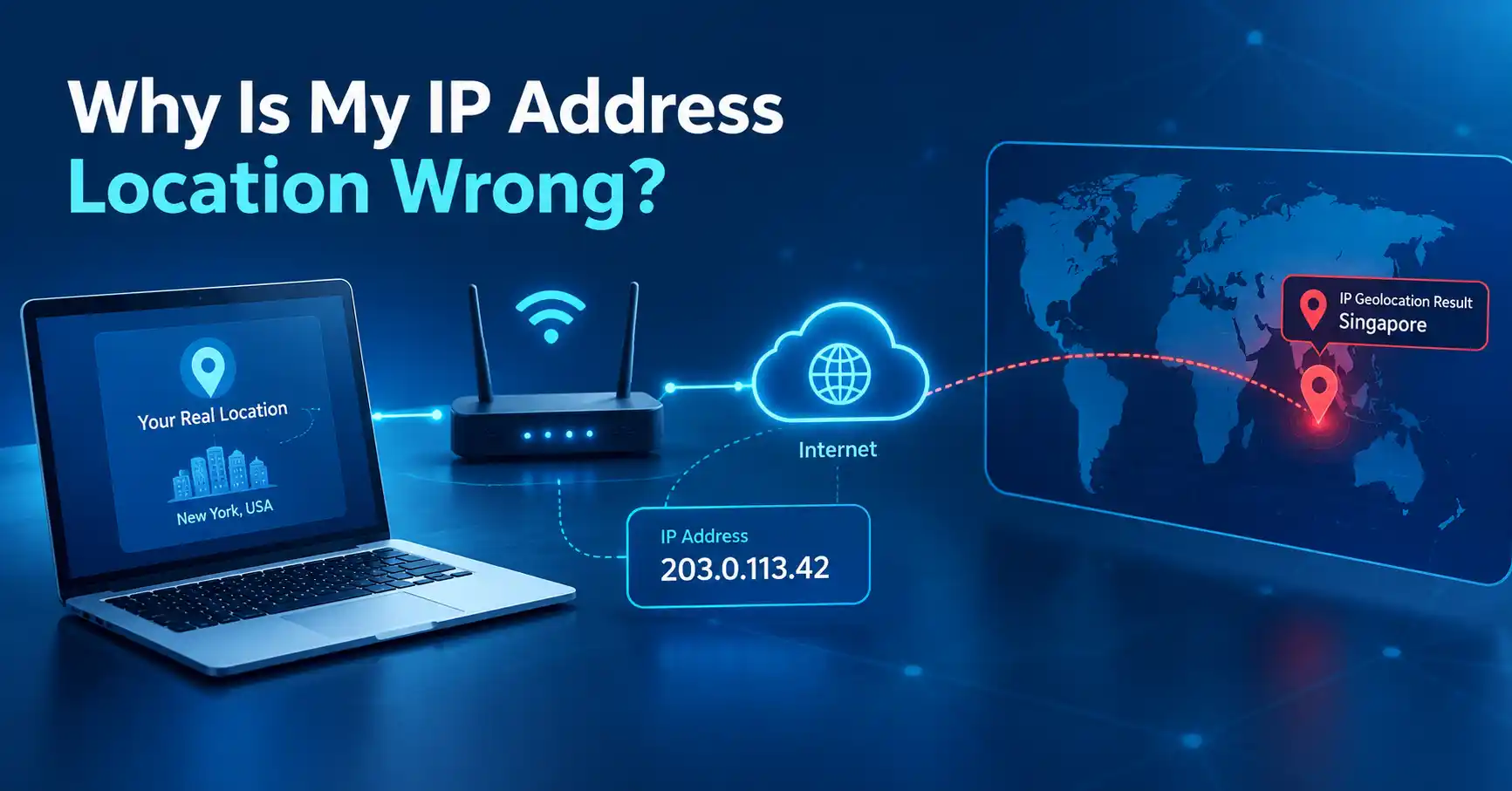
If you're wondering why your IP address location is wrong, the most likely explanation is that IP geolocation is an estimate, not a precise location service. Your IP address can be associated with a nearby city, an ISP's network location, a different region, or the location of a VPN or proxy server.
Seeing the wrong city or region does not necessarily mean your internet connection is broken. In many cases, the IP address itself is working normally; the geolocation database simply has a different estimate for where that IP is being used.
Why Is My IP Address Location Wrong?
Your IP address location can be wrong because IP geolocation databases estimate location from network information rather than directly measuring your device's physical position.
Several factors can cause the estimate to differ from where you actually are:
- Your ISP may route traffic through infrastructure in another city.
- Your IP address may have recently been reassigned.
- Your connection may use a mobile or carrier network covering a large area.
- You may be connected through a VPN or proxy.
- The geolocation database may have outdated or incomplete information.
- A smaller town may be associated with a larger nearby metropolitan area.
- Different IP lookup services may use different geolocation databases and therefore return different results.
IP geolocation providers themselves acknowledge that accuracy varies by country, network type, ISP practices, and the level of location detail being requested.
An IP Address Does Not Contain Your Exact Location
One of the most common misunderstandings is that an IP address somehow contains your physical coordinates.
It doesn't.
An IP address is used to identify a network endpoint for internet communication. Geolocation services then use databases and network information to estimate where that IP address is likely being used.
That distinction matters.
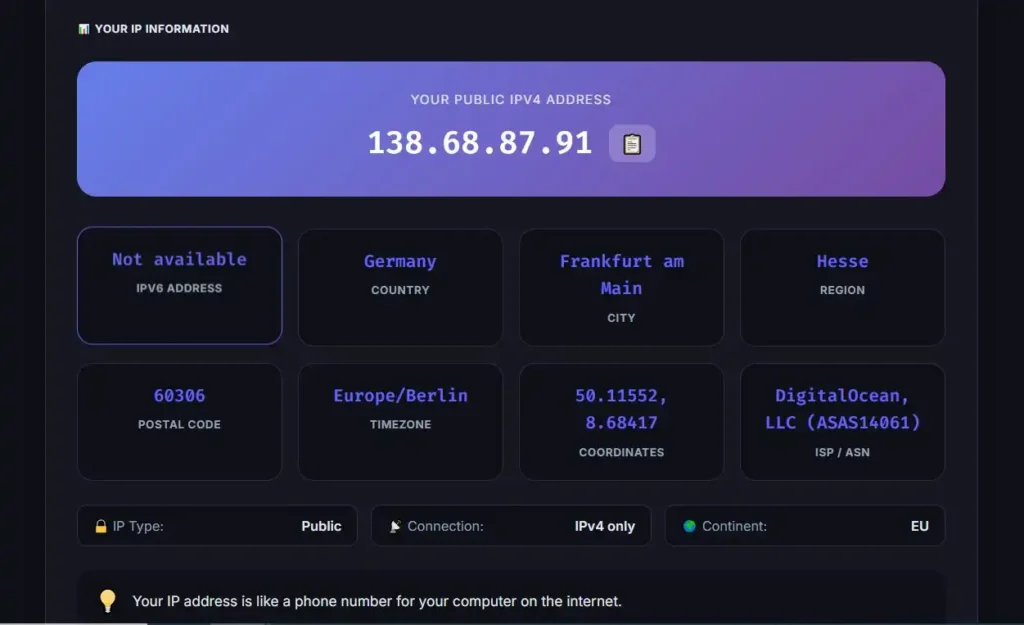
An IP lookup might show:
Country: Germany
Region: Hesse
City: Frankfurt am Main
But that does not mean the IP address contains your exact address in Frankfurt am Main.
IP geolocation is not equivalent to GPS. Major geolocation providers state that their data is not precise enough to reliably identify a particular household, person, or street address.
This is why a location result can be useful for identifying a general area while still being noticeably wrong at the city level.
Your ISP May Be the Reason
Your internet service provider (ISP) controls or manages the network through which your connection reaches the internet. The physical location associated with that network infrastructure does not necessarily match your physical location.
For example, imagine that you live in a smaller town but your ISP operates a major network hub in a nearby city. An IP geolocation database may associate your public IP with that larger city.
The result could look wrong even though your connection is operating normally.
This becomes especially noticeable when an IP lookup reports a city several kilometers away from where you live.
IP address registration information should also not be confused with physical network location. ARIN, for example, notes that registration information does not necessarily represent the actual physical location of a network and that ARIN itself does not maintain IP geolocation data.
IP Geolocation Databases Can Disagree
There isn't one universal database that every website uses to determine an IP's location.
Different services can use different data sources, update schedules, network information, and methods for estimating location. As a result, one IP lookup might report one city while another reports a nearby city or even a broader region.
That doesn't automatically mean one service is malfunctioning.
Geolocation providers regularly update their databases because IP assignments and network usage change over time. MaxMind, for example, notes that changes in IP usage and underlying data can require frequent database updates.
So if your IP was recently reassigned or a network provider changed how an address is used, some databases may take time to reflect the new information.
Your IP Address May Have Recently Changed
Many residential internet connections use dynamic public IP addresses.
That means your public IP can change rather than remaining permanently assigned to your connection.
When an IP address changes hands or its network usage changes, geolocation information associated with the address may not immediately match the new user or location.
This can produce situations where:
- You are physically in one city.
- Your current public IP belongs to a network range previously associated with another area.
- An IP lookup still displays the older or broader location.
The mismatch can eventually disappear as geolocation databases are updated, but the timing varies between providers.
Mobile Networks Can Show a Different City
Mobile internet is another common source of confusing IP locations.
A mobile carrier can operate a large network covering many locations. The public IP used by your phone may therefore be associated with network infrastructure that is not physically close to you.
This means a person browsing from one city could see an IP location associated with another city or a broader regional area.
Geolocation providers specifically identify mobile networks as a source of lower location precision because the same network infrastructure can serve users over a relatively large geographic area.
So if your IP location looks particularly unusual while using cellular data, the network itself may explain the difference.
A VPN or Proxy Can Change the Location You See
If you're using a VPN, websites generally see the public IP address of the VPN connection rather than the public IP address assigned directly to your normal internet connection.
For example:
Your device → VPN server → Website
The website sees the VPN server's IP address.
If the VPN server is in another city or country, an IP lookup can therefore report that location instead of your actual physical location.
The same general principle applies to other proxy services. Geolocation providers explain that when an anonymizing proxy or VPN is involved, the IP address being geolocated may belong to the intermediary server rather than the end user.
This is normal behavior rather than necessarily an indication that your IP address is broken.
What About Apple Private Relay?
Privacy services can produce similar results.
Apple's iCloud Private Relay, for example, hides your IP address from websites and can generalize the location associated with your IP. Apple provides settings that allow the IP address location to remain at a general city level or become broader to the country and time-zone level.
As a result, a website may deliberately receive a less precise location than your actual physical location.
The City Can Be Wrong Even When the Country Is Correct
IP geolocation generally becomes less precise as you move from broad geographic information to specific locations.
A lookup may correctly identify your country but display the wrong city.
For example:
| Information | Possible result |
|---|---|
| Country | Correct |
| Region/state | Approximately correct |
| City | Different nearby city |
| Street address | Not reliably determined from IP geolocation |
This is why a city mismatch should not automatically be treated as evidence that something is wrong with your network.
MaxMind explains that IP geolocation accuracy varies significantly by geographic level and network type, and its documentation emphasizes that IP geolocation should not be used to identify a specific household or street address.
Why Does Google Show a Different Location?
There is another important distinction: the location shown by a website does not always come solely from your IP address.
Google explains that it can estimate general location using several signals, including the IP address of the internet connection. If you grant location permission to a browser or app, more precise device-based location information can also be used.
This means two different services can display different locations even while you are using the same internet connection.
One service might be relying heavily on IP geolocation, while another has additional location signals available.
How to Check Whether Your IP Location Is Actually Wrong
If an IP lookup shows an unexpected city, you can do a simple comparison.
1. Check your current public IP address
Use a trusted IP lookup service or the MiniToolsPro What Is My IP Address tool to see the public IP address currently visible to internet services.
2. Check the result on more than one service
Different IP geolocation databases can produce different results.
If several services show approximately the same region but a different city, the discrepancy is probably related to geolocation precision rather than a problem with your connection.
3. Check whether a VPN or proxy is enabled
Temporarily check whether you are using:
- A VPN application
- A browser VPN
- A proxy
- Apple Private Relay
- Another privacy or network-routing service
If one is active, the displayed location may belong to the intermediary network rather than your normal internet connection.
4. Compare Wi-Fi and mobile data
If possible, check your IP location while connected to Wi-Fi and then while using mobile data.
If the reported location changes substantially, the difference may be related to the networks used by your ISP and mobile carrier.
5. Give the database time to catch up
If your ISP recently changed your public IP or network configuration, geolocation databases may not immediately reflect the new usage.
There is usually nothing you need to repair on your computer.
Can You Fix an Incorrect IP Location?
Sometimes, but it depends on where the incorrect information comes from.
If your ISP's network is being correctly operated but an IP geolocation database associates the address with the wrong city, changing settings on your computer may not fix the problem.
In that situation, the issue is primarily with the geolocation data.
Some geolocation providers allow users or network operators to submit corrections. MaxMind, for example, provides a process for reviewing and correcting geolocation information.
If you're simply seeing a nearby city instead of your exact city, however, there may be nothing technically wrong to fix. IP geolocation is inherently approximate.
Does a Wrong IP Location Mean Someone Is Tracking You?
No.
An unexpected IP location by itself does not prove that someone is tracking your device or that your network has been compromised.
It usually means a service has estimated your location based on the IP address it can see.
Remember that an IP address does not automatically provide an exact physical location or identify a particular person.
If you're concerned about what information can actually be inferred from your IP address, see our guide on what an IP address can reveal.
When Should You Be Concerned?
A wrong city by itself usually isn't a reason for concern.
You may want to investigate further if you notice several unexpected things at the same time, such as:
- Your public IP is not the one you expected.
- A VPN or proxy is active without your knowledge.
- Your connection is being routed through an unexpected service.
- Your ISP confirms that the IP belongs to a different customer or network.
- You experience unexplained network configuration changes.
Even then, start by identifying the public IP and the network you are actually using before assuming that there is a security problem.
The Bottom Line
If you're asking why is my IP address location wrong, the simplest answer is that IP geolocation is an estimate. Your ISP's network structure, dynamic IP assignments, mobile networks, VPNs, proxies, privacy services, and differences between geolocation databases can all cause an IP lookup to show another city or region.
A wrong city does not mean your IP address is malfunctioning, and it does not mean your exact physical location can be determined from the IP address.
If you want to see the public IP address currently visible to websites, you can check your IP address with MiniToolsPro. For a broader explanation of IP addresses, see our complete IP address guide.
Frequently Asked Questions
Why does my IP address show a different city?
Your IP address may be associated with an ISP network, routing location, or geolocation database entry linked to another city. Mobile networks, dynamic IP assignments, and VPNs can also show different locations.
Can an IP address show my exact location?
No. IP geolocation can estimate a general geographic area, but an IP address alone does not reliably reveal a person's exact home, street address, or GPS position.
Why does my IP location change when I use a VPN?
A VPN routes your internet traffic through another server. Websites generally see the VPN server's public IP address, so an IP lookup can associate your connection with the VPN server's location instead of your physical location.
Why is my IP location correct in one service but wrong in another?
Different services can use different IP geolocation databases and data sources. Their estimates may therefore differ, especially at the city or regional level.
Should I worry if my IP address shows the wrong location?
Usually not. A different city or nearby region is commonly the result of imperfect IP geolocation rather than a problem with your device or internet connection. If the difference is substantial, check whether you are using a VPN, proxy, privacy relay, or mobile network.
Share this article 👇

0 Comments