
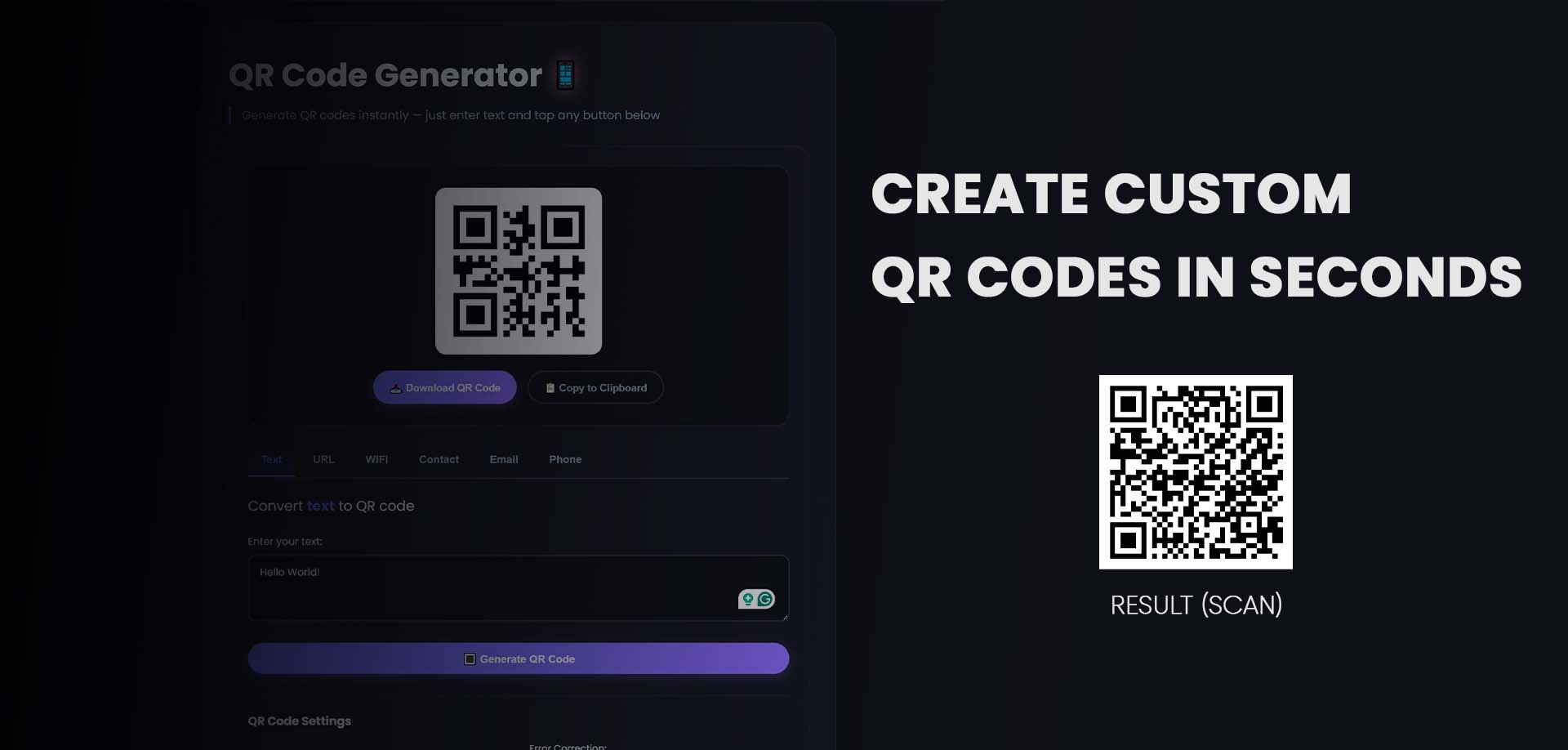
Introduction: Why You Need a QR Code Generator 🔗
QR codes have made a remarkable comeback. Once considered a fading technology, they've become an essential bridge between the physical and digital worlds. From restaurant menus to product packaging, business cards to billboards, QR codes are everywhere—and for good reason.
Did you know that QR code scans increased by over 750% between 2020 and 2023? With over 100 million smartphone users scanning QR codes annually, this technology represents one of the most effective ways to connect offline audiences with online content.
Enter the QR code generator—your gateway to creating scannable, trackable, and customizable codes that drive engagement, capture leads, and simplify user experiences.
What is a QR Code Generator? 🔗
A QR code generator is a tool that creates Quick Response (QR) codes—two-dimensional barcodes that can store various types of data and be scanned by smartphones. When scanned, these codes instantly direct users to websites, display text, connect to Wi-Fi networks, or perform countless other actions.
Types of QR Codes 🔗
1. Static QR Codes 🔗
- Permanently encoded with fixed data
- Cannot be edited after creation
- No tracking or analytics
- Best for: Personal use, permanent information
2. Dynamic QR Codes 🔗
- Editable after creation
- Includes tracking and analytics
- Can be updated without reprinting
- Best for: Marketing campaigns, business applications
3. Custom QR Codes 🔗
- Branded with logos and colors
- Enhanced visual appeal
- Higher scan rates (up to 80% higher)
- Best for: Professional branding, marketing materials
Why Your Business Needs a QR Code Generator 🔗
📱 1. Touchless Convenience 🔗
Consumers expect frictionless experiences. QR codes eliminate typing errors and provide instant access to information. Restaurants using QR code menus report 30% faster table turnover and reduced printing costs.
📊 2. Trackable Marketing Campaigns 🔗
Dynamic QR codes provide valuable analytics:
- Scan count and location data
- Time of scan patterns
- Device type used
- Conversion rates from scans to actions
💰 3. Cost-Effective Engagement 🔗
Print materials become interactive:
- Magazine ads link to video demos
- Product packaging connects to tutorials
- Business cards link to portfolios
- Save up to 70% on traditional marketing costs
🎯 4. Higher Conversion Rates 🔗
QR codes create direct paths to action:
- 20-40% higher engagement than traditional URLs
- Reduced drop-off from manual typing
- Immediate connection to offers and content
🔗 5. Unlimited Flexibility 🔗
Dynamic QR codes let you:
- Change destination URLs without reprinting
- A/B test different landing pages
- Rotate seasonal offers on the same code
- Retire outdated campaigns instantly
How to Create QR Codes: Step-by-Step Guide 🔗
Method 1: Using Our Free Online QR Code Generator 🔗
Our free online QR code generator makes creating professional QR codes simple:
Step 1: Access the Tool 🔗
Visit our QR Code Generator Tool - it's completely free, no registration required.
Step 2: Select Your QR Code Type 🔗
Choose from multiple data types:
- URL/Website: Direct users to any webpage
- Text: Display plain text or messages
- Email: Pre-fill email addresses with subject lines
- Phone: Call a number with one tap
- SMS: Pre-compose text messages
- Wi-Fi: Auto-connect to wireless networks
- vCard: Digital business cards with contact details
- Event: Calendar appointments with reminders
Step 3: Enter Your Content 🔗
Input the data you want your QR code to contain:
- Paste your URL or text
- Add email addresses and subjects
- Enter phone numbers with country codes
- Configure Wi-Fi network credentials
Step 4: Customize Your QR Code 🔗
Enhance your code with professional design options:
- Colors: Match your brand palette
- Logo: Add your brand logo in the center
- Shape: Choose rounded or square corners
- Pattern: Customize dot and eye designs
- Frame: Add instructional text or CTA
Step 5: Download and Deploy 🔗
- Download in PNG, SVG, or PDF formats
- High-resolution output for print (up to 300 DPI)
- Test with multiple devices before printing
- Save dynamic codes for future editing
Method 2: QR Code Design Best Practices 🔗
For maximum scan rates, follow these proven principles:
Size Matters 🔗
- Minimum size: 1.2 x 1.2 inches (3 x 3 cm)
- Scale proportionally to scanning distance
- Rule of thumb: 1 inch per 10 feet of scanning distance
Contrast is Critical 🔗
- Dark code on light background (optimal)
- Minimum contrast ratio: 60%
- Avoid busy backgrounds
- Never invert colors (light on dark reduces scannability)
Error Correction Levels 🔗
| Level | Recovery | Best Use | |-------|----------|----------| | L (Low) | 7% | Clean surfaces, ideal conditions | | M (Medium) | 15% | Standard use, slight damage | | Q (Quartile) | 25% | Branded codes, moderate logos | | H (High) | 30% | Maximum logos, harsh conditions |
Quiet Zone 🔗
- Maintain a 4-module margin around your code
- No text, images, or design elements
- Critical for reliable scanning
QR Code Applications Across Industries 🔗
🏪 Retail & E-commerce 🔗
- Product information and reviews
- Contactless payments
- Loyalty program sign-ups
- Size guides and care instructions
🍽️ Food & Hospitality 🔗
- Digital menus
- Guest Wi-Fi access
- Reservation confirmations
- Customer feedback surveys
🏢 Real Estate 🔗
- Virtual property tours
- Agent contact cards
- Open house registration
- Price and feature listings
🎓 Education 🔗
- Assignment submissions
- Course materials access
- Campus navigation
- Event registration
🏥 Healthcare 🔗
- Appointment check-ins
- Patient information forms
- Prescription refills
- Telehealth connections
Static vs. Dynamic QR Codes: Which Should You Choose? 🔗
| Feature | Static QR Codes | Dynamic QR Codes | |---------|-----------------|------------------| | Editability | ❌ Permanent | ✅ Editable anytime | | Tracking | ❌ No analytics | ✅ Full analytics | | Cost | Free | Premium features | | Best Use | Personal, permanent data | Marketing, campaigns | | Scan Limits | Unlimited | Varies by plan | | Retargeting | ❌ Not possible | ✅ Possible |
Pro Tip: For business applications, always use dynamic QR codes. The ability to edit destinations and track performance provides invaluable ROI data.Frequently Asked Questions 🔗
Are QR codes safe to scan? 🔗
Most QR codes are safe, but exercise caution. Never scan codes from suspicious sources. Our generator creates standard QR codes that contain only the data you specify—no hidden tracking or malicious code.
Can I add a logo to my QR code? 🔗
Yes! Our QR code generator allows logo insertion. For best results:
- Use high-contrast logos
- Keep logos under 30% of total code area
- Use error correction level H
- Test before mass printing
What's the maximum data a QR code can hold? 🔗
QR codes can store:
- 7,089 numeric characters
- 4,296 alphanumeric characters
- 2,953 bytes of binary data
For most business applications, keep URLs under 100 characters for optimal scannability.
Do QR codes expire? 🔗
Static QR codes never expire. Dynamic QR codes remain active as long as you maintain your subscription or account with the generator service.
How do I track QR code scans? 🔗
Dynamic QR codes include built-in analytics showing:
- Total scan count
- Scan location by city/country
- Time and date of scans
- Device operating system
The Future of QR Codes 🔗
QR codes continue to evolve with new capabilities:
Apple's Live Text Integration 🔗
iOS now natively recognizes QR codes from photos and screenshots, expanding use cases beyond live camera scans.
Augmented Reality Integration 🔗
QR codes increasingly serve as AR triggers, launching immersive 3D experiences for product visualization.
Enhanced Security Features 🔗
New encryption standards enable secure QR codes for sensitive applications like healthcare and financial services.
Social Media Native Support 🔗
Platforms like Instagram, Facebook, and WhatsApp now integrate QR codes for profile sharing and payments.
Conclusion: Start Creating QR Codes Today 🔗
QR codes have proven themselves as one of the most versatile, effective tools for connecting offline and online experiences. Whether you're a small business owner looking to modernize customer interactions, a marketer tracking campaign performance, or an individual simplifying information sharing, a QR code generator is an essential tool in your digital arsenal.
By creating custom, trackable QR codes, you can:
- Increase engagement with frictionless access
- Measure results with detailed analytics
- Reduce costs on printed materials
- Enhance branding with custom designs
---
Start creating today: Generate your custom QR code now →