
Table of Contents
Public vs Private IP Address:
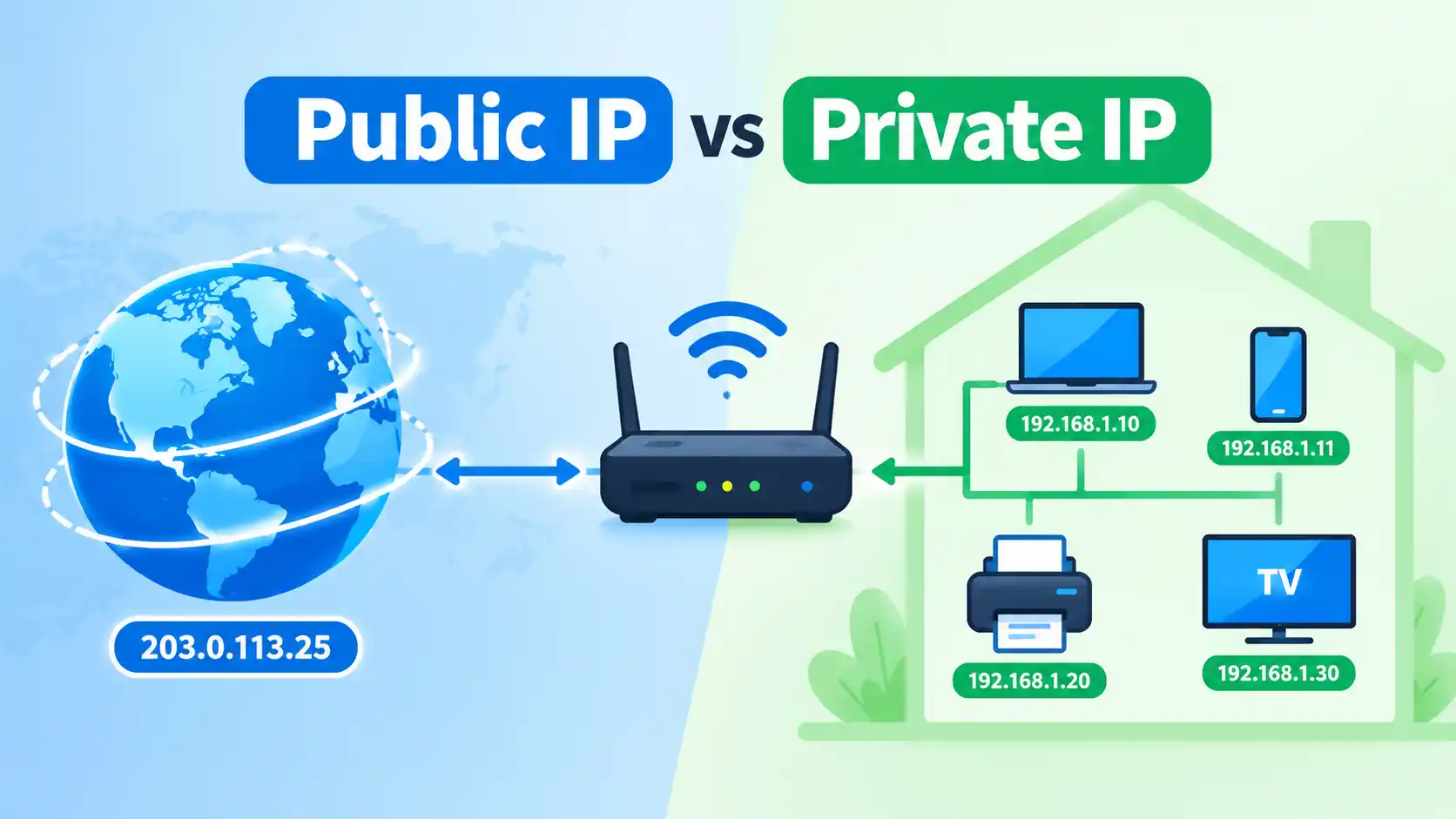
A public IP address identifies a network or connection on the public Internet, while a private IP address is used to identify devices within a local network. In a typical home network, your router uses a public IP on its Internet-facing side and private IP addresses for devices such as computers, phones, printers, and smart TVs.
The distinction is important because public and private IP addresses serve different purposes and are handled differently by routers and Internet service providers.
Public IP vs Private IP: The Quick Difference
The simplest way to understand the difference is to look at where the address is used.
| Feature | Public IP Address | Private IP Address |
|---|---|---|
| Main purpose | Communication across the Internet | Communication within a local network |
| Visibility | Can be visible to Internet services | Normally used inside the local network |
| Assigned by | Usually an ISP or upstream network provider | Usually a router, DHCP server, or network administrator |
| Globally unique | Intended to be globally routable/unique | Can be reused on many separate networks |
| Typical example | An ISP-assigned IPv4 or IPv6 address | 192.168.1.25 |
| Used by | Internet-facing connection | Computers, phones, printers, cameras, and other local devices |
| Directly routable on the public Internet | Yes, when globally routable | No for RFC 1918 private IPv4 space |
Private IPv4 addresses are specifically reserved for private networks. The three familiar ranges are 10.0.0.0/8, 172.16.0.0/12, and 192.168.0.0/16.
What Is a Public IP Address?
A public IP address is an address used for communication across the Internet or another network that requires globally routable addressing.
For a typical home connection, your Internet service provider (ISP) provides connectivity to your router through an Internet-facing address. Websites and online services can generally see the public IP address associated with the connection from which requests reach them.
For example, a simplified home network might look like this:
                 Internet
                    │
             Public IP Address
                    │
                 Router
          ┌─────────┼─────────┐
          │         │         │
      Laptop      Phone      TV
   192.168.1.10  .11       .12
The exact arrangement can vary. For example, an ISP may use carrier-grade NAT, meaning the address presented to your router may itself be from a shared address space rather than a globally routable public IPv4 address. RFC 6598 reserves 100.64.0.0/10 for this specific shared-address-space use.
So, “the IP address on my router” and “the public IP that an Internet service sees” are not always the same address.
What Is a Private IP Address?
A private IP address is used within a local network rather than as a globally routable address on the public Internet.
In IPv4, the three RFC 1918 private address ranges are:
10.0.0.0through10.255.255.255172.16.0.0through172.31.255.255192.168.0.0through192.168.255.255
These ranges can be reused by completely separate networks. Your home network might use 192.168.1.10, while another household thousands of kilometres away can use exactly the same address without creating an Internet-wide conflict.
For example, your router could assign:
Router:      192.168.1.1
Laptop:      192.168.1.10
Phone:       192.168.1.11
Printer:     192.168.1.20
Smart TV:    192.168.1.30
These addresses help devices communicate with one another inside the local network.
How Public and Private IP Addresses Work Together
The easiest way to understand the relationship is to think about a typical home router.
Your devices communicate with the router using private IP addresses. The router then communicates with the Internet using its Internet-facing connection.
This commonly involves Network Address Translation (NAT).
Laptop
192.168.1.10
      │
      ▼
   Router
      │
      │ NAT
      ▼
Public / Internet-facing address
      │
      ▼
   Internet
When your laptop connects to a website, the website does not normally receive 192.168.1.10 as the source address across the public Internet. Private RFC 1918 addresses are not intended to be routed across the public Internet.
Instead, the router performs the necessary address translation and manages the connection between the private device and the external service.
This arrangement allows many devices inside a home or office to share Internet connectivity without every device requiring its own public IPv4 address.
Why Can Different People Have the Same Private IP?
Because private IPv4 addresses are not globally unique.
Suppose these three networks exist:
Home A:  192.168.1.10
Home B:  192.168.1.10
Office:  192.168.1.10
There is no inherent problem because these devices are located in separate private networks.
The address only needs to be appropriately unique within the network where it is being used.
This is one of the main purposes of private address space: organizations can use the same private ranges independently without coordinating those addresses with IANA or an Internet registry.
How Do I Know Whether an IP Address Is Private?
For an IPv4 address, check whether it falls into one of the RFC 1918 ranges:
10.x.x.x172.16.x.xthrough172.31.x.x192.168.x.x
For example:
192.168.0.15→ private192.168.1.100→ private10.20.30.40→ private172.20.5.10→ private8.8.8.8→ not an RFC 1918 private address
Be careful with the 172 range. Not every address beginning with 172 is private. The private block is specifically 172.16.0.0 through 172.31.255.255.
Also, 100.64.0.0/10 deserves separate treatment. It is Shared Address Space, intended primarily for service-provider networks and carrier-grade NAT, rather than RFC 1918 private address space.
What About Private IPv6 Addresses?
IPv6 does not use the same RFC 1918 ranges as IPv4.
IPv6 has Unique Local Addresses (ULAs), defined by RFC 4193. They use the FC00::/7 prefix and are intended for local communications rather than normal global Internet routing.
This means the public/private distinction is slightly different with IPv6, and simply looking for a familiar IPv4 pattern such as 192.168.x.x does not work.
IPv6 devices can also have addresses with different scopes and purposes, so an IPv6 address should be interpreted according to its addressing type rather than treated as an IPv4 address written in a different format.
Is My Public IP the Same as My Device's IP?
Usually, no in a conventional home network.
Your laptop might have:
192.168.1.25
while the Internet connection associated with your home router may have a different Internet-facing address.
Your phone, laptop, tablet, and smart TV can therefore all have different private IP addresses while sharing the same public Internet connection.
There are also network configurations where the distinction becomes more complicated. For example, carrier-grade NAT can place another layer of address translation between your home router and the ISP's Internet-facing infrastructure.
Can a Private IP Address Be Accessed From the Internet?
A private IPv4 address such as 192.168.1.25 is not normally directly reachable from the public Internet.
That does not mean devices using private addresses are automatically secure.
A router can be configured to allow particular inbound traffic, and services can be exposed through mechanisms such as port forwarding. Security also depends on the device, firewall configuration, applications, authentication, and other network controls.
Private addressing is therefore not a substitute for security.
It is primarily an addressing and routing mechanism.
Does a Public IP Identify Me Personally?
A public IP address should not automatically be treated as a unique personal identifier.
An IP address can be associated with a connection, ISP, organization, network, or approximate geographic area, but the meaning depends on how the network is configured and what additional information is available.
For example, multiple people may share a public IPv4 address through NAT or carrier-grade NAT.
Similarly, IP-based geolocation is generally an estimate rather than a precise method for determining someone's physical address.
This is one reason an IP address should not be confused with a person's identity, home address, or GPS coordinates.
How Can I Check My Public IP Address?
If you want to see the public IP address associated with your current Internet connection, you can use MiniToolsPro's What Is My IP Address tool.
This is useful when you want to know what Internet-facing IP address an external service can see from your connection.
If you are troubleshooting your local network, however, you may also need to find the private IP address assigned to your device. That address is normally visible in your device's network settings.
For a broader explanation of IP addresses, see our complete guide to what an IP address is.
Public IP vs Private IP: Which One Do You Need?
The answer depends on what you are trying to do.
If you are checking what websites and Internet services can see, you are generally interested in your public or Internet-facing IP address.
If you are connecting to another device on your home or office network, you may need the device's private IP address.
For example:
- Checking your Internet connection → public IP
- Accessing a local printer → private IP
- Connecting to a local router's administration interface → private IP
- Identifying the Internet-facing address of a home connection → public IP
- Troubleshooting communication between devices on the same LAN → private IP
The two types are complementary rather than competing alternatives.
Common Misconceptions About Public and Private IPs
A private IP is not the same as a secret IP
Private addressing limits where the address is intended to be routed. It does not make a device invisible or automatically secure.
A public IP does not necessarily belong to one person
NAT and carrier-grade NAT can allow multiple devices or customers to share an external IPv4 address.
172.x.x.x is not always private
Only 172.16.0.0 through 172.31.255.255 is part of the RFC 1918 private IPv4 space.
Changing a private IP does not necessarily change your public IP
Your router can assign a different private address to a device without changing the Internet-facing address of the connection.
The Bottom Line
The difference between public IP vs private IP comes down to where the addresses are intended to operate.
A public IP address is used for Internet-facing communication and is generally visible to external services. A private IP address is used inside a local network and can be reused independently by many different networks.
In a typical home setup, the router connects these two worlds: local devices use private addresses, while the router provides the connection toward the Internet. NAT commonly helps translate between the local and external addressing environments.
If you want to see the IP address associated with your current Internet connection, you can check your public IP address with MiniToolsPro.
Frequently Asked Questions
What is the difference between a public IP and a private IP?
A public IP address is used for Internet-facing communication, while a private IP address is used within a local network. Private IPv4 addresses from RFC 1918 ranges are not intended to be routed across the public Internet.
Is 192.168.1.1 a public or private IP?
192.168.1.1 is a private IPv4 address because it falls within the 192.168.0.0/16 RFC 1918 range. It is commonly used as a router or gateway address on local networks.
Can two devices have the same private IP address?
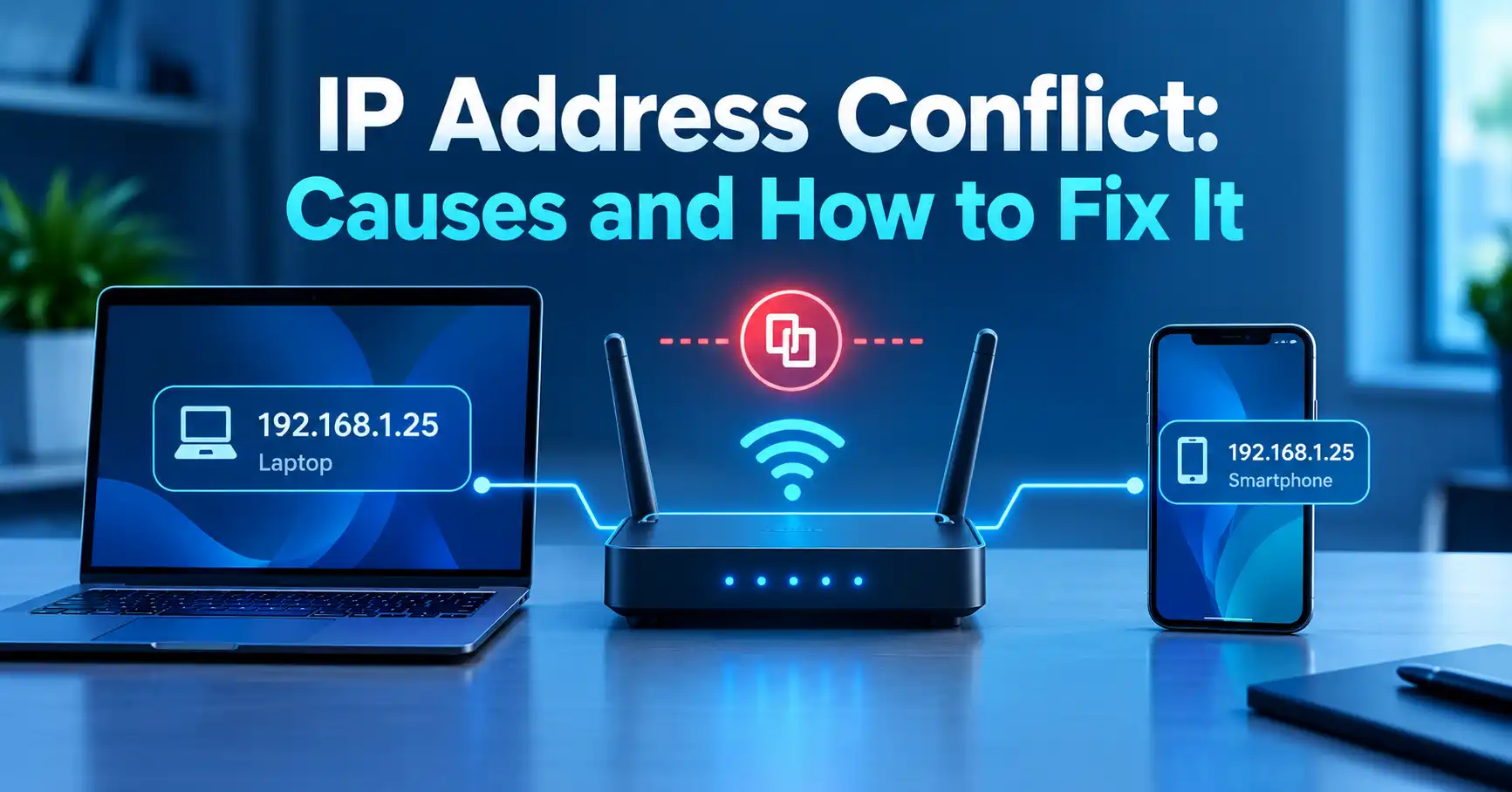
They can use the same private IP address on separate networks, but two devices generally should not have the same address within the same local network because that can create an IP address conflict.
Can someone find my exact address from my public IP?
A public IP address does not inherently reveal a person's exact physical address. IP geolocation can provide an approximate location or network information, but accuracy varies, and additional information would normally be required to identify a specific person or household.
Is 100.64.0.1 a private IP?
100.64.0.1 falls within 100.64.0.0/10, which is designated as Shared Address Space for service-provider networks. It is similar to private addressing in some respects but is not part of the RFC 1918 private address ranges.
Share this article 👇
0 Comments