
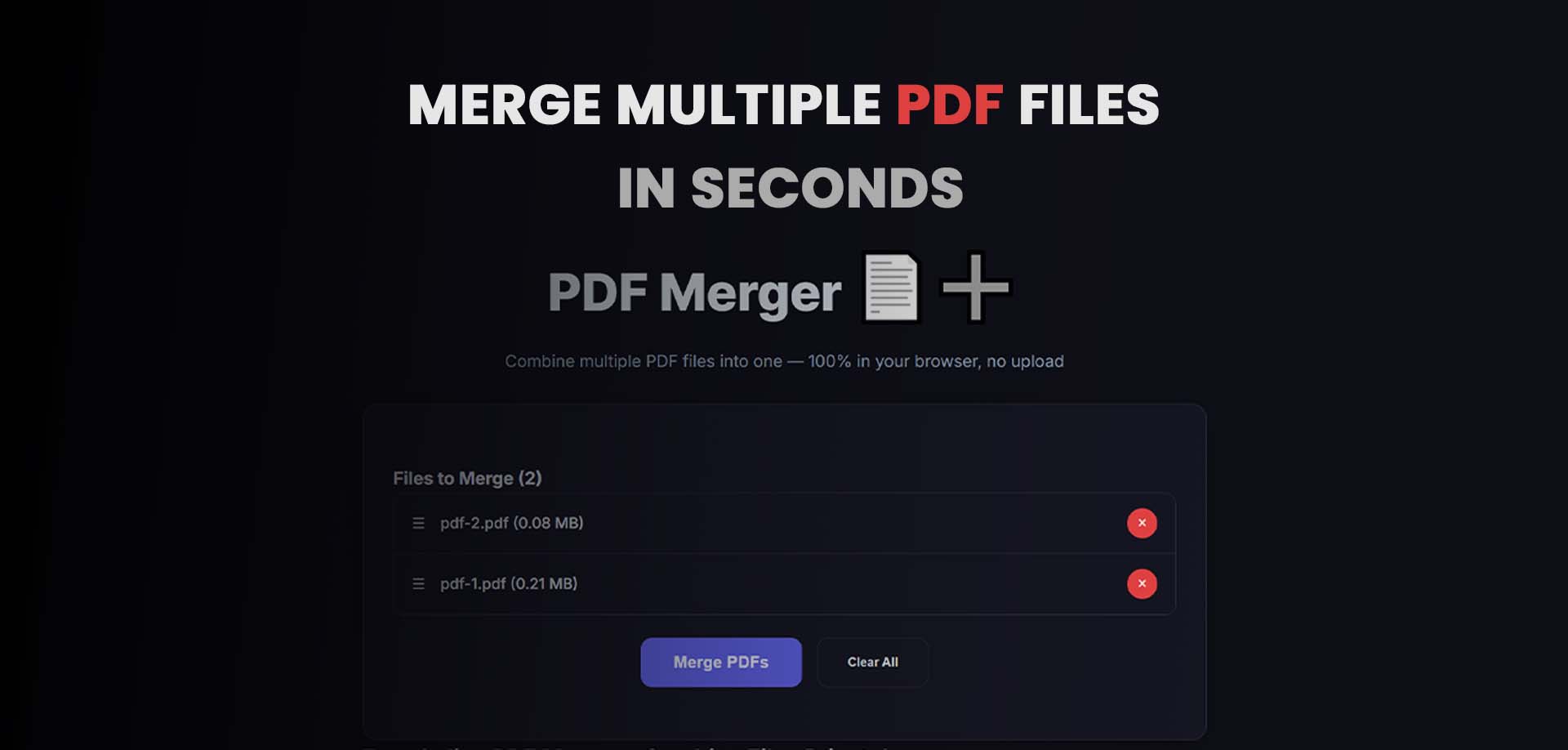
Introduction: Why You Need a PDF Merger 🔗
PDF documents have become the universal standard for sharing and preserving information. Whether you're a business professional, student, or remote worker, you've likely faced the challenge of managing multiple PDF files. From scanning receipts to collecting signed contracts, the need to combine PDF files into a single document is more common than ever.
Did you know that over 2.5 trillion PDF documents are created annually? Professionals spend an average of 3-4 hours per week just organizing and merging PDF files. Manual processes like printing and re-scanning not only waste time but also degrade document quality.
Enter the PDF merger—your essential tool for combining, organizing, and streamlining your document workflow with just a few clicks.
What is a PDF Merger? 🔗
A PDF merger (also called a PDF combiner or PDF joiner) is a tool that combines multiple PDF files into a single, cohesive document. It allows you to merge pages from different sources, reorder them, and create a unified file without losing formatting, images, or quality.
Key Capabilities of a Modern PDF Merger 🔗
1. Multi-File Merging 🔗
Combine 2, 10, or even 100+ PDF files into one document with a single operation.
2. Page-Level Control 🔗
- Select specific pages from each file
- Reorder pages by dragging and dropping
- Remove unwanted pages before merging
3. Preserved Formatting 🔗
Maintains:
- Original layout and fonts
- Images and graphics
- Hyperlinks and bookmarks
- Form fields and annotations
4. Batch Processing 🔗
Merge multiple groups of files simultaneously for maximum efficiency.
Why You Need a PDF Merger 🔗
📄 1. Simplify Document Management 🔗
Instead of managing dozens of separate PDF files:
- Combine invoices into monthly reports
- Merge scanned contracts into complete files
- Create unified portfolios and presentations
🏢 2. Professional Presentation 🔗
Impress clients and colleagues with:
- Consolidated proposals and quotes
- Complete project documentation
- Organized financial statements
📚 3. Academic Efficiency 🔗
Students and educators benefit from:
- Combining lecture notes
- Merging research papers with references
- Creating study guides from multiple sources
⚡ 4. Time Savings 🔗
What used to take hours now takes seconds:
- No more printing and re-scanning
- No manual page reorganization
- No file size limitations (with our tool)
🔒 5. Maintain Security 🔗
- Preserve password protection from source files
- Keep digital signatures intact
- Maintain document integrity
Common PDF Merging Scenarios 🔗
Business Applications 🔗
| Scenario | Files to Merge | Result | |----------|---------------|--------| | Client Proposal | Cover letter + Scope + Pricing + Terms | Complete proposal package | | Monthly Reports | Department reports + Financials + Analytics | Comprehensive monthly summary | | Employee Onboarding | Offer letter + Handbook + Benefits + Tax forms | New hire welcome package | | Legal Documents | Signed agreements + Amendments + Exhibits | Complete contract file |
Personal & Academic Applications 🔗
| Scenario | Files to Merge | Result | |----------|---------------|--------| | Travel Itinerary | Flight confirmations + Hotel bookings + Rental car + Maps | All-in-one travel document | | Job Application | Resume + Cover letter + Portfolio + References | Complete application package | | Research Paper | Abstract + Main paper + Appendices + References | Full academic submission | | Recipe Collection | Individual recipe PDFs + Shopping lists + Menu plans | Digital cookbook |
How to Merge PDF Files: Step-by-Step Guide 🔗
Method 1: Using Our Free Online PDF Merger 🔗
Our free online PDF merger makes combining documents simple:
Step 1: Access the Tool 🔗
Visit our PDF Merger Tool - completely free, no registration required.
Step 2: Upload Your Files 🔗
- Drag and drop files into the upload area
- Click to browse and select multiple files
- Supports up to 100 files per merge session
- Individual file size limit: 100MB
- Total merge size: Up to 500MB
Step 3: Arrange Your Files 🔗
Once uploaded, you can:
- Drag and drop to reorder files
- Click the up/down arrows for precise ordering
- Remove files you don't need
- Add more files at any time
Step 4: Advanced Options (Optional) 🔗
- Select specific pages: Choose page ranges (e.g., 1-5, 8, 10-15)
- Remove duplicates: Automatically detect and remove duplicate pages
- Compress output: Reduce file size after merging
- Rotate pages: Fix orientation issues before merging
Step 5: Merge and Download 🔗
- Click "Merge PDF" button
- Wait a few seconds while we combine your files
- Download your merged PDF instantly
- No files are stored permanently—your privacy is guaranteed
Method 2: PDF Merging Best Practices 🔗
For optimal results, follow these professional tips:
Before Merging 🔗
- Check file order - Ensure chronological or logical sequence
- Remove duplicates - Eliminate redundant pages
- Standardize orientation - Rotate pages to match
- Verify file quality - Check for corruption or low resolution
During Merging 🔗
- Use page selection when only specific pages are needed
- Preview if possible to catch ordering errors
- Keep file sizes reasonable (<50MB for email, <100MB for sharing)
After Merging 🔗
- Verify merged document - Scroll through to check completeness
- Add bookmarks for long documents
- Reduce file size if needed for email
- Backup original files in case you need to re-merge
PDF Merger vs. Other PDF Tools 🔗
| Feature | PDF Merger | PDF Splitter | PDF Compressor | |---------|------------|--------------|----------------| | Primary Function | Combine multiple PDFs | Split one PDF into many | Reduce file size | | Page Reordering | ✓ Yes | Limited | No | | Preserve Formatting | ✓ Yes | ✓ Yes | May degrade quality | | Use Case | Consolidating documents | Extracting sections | Email optimization | | Best For | Proposals, reports, portfolios | Single pages, specific sections | Sharing, storage |
Advanced PDF Merging Techniques 🔗
1. Merge with Page Selection 🔗
Instead of merging entire files, select specific pages: File 1 (30 pages) → Select pages 1-5, 12-15 File 2 (50 pages) → Select pages 1-20, 45-48 File 3 (25 pages) → Select all pages Result: Consolidated 48-page document
2. Create Document Portfolios 🔗
For legal or financial documents:
- Merge main document
- Add appendices as separate sections
- Include exhibits at the end
- Create a table of contents page as first page
3. Batch Merge Multiple Groups 🔗
Efficient for recurring workflows:
- Monthly reports: Save a template with standard sections
- Client packages: Create custom merges per client
- Project documentation: Merge daily updates weekly
Privacy and Security Considerations 🔗
How Our PDF Merger Protects Your Data 🔗
- Client-side processing: Files never leave your browser
- No server storage: All processing happens locally
- Automatic deletion: Temporary files removed after merge
- SSL encryption: Secure connection for all operations
Best Practices for Sensitive Documents 🔗
- Avoid uploading confidential documents to unknown services
- Use local processing tools (like ours) for sensitive data
- Remove metadata and annotations before sharing
- Consider password protection for final merged files
Troubleshooting Common Issues 🔗
File Too Large? 🔗
- Compress before merging
- Merge in smaller batches
- Reduce image quality if acceptable
Pages Out of Order? 🔗
- Check original file names (some tools sort alphabetically)
- Use manual drag-and-drop to reorder
- Number files: 01_cover.pdf, 02_intro.pdf, etc.
Formatting Looks Wrong? 🔗
- Ensure all source PDFs were created with compatible versions
- Check for font embedding in original files
- Use "preserve formatting" option if available
Merged File Won't Open? 🔗
- Individual source files may be corrupted
- Try merging in smaller batches to identify problem file
- Use PDF repair tools if needed
Frequently Asked Questions 🔗
Is PDF merging free? 🔗
Yes! Our PDF merger is completely free with no hidden fees, watermarks, or file limits. Merge as many PDFs as you need.
Can I merge password-protected PDFs? 🔗
Yes, if you have the password. You'll need to enter the password for each protected file during upload.
Will merging affect my original files? 🔗
No. Our tool creates a new merged file while preserving your original documents unchanged.
Can I merge files of different orientations? 🔗
Yes. Portrait and landscape pages will be preserved in their original orientation. Some tools offer auto-rotation options.
Is there a limit to how many files I can merge? 🔗
Our free tool supports up to 100 files per merge. For larger projects, merge in batches.
Will hyperlinks and bookmarks survive merging? 🔗
Yes! Our PDF merger preserves:
- Internal and external hyperlinks
- Document bookmarks
- Form fields
- Annotations and comments
Can I merge files on mobile? 🔗
Yes! Our tool is fully responsive and works on smartphones, tablets, and desktop browsers.
The Future of PDF Management 🔗
PDF technology continues to evolve with:
AI-Powered Organization 🔗
Smart merging that automatically suggests page order based on content analysis.
Cloud Integration 🔗
Seamless merging from Google Drive, Dropbox, and OneDrive.
Enhanced Collaboration 🔗
Real-time merging with version tracking and team workflows.
Accessibility Features 🔗
Automatic tagging for screen readers and improved accessibility compliance.
Conclusion: Master Your Document Workflow 🔗
A PDF merger is more than just a convenience tool—it's an essential component of modern document management. Whether you're preparing a business proposal, organizing research, or creating a personal portfolio, the ability to combine PDF files quickly and efficiently saves hours of manual work while ensuring professional results.
By using a reliable PDF merger like our free online tool, you can:
- Save time with instant file combination
- Maintain quality with lossless merging
- Improve organization with unified documents
- Work securely with local file processing
---
Start merging now: Combine your PDF files instantly →