
Table of Contents
IP Address vs MAC Address Explained
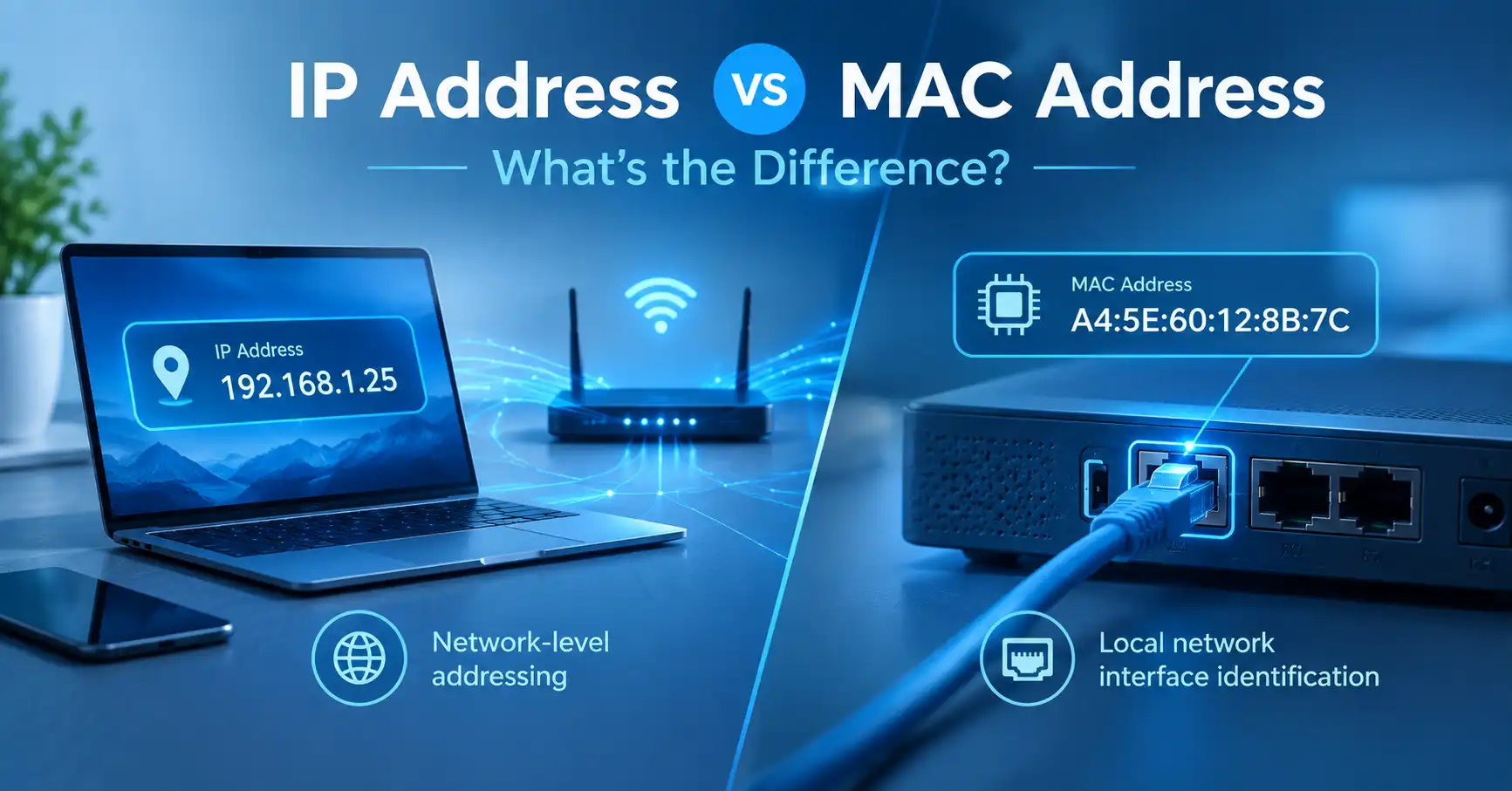
An IP address and a MAC address are both used in computer networking, but they serve different purposes. An IP address provides addressing for IP communication and routing, while a MAC address is primarily used for communication between network interfaces on a local network.
If you're new to networking, the two can look confusing because both appear in your device's network settings. They are not interchangeable, and understanding the difference makes many common networking problems easier to troubleshoot.
For a broader explanation of IP addresses, including public and private IPs, IPv4 and IPv6, and how IP addresses work, see our complete guide to IP addresses.
IP Address vs MAC Address: The Quick Difference
The simplest distinction is:
An IP address is used for IP networking and routing, while a MAC address is used primarily for local network communication.
| Feature | IP Address | MAC Address |
|---|---|---|
| Primary purpose | IP addressing and routing | Local-link communication |
| Example | 192.168.1.25 | A4:5E:60:12:8B:7C |
| Common formats | IPv4 and IPv6 | Commonly 48-bit MAC addresses |
| Used across networks | Yes | Normally local to the network link |
| Associated with | Network interface and IP configuration | Network interface |
| Can change? | Yes | Yes, in some circumstances |
| Commonly visible to websites | Public IP information can be visible | Local MAC address is normally not exposed to websites |
The two addresses can work together, but they operate at different levels of networking.
What Is an IP Address?
An IP address is an address used by the Internet Protocol to identify a network interface for communication.
The two major IP versions are IPv4 and IPv6.
An IPv4 address might look like:
192.168.1.25
An IPv6 address looks quite different because IPv6 uses a much larger address space:
2001:db8:85a3::8a2e:370:7334
An IP address can change depending on the network and configuration.
For example, your laptop might use one private IP address at home and receive a different private IP address when you connect to another Wi-Fi network.
Your internet connection can also have a public IP address that internet services use when communicating with your network.
If you want a broader explanation of how public and private IP addresses fit together, our complete IP address guide provides that larger picture.
What Does an IP Address Do?
An IP address allows devices and routers to identify destinations within an IP network.
When data travels across multiple networks, routers use IP addressing to determine where packets should be forwarded.
This is why IP addresses are important beyond your immediate home or office network.
For example, when your computer communicates with a website, the traffic may pass through multiple routers before reaching its destination. IP addressing allows that communication to work across those interconnected networks.
What Is a MAC Address?
A MAC address is a link-layer address associated with a network interface.
MAC addresses are commonly used with networking technologies such as Ethernet and Wi-Fi.
A typical MAC address looks like this:
A4:5E:60:12:8B:7C
The commonly encountered MAC address format contains 48 bits, represented using hexadecimal characters.
A device can have more than one MAC address because it can have multiple network interfaces.
For example, a laptop might have:
- One Wi-Fi interface
- One Ethernet interface
- Virtual network interfaces created by software
Each interface can have its own addressing information.
How Are IP Addresses and MAC Addresses Related?
IP addresses and MAC addresses can work together when devices communicate over a local network.
Suppose your laptop has the private IP address:
192.168.1.25
Your router might have:
192.168.1.1
When your laptop needs to communicate with another device on the local network, the networking stack needs both IP-level and local-link information.
On IPv4 networks, ARP (Address Resolution Protocol) can be used to discover the MAC address associated with an IPv4 address on the local network.
The important distinction is:
The IP address identifies the destination at the IP networking layer, while the MAC address identifies the local network interface involved in delivering the frame on the local link.
This is one reason you may see both addresses when inspecting your computer's network configuration.
Can a MAC Address Replace an IP Address?
No.
A MAC address cannot simply replace an IP address when communicating across IP networks.
MAC addresses have local-link significance. When traffic passes through a router, the link-layer information used on one network segment does not simply travel unchanged across every network hop.
IP addressing, on the other hand, is designed to support communication between different IP networks.
This is why your computer can communicate with a server on the other side of the world even though the server does not need your laptop's local MAC address to route the traffic across the internet.
Can an IP Address Change Without the MAC Address Changing?
Yes.
This happens frequently.
Imagine connecting your laptop to your home Wi-Fi. It might receive:
192.168.1.25
Later, you connect the same laptop to another network and receive:
10.20.30.45
The IP address has changed because the network configuration has changed.
The network interface can still use its existing MAC address.
This is one of the easiest ways to understand why an IP address and MAC address are not the same type of identifier.
Can a Device Have Multiple IP Addresses?
Yes.
A single device can have multiple IP addresses.
For example, a computer could have:
- An IPv4 address
- An IPv6 address
- A Wi-Fi interface
- An Ethernet interface
- A VPN interface
- Additional addresses assigned to an interface
The exact configuration depends on the operating system and network.
So it is not always accurate to think of a computer as having one single IP address.
Can a Device Have Multiple MAC Addresses?
Yes.
A computer with multiple network interfaces can have multiple MAC addresses.
For example:
Wi-Fi adapter
A4:5E:60:12:8B:7C
Ethernet adapter
38:F9:D3:42:91:AB
These addresses can belong to different interfaces on the same computer.
Virtual networking can introduce additional interfaces as well.
Is a MAC Address the Same as a Hardware Address?
MAC addresses are often called hardware addresses or physical addresses, particularly in operating-system network settings.
That description can be useful for beginners, but it should not be interpreted to mean that a MAC address is an unchangeable hardware fingerprint.
Network interfaces can support locally administered addresses, and operating systems may use address-randomization features in certain circumstances.
Therefore, it is better to think of a MAC address as a local network-interface address rather than an immutable identity for the physical computer.
Which Address Does a Website See?
When you visit a website, the website can generally receive information associated with the IP connection reaching its servers.
Your local Wi-Fi or Ethernet MAC address is normally not passed through the internet to the website.
For example, your home network might look roughly like this:
Your laptop
Private IP: 192.168.1.25
MAC: A4:5E:60:12:8B:7C
↓
Home router
Private IP: 192.168.1.1
↓
Internet
Public IP associated with your internet connection
↓
Website
The website communicates with the public-facing IP connection, not normally with your laptop's local MAC address.
This distinction also explains why checking your public IP address is different from checking the MAC address of your computer.
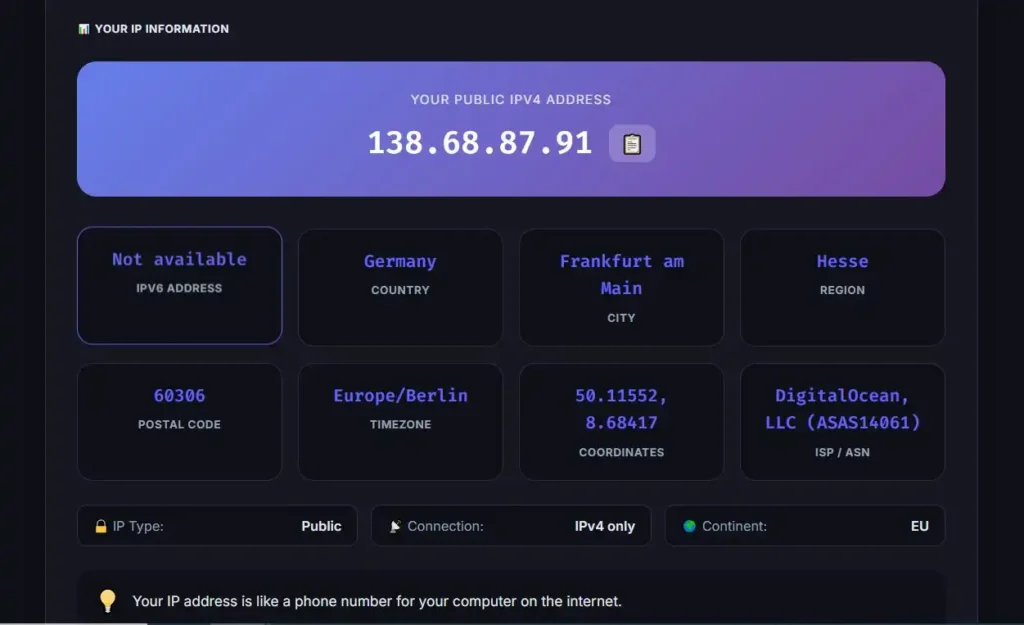
If you want to see the public IP address currently associated with your internet connection, you can use the MiniToolsPro What Is My IP Address tool.
Does an IP Address Identify a Person?
Not by itself.
An IP address can provide information about a network connection and may be associated with an ISP, organization, approximate geographic area, or other network information.
However, an IP address should not be treated as a guaranteed personal identity.
Likewise, an IP address does not automatically reveal someone's exact home address or GPS location.
For a deeper explanation of what IP addresses can and cannot reveal, see the complete guide to IP addresses.
Does a MAC Address Identify a Person?
A MAC address is primarily relevant to the local network environment.
A network administrator may use MAC addresses to identify or manage network interfaces on a local network, but a MAC address should not be treated as a universal personal identifier.
Modern devices can also use locally administered or randomized MAC addresses in certain circumstances.
That means the idea that every device has one permanent MAC address that always identifies its owner is an oversimplification.
IP Address vs MAC Address for Troubleshooting
Knowing which address you are dealing with can make network troubleshooting much easier.
IP Address Problems
IP-related problems can include:
- Incorrect IP configuration
- IP address conflicts
- DHCP problems
- Incorrect subnet configuration
- Incorrect default gateway
- Connectivity problems between IP networks
For example, two devices accidentally using the same private IPv4 address can cause an IP address conflict.
MAC Address Problems
MAC-related issues are more commonly associated with the local network interface or network access controls.
For example, a router or network administrator may use MAC addresses when configuring certain access-control or device-management features.
The exact behavior depends on the networking equipment and configuration.
IP Address vs MAC Address: Common Misconceptions
“My IP address is my computer's permanent address.”
No.
IP addresses can change, and a device can have multiple IP addresses depending on its interfaces and network configuration.
“My MAC address is my computer's permanent identity.”
Not necessarily.
MAC addresses can be locally administered, and some devices use MAC address randomization for privacy-related purposes.
“Websites can see my MAC address.”
Normally, no.
A website communicating with your browser does not normally receive the MAC address of your local Wi-Fi or Ethernet interface.
“IP addresses and MAC addresses do the same thing.”
No.
IP addresses are part of IP networking and are used for addressing and routing. MAC addresses are used primarily for local-link communication.
“Changing my IP address changes my MAC address.”
No.
They are separate addressing mechanisms. Changing an IP address does not automatically change the MAC address of a network interface.
Why Both Addresses Matter
At first glance, having two different addresses for networking may seem unnecessary.
They exist because modern computer networks operate through multiple layers.
IP addressing provides a way to identify destinations and move IP traffic between interconnected networks.
Link-layer addressing provides a way for devices to communicate over a particular local network technology.
Separating these responsibilities allows the same IP networking system to operate across different underlying network technologies.
That is why your computer can move from one Wi-Fi network to another and receive a different IP configuration while still functioning as the same computer.
How to Remember the Difference
If you're trying to remember the difference between an IP address and a MAC address, use this simple rule:
IP address = IP network addressing and routing
MAC address = local network interface addressing
An IP address might look like:
192.168.1.25
A MAC address might look like:
A4:5E:60:12:8B:7C
They can work together, but they are not interchangeable.
For a broader understanding of how IP addresses fit into your internet connection, including public versus private addresses and IPv4 versus IPv6, continue with our complete guide to what an IP address is.
Frequently Asked Questions
Is an IP address the same as a MAC address?
No. An IP address is used for Internet Protocol addressing and routing, while a MAC address is primarily used for communication between network interfaces on a local network.
Can a device have both an IP address and a MAC address?
Yes. A network interface can have an IP address for IP communication and a MAC address used for local-link communication.
Can my IP address change while my MAC address stays the same?
Yes. Moving between networks or receiving a new network configuration can change an IP address without changing the MAC address being used by the network interface.
Can a website see my MAC address?
A normal website does not typically receive the MAC address of your local Wi-Fi or Ethernet interface. Websites generally communicate with your connection at the IP level.
Which is more important, an IP address or a MAC address?
They serve different purposes, so one is not simply more important than the other. IP addresses are essential for IP communication and routing, while MAC addresses are important for communication on local network links.
Final Takeaway
The difference between an IP address and a MAC address becomes much clearer when you consider where each one is used.
An IP address provides addressing for IP communication and allows traffic to be routed between networks.
A MAC address is associated with a network interface and is primarily used for communication on the local network link.
Your computer can have multiple IP addresses and multiple network interfaces, and MAC addresses can also be locally administered or changed in certain circumstances.
So, while both addresses are important parts of networking, they solve different problems:
IP address → network addressing and routing
MAC address → local network-interface communication
Understanding that distinction gives you a much better foundation for diagnosing network problems and understanding how your devices communicate.
For the broader picture, you can continue with MiniToolsPro's complete guide to IP addresses.
Share this article 👇


0 Comments