
![Date to Date Calculator]](https://minitoolspro.com/blog/wp-content/uploads/2026/06/Date-to-Date-Calculator.jpg "Date to Date Calculator]")
Table of Contents
How Many Days Between Two Dates? Stop Counting on Your Fingers
You need to know exactly how many days until a deadline. Or maybe you're calculating how long it's been since an important event. Doing this manually means accounting for different month lengths, leap years, and starting on the right day. It's easy to make mistakes. A date to date calculator solves this instantly. This guide shows you everything about calculating date differences, when you need it, and how to get accurate results every time without the mental math.
Quick Answer: What Is a Date to Date Calculator?
A date to date calculator is a tool that computes the exact number of days, weeks, months, or years between any two given calendar dates. It automatically accounts for month length variations, leap years, and date boundaries to give you an accurate duration in seconds.
Use the MiniToolsPro date-to-date calculator.
What Is a Date to Date Calculator Exactly?
A date to date calculator performs date arithmetic. You give it a start date and an end date, and it returns the precise difference. Unlike manual counting, it knows that February has 28 or 29 days, that September has 30 days, and that the day count changes based on whether you include the start or end date.
Some days between dates calculators also offer advanced features: excluding weekends for business day calculations, counting only working days, or breaking down the difference into years, months, and days separately. The best two-date calculator tools handle all of this without any math on your part.
Why a Date to Date Calculator Matters
Getting date differences wrong has real consequences. Here's why accurate calculation matters:
- Project deadlines: Miscalculating available days leads to missed deliverables and rushed work.
- Contract terms: Legal agreements often specify "within 30 days" of a date. Wrong calculation means breached contracts.
- Age calculations: Determining someone's exact age requires precise date-to-date math, not just subtracting years.
- Travel planning: Visa duration limits, hotel booking lengths, and rental periods all depend on accurate day counts.
- Financial calculations: Interest accrual, payment due dates, and investment holding periods all rely on correct date differences.
A simple day counter from date to date prevents these costly errors. The difference between "within 30 days" and "30 days including the start date" can change whether you're late or on time.
How a Date to Date Calculator Works
Behind the scenes, date difference calculation follows a reliable method:
- Convert both dates to a common reference point – usually the number of days since a fixed epoch (like January 1, 1970).
- Account for calendar rules – month lengths, leap year logic, and time zones if relevant.
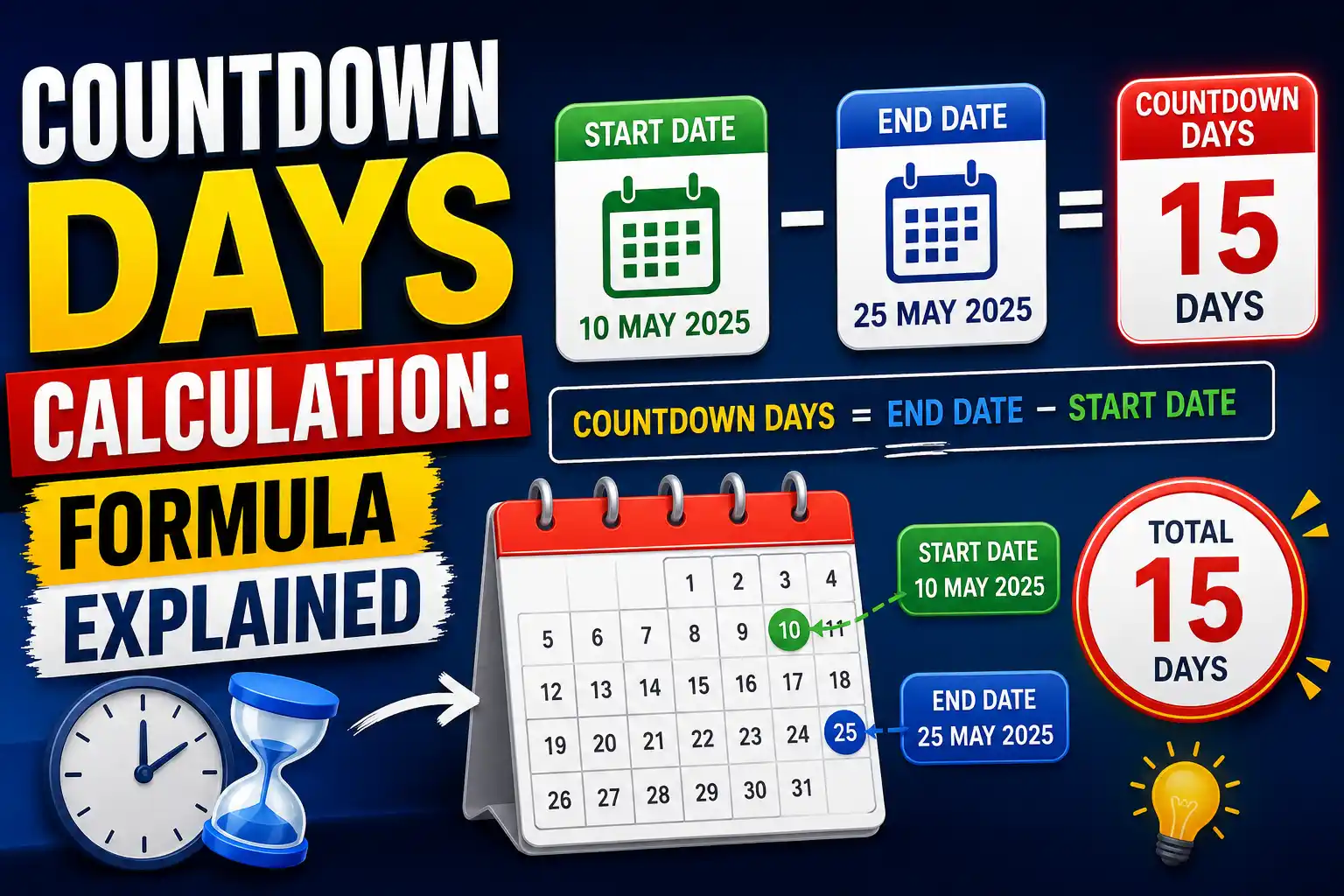
- Subtract the start date value from the end date value – the difference equals the number of days between them.
- Optionally convert to weeks, months, or years – using average month lengths or exact calendar months.
For example, to calculate between two dates like March 15 and December 10, the tool knows March has 31 days, April 30, and so on. It also knows that if the date range crosses a February 29, a leap day gets included.Technical Explanation (Optional)
Most programming languages use Unix timestamps or Julian Day Numbers for date calculations. A Julian Day Number counts the number of days since January 1, 4713 BCE. To calculate days between two dates, you convert each date to its Julian Day Number using astronomical algorithms, then subtract. This method automatically handles leap years, Gregorian calendar corrections (including the 1582 missing days), and any valid historical date. For business day calculations, algorithms iterate through each day, skip Saturdays and Sundays, and optionally exclude holiday lists. Modern date calculators use Gregorian calendar logic for all dates after October 15, 1582, with pre-1582 dates assumed proleptic Gregorian.
Quick Reference: Date Difference Examples
| Start Date | End Date | Days Between | Weeks (approx) |
|---|---|---|---|
| January 1, 2025 | January 31, 2025 | 30 days | 4.3 weeks |
| February 1, 2024 | March 1, 2024 | 29 days (leap year) | 4.1 weeks |
| January 1, 2025 | December 31, 2025 | 364 days | 52 weeks |
| June 15, 2025 | December 15, 2025 | 183 days | 26.1 weeks |
| October 10, 2025 | October 20, 2025 | 10 days | 1.4 weeks |
Step-by-Step Guide to Calculating Days Between Dates
Manual Method (For Understanding)
If you want to calculate number of days between two dates manually, here's the process:
- Count remaining days in the start month (total month days minus start day).
- Add all full months in between.
- Add days in the end month up to the end day.
- Add an extra day for each February 29 crossed (leap years).
Example: From June 15 to September 10, 2025.
June remaining: 30 - 15 = 15 days
July: 31 days
August: 31 days
September: 10 days
Total = 15 + 31 + 31 + 10 = 87 days.
This manual method is tedious and error-prone. One missed leap year or wrong month length throws everything off.
Modern Digital Method
Using a digital days between calculator is faster and foolproof:
- Enter your start date (month, day, year).
- Enter your end date.
- Click calculate.
- Get instant results including total days, weeks, months, and years.
The entire process takes 10 seconds. No manual math, no calendar flipping, no mistakes.
Common Mistakes When Calculating Between Dates
- Mistake #1: Including or excluding the start day incorrectly. If an event starts on day 1 and ends on day 10, is that 9 or 10 days? Fix: Decide your convention first. For durations "between" dates, most calculators exclude the start day but include the end day.
- Mistake #2: Forgetting leap years. February 1 to March 1 in 2023 is 28 days; in 2024 it's 29 days. Fix: Use a date to date calculator that automatically handles leap years.
- Mistake #3: Assuming all months have 30 days. This common shortcut creates errors of up to 3 days per month. Fix: Never estimate month lengths. Use exact calendar calculations.
- Mistake #4: Ignoring time zones for date boundaries. If you're calculating between dates across time zones, midnight in New York is different from midnight in London. Fix: For most date-only calculations, this doesn't matter. For precise hour-based differences, use a tool that accepts time input.
- Mistake #5: Counting business days vs. calendar days incorrectly. A "5 business day" deadline from Friday is actually 7 calendar days. Fix: Use a calculate workdays feature that excludes weekends and holidays.
Real-World Use Cases for Date to Date Calculator
Different people need days between two dates calculations for completely different reasons:
- Project managers: Calculate actual working days between project milestones, excluding weekends for realistic timelines.
- HR professionals: Determine employee tenure, benefit eligibility dates, and notice period expirations accurately.
- Event planners: Count days until weddings, conferences, or product launches for marketing schedules.
- Couples: Track anniversary days, relationship milestones, or countdown to special occasions.
- Students: Calculate days until exams, assignment deadlines, or summer break.
- Travelers: Verify visa stay limits (e.g., "90 days within 180 days") and plan itineraries.
- Legal professionals: Calculate statute of limitations deadlines, response periods, and contract notice windows.
- Medical professionals: Track gestation periods, medication durations, and follow-up appointment schedules.
Tool Integration: Stop Manual Counting, Use Our Free Date to Date Calculator
Instead of flipping through calendars or doing error-prone manual math, you can use our free date to date calculator. It handles everything automatically:
- Select your start date and end date from simple date pickers
- Instantly see total days, weeks, months, and years between them
- Option to exclude weekends for business day calculations
- Automatic leap year handling
- No signup, no email, completely free

Whether you need a day counter between dates for a project timeline, a days between dates calculation for travel planning, or a two dates calculator for legal deadlines, our tool gives you accurate results in seconds. Bookmark it for whenever you need quick date math.
Advanced Tips & Best Practices for Date Calculations
- Use inclusive vs. exclusive consistently: Decide whether your calculation includes both endpoints. A lease from Jan 1 to Jan 31 inclusive is 31 days; exclusive of the end date is 30 days. Most calculate date between two dates tools default to exclusive of start, inclusive of end.
- Calculate workdays for business planning: Weekend removal changes deadlines dramatically. A "14 day" response period becomes 10 working days if weekends don't count.
- Account for holidays separately: No automated tool knows your local holidays. After getting business days, manually subtract recognized holidays for true working days.
- Use year-month-day format to avoid confusion: Different regions use MM/DD/YYYY (US) vs DD/MM/YYYY (Europe). Always use YYYY-MM-DD (ISO 8601) for unambiguous entry.
- Double-check date ranges that cross month boundaries: The no of days between two dates from Jan 31 to Mar 1 requires careful month-length handling. Let the tool do this.
Frequently Asked Questions
How do I calculate the number of days between two dates?
The easiest way is to use a date to date calculator. Simply enter your start date and end date, and the tool instantly returns the exact number of days between them. To do it manually, count remaining days in the start month, add all full month days in between, then add days in the end month. Account for leap years when crossing February 29.
Does the date to date calculator include both start and end days?
Most day counter between dates tools exclude the start day and include the end day. For example, Monday to Wednesday typically shows 2 days (Tuesday and Wednesday). Always check your tool's convention. For legal or contract calculations, verify which method the agreement specifies.
How do I calculate days between two dates in Excel?
Excel uses the DATEDIF function or simple subtraction: =B2-A2 (where B2 is end date, A2 is start date). For business days excluding weekends, use NETWORKDAYS(start_date, end_date). For custom holidays, use NETWORKDAYS(start_date, end_date, holidays). Excel automatically handles leap years and month lengths.
What's the best days between calculator for workdays only?
Our date to date calculator includes an option to exclude weekends. For full business day calculations including holidays, use the business day mode and manually subtract recognized holidays from the result. Some advanced tools let you upload holiday calendars for complete accuracy.
How do I calculate number of days between two dates in Google Sheets?
Use =DAYS(end_date, start_date) for total days, or =NETWORKDAYS(start_date, end_date) for workdays. You can also simply subtract: =A2-A1. Google Sheets automatically handles leap years and calendar rules. Format the result cell as "Number" to see the day count.
What's the formula to calculate date between two dates manually?
Convert both dates to a Julian Day Number or count cumulative days from a fixed reference. The manual formula: Days between = (End date cumulative days) - (Start date cumulative days). You need month-length tables and leap year rules. For example, from Jan 15 to Mar 10: January remaining (31-15=16) + February (28 or 29) + March (10) = total days.
Does days between two dates calculator account for leap years?
Yes. Any accurate calculate days between two dates tool automatically includes February 29 when the date range crosses a leap year. For example, from Feb 1, 2023 to Feb 1, 2024 returns 365 days (2023 not leap), while Feb 1, 2024 to Feb 1, 2025 returns 366 days (including Feb 29, 2024).
How do I calculate the duration between two dates in months?
Use a calculate duration between two dates tool with month output. Different methods exist: calendar months (count month boundaries crossed), average months (total days / 30.44), or exact months (full month count plus remainder days). For loan calculations, specify which method your contract uses.
What's the difference between calendar days and business days?
Calendar days count every day including weekends and holidays. Business days count only Monday through Friday, excluding weekends. For example, 7 calendar days from Friday is the following Friday. But 7 business days from Friday is the following Tuesday (excluding Sat, Sun, plus 5 more weekdays).
How do I count days between two dates including both start and end?
To include both dates in your count, calculate the difference normally then add 1. For example, the no of days between two dates from Monday to Wednesday exclusive is 2 days (Tue, Wed). Inclusive of both Monday and Wednesday is 3 days. Use the inclusive option if your tool offers it.
Can I calculate days between two dates without a tool?
Yes, but it's tedious. Use a calendar. For short ranges (under 30 days), physically count days on a printed calendar. For longer ranges, use known reference points: count total days from start date to end of year, add full years (365 or 366 each), add days from beginning of end year to end date. Most people prefer using a two dates calculator for accuracy.
Why do some date calculators give different results?
Differences come from three factors: whether they include/exclude start/end dates, whether they use calendar months vs. average months for month outputs, and whether they handle historical calendar corrections (Gregorian vs. Julian). For modern dates (post-1582), all accurate calculate days between two dates online tools should agree within 1 day based on endpoint convention.
Related Date Calculation Guides
Date calculations can be used for many different purposes, from finding the number of days between two dates to calculating business days and understanding how date calculators work. Learn how to find dates and calculate date differences, explore our guide to calculating dates between two dates, or see what a two-dates calculator actually does.
For more specific calculations, learn how to find the days between two dates, understand date differences, or calculate business days. You can also explore our Date-to-Date Calculation Guide for a broader explanation of date-based calculations.
Final Thoughts
Calculating days between dates doesn't have to be a headache. Whether you're planning a project, tracking an anniversary, or meeting a legal deadline, accuracy matters. The manual method works but takes time and invites errors. A dedicated date to date calculator gives you instant, reliable results without second-guessing leap years or month lengths.
Ready to calculate your date difference? Use our free Date to Date Calculator now — enter your start and end dates, and get instant results. No signup, no email, completely free.
Bookmark it for next time you need to know "how many days until..." or "how many days since..." It takes ten seconds and saves you from counting on your fingers ever again.
Related Tools You May Find Useful
- Age Calculator – Calculate exact age in years, months, and days from birth date to today.
- Birthday Countdown – Days remaining until your next birthday or special event.
- Retirement Age Calculator – Plan retirement dates based on birth year and retirement age.
- Dog Age Calculator – Convert dog years to human years using breed size.
- Countdown Timer – Create custom countdowns for any future date or event.
- Leap Year Checker – Verify if any given year is a leap year for accurate date math.
Share this article 👇
0 Comments