
Table of Contents
Percentage increase vs percentage change
Percentage change is the broader term that measures how much a value has shifted relative to its original amount, expressed as a percentage. Percentage increase is a specific type of percentage change that only applies when the new value is larger than the original. In short: every percentage increase is a percentage change, but not every percentage change is an increase — it can also be a decrease.
The distinction matters because the formula you use depends on what you're trying to measure. If you're tracking growth, you'll calculate a percentage increase. If you're comparing two values without knowing in advance which one is larger, you need percentage change, which can produce a positive or negative result.
Defining Percentage Change
Percentage change measures the relative difference between an old value and a new value. It tells you how much something has grown or shrunk compared to where it started. The formula is:
Percentage Change = ((New Value − Old Value) ÷ Old Value) × 100
If the result is positive, the value increased. If it's negative, the value decreased. The sign is part of the answer, not an afterthought.
Percentage change is used in finance, economics, retail, health metrics, and anywhere two values need to be compared over time or across categories. Stock market returns, population shifts, revenue growth, and website traffic changes all rely on percentage change.
Defining Percentage Increase
Percentage increase is a specific case of percentage change where the new value is greater than the old value. The formula is identical:
Percentage Increase = ((New Value − Old Value) ÷ Old Value) × 100
The only difference is that you're working with values that have risen. Because the new value exceeds the old value, the numerator is positive, and the result is always a positive percentage. You don't need to worry about a negative sign because the direction of change is already known.
When someone says "sales grew by 15%," they're reporting a percentage increase. When a salary goes from $50,000 to $55,000, that's a percentage increase of 10%. The calculation is the same as percentage change — the label just confirms the direction.
Percentage Change Also Includes Decrease
The key reason percentage change and percentage increase aren't interchangeable is that percentage change also covers decreases. When the new value is smaller than the old value, the formula produces a negative number.
Example: A product's price drops from $80 to $60.
Percentage change = ((60 − 80) ÷ 80) × 100 = (−20 ÷ 80) × 100 = −25%
The result is a 25% decrease, but it's still a percentage change. If you were only thinking in terms of percentage increase, you'd miss the directional information entirely.
This is why the phrase "percentage change" is often used in contexts where values can move in either direction. An investment portfolio, for example, might gain 8% one year and lose 4% the next. Both results are percentage changes. Only the gain is a percentage increase.
Side-by-Side Comparison
| Aspect | Percentage Change | Percentage Increase |
|---|---|---|
| Scope | Any shift between two values | Only upward shifts |
| Formula | ((New − Old) ÷ Old) × 100 | Same formula |
| Result sign | Positive or negative | Always positive |
| When to use | Comparing values where direction is unknown | Measuring growth or gains |
| Opposite | Covers both increase and decrease | Percentage decrease is its counterpart |
Worked Example: Revenue Growth
Let's say a small business earned $12,000 in January and $15,000 in February. The owner wants to know how much revenue changed month over month.
Step 1: Identify the old value and the new value. Old = $12,000. New = $15,000.
Step 2: Subtract the old value from the new value: 15,000 − 12,000 = 3,000.
Step 3: Divide the difference by the old value: 3,000 ÷ 12,000 = 0.25.
Step 4: Multiply by 100: 0.25 × 100 = 25%.
Revenue increased by 25% from January to February. That's a percentage increase, and it's also a positive percentage change. The two terms describe the same result here because the direction was positive.
Worked Example: Price Drop
Now consider a subscription service that lowers its monthly price from $40 to $30 to attract new customers.
Step 1: Old value = $40. New value = $30.
Step 2: Difference: 30 − 40 = −10.
Step 3: Divide: −10 ÷ 40 = −0.25.
Step 4: Multiply by 100: −25%.
This is a percentage change of −25%, or a 25% decrease. It would be incorrect to call it a percentage increase. The formula is the same, but the result communicates a reduction, not growth.
When the Terms Get Misused
People frequently use "percentage increase" when they actually mean "percentage change." This is usually harmless in casual conversation, but it creates confusion in reports, articles, and data analysis. If a financial dashboard says "percentage increase" but one value dropped, the label is misleading.
The reverse error also happens. Someone might say "the percentage change was 12%" when they know the value grew, but using the specific term "percentage increase" communicates the direction more clearly. Precision matters when decisions depend on the numbers.
A common related mistake is ignoring the sign in a percentage change result. If a budget analyst calculates percentage change and gets −8%, that negative sign carries essential information. Dropping it turns a decrease into an apparent increase, which can change the interpretation entirely.
Percentage Change When the Old Value Is Zero
There's an edge case worth knowing about. Percentage change divides by the old value. If the old value is zero, the calculation is undefined because division by zero isn't mathematically valid.
Example: A startup had $0 in revenue last quarter and $5,000 this quarter.
You can't calculate a meaningful percentage change from zero because there's no baseline to compare against. Any positive amount divided by zero would suggest an infinite percentage increase, which doesn't provide useful information. In these cases, reporting the absolute change — "revenue increased by $5,000" — is the only sensible approach.
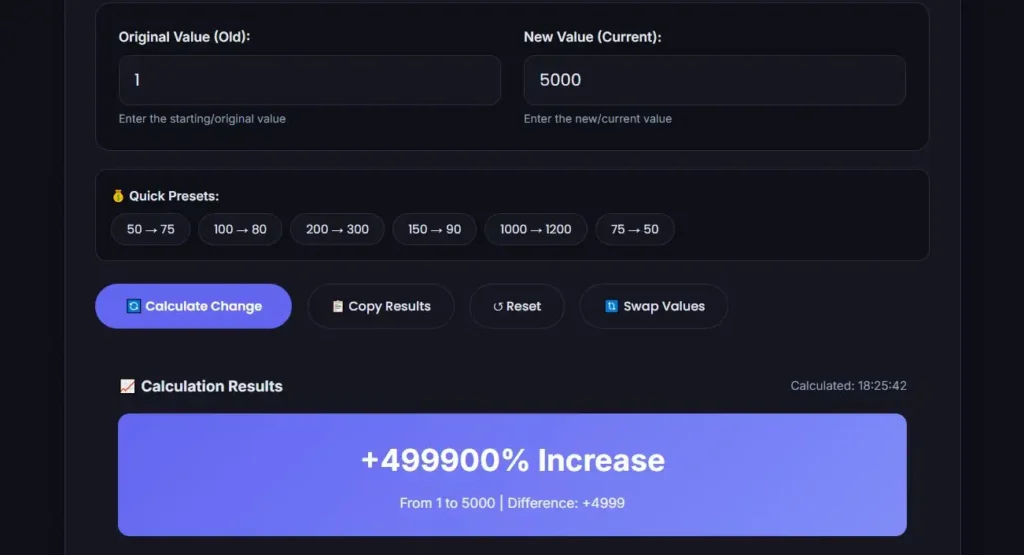
Some calculators will display an error or "undefined" for this scenario. Others may show an infinite result. Be aware that no percentage change calculation from a zero baseline is mathematically valid.
Percentage Change vs Percentage Point Change
Another distinction that often gets tangled with percentage increase and percentage change is percentage point change. These are not the same thing.
If a mortgage rate rises from 4% to 5%, that's a change of one percentage point. But the percentage change is much larger: ((5 − 4) ÷ 4) × 100 = 25%. The rate increased by 25% relative to its previous level, even though it only moved by one percentage point.
Confusing these concepts can lead to serious miscommunication, especially in finance, healthcare, and policy discussions. When someone says "rates went up 1%," they could mean one percentage point or a 1% relative increase. The context matters.
Which Calculation Do You Actually Need?
The answer depends on the question you're asking.
- Did the value go up? Calculate percentage increase.
- Did the value go down? Calculate percentage decrease.
- Did the value change, and you want to know by how much in either direction? Calculate percentage change.
- Are you comparing two values without knowing which is larger? Use percentage change and let the sign reveal the direction.
Most spreadsheet software and online calculators use the percentage change formula. The sign tells you whether the result is an increase or a decrease. If you already know the direction, you can label it accordingly.
Common Mistakes to Avoid
Using the Wrong Base Value
The denominator must always be the old value, not the new value. If revenue went from $100 to $150, the percentage change is ((150 − 100) ÷ 100) × 100 = 50%. Some people mistakenly divide by the new value: (50 ÷ 150) × 100 = 33.3%. That's incorrect for percentage change, though it represents a different metric entirely.
Forgetting the Negative Sign
When the new value is smaller, the numerator is negative. Carry that sign through the calculation. Dropping it turns a decrease into an increase and produces a misleading result.
Confusing Percentage Points with Percentages
As covered above, a change from 4% to 5% is one percentage point but a 25% percentage increase. If you're reporting changes in rates, be explicit about which measure you're using.
Calculating from a Zero Baseline
Percentage change from zero is undefined. Don't try to force it. Report the absolute change instead.
Mixing Up Increase and Decrease Labels
A positive percentage change is an increase. A negative percentage change is a decrease. Label results consistently so readers can trust the direction.
Using a Calculator for Accuracy
For simple round numbers, the formula is easy to apply by hand. But when values include decimals, large figures, or awkward ratios, errors creep in. A wrong keystroke can flip a result from positive to negative or misplace a decimal point.
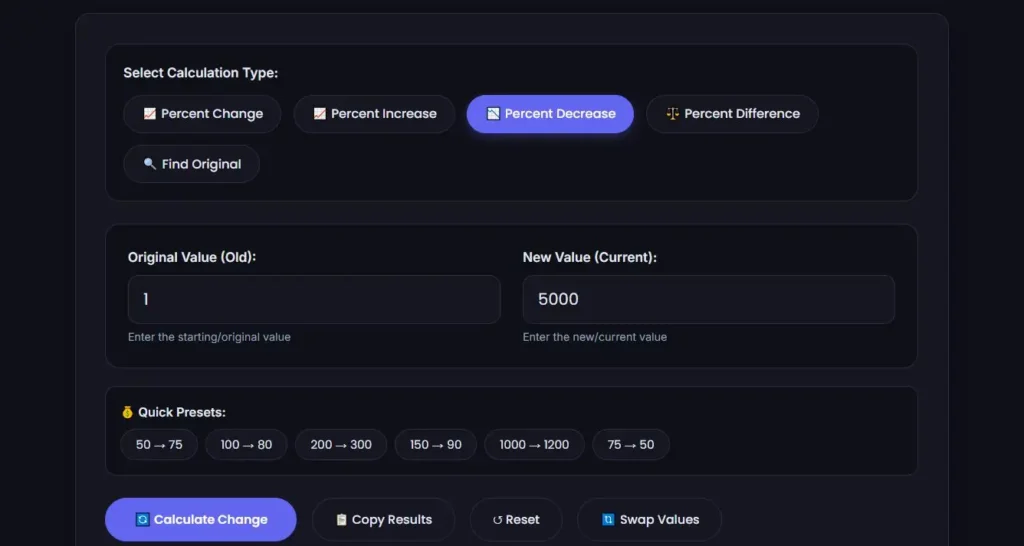
If you're calculating percentage change or increase for business reports, financial analysis, or any situation where accuracy matters, you can use the MiniToolsPro percentage change calculator. It applies the correct formula automatically and handles both increases and decreases, so you don't have to worry about the sign or the base value.
You may also find it useful to calculate a percentage of a number when you need to find a specific portion of a value rather than a change between two values.
Frequently Asked Questions
Is percentage change the same as percentage increase?
No. Percentage change includes both increases and decreases. Percentage increase only applies when the new value is larger than the old value. The formula is the same, but percentage change can produce a negative result, while percentage increase is always positive.
How do I know if my percentage change result is correct?
Check the sign. If the new value is larger than the old value, the result should be positive. If the new value is smaller, the result should be negative. Also verify that you divided by the old value, not the new value, and that you multiplied by 100.
What if my percentage change result is over 100%?
A percentage change over 100% means the new value is more than double the old value. For example, if a value grows from 40 to 100, the percentage change is ((100 − 40) ÷ 40) × 100 = 150%. That's a valid result and simply indicates significant growth.
Can percentage change be negative?
Yes. A negative percentage change indicates a decrease. For example, a change from 50 to 40 produces ((40 − 50) ÷ 50) × 100 = −20%, meaning a 20% decrease.
What's the difference between percentage change and percentage point change?
Percentage change measures the relative difference between two values. Percentage point change measures the absolute arithmetic difference between two percentages. A rate moving from 4% to 5% is a one percentage point change but a 25% percentage change.
Apply the Right Calculation
Whenever you're comparing two values, start by checking which one is larger. If the new value is higher, you have a percentage increase. If it's lower, you have a percentage decrease. Either way, the underlying calculation is percentage change — a single formula that tells you both the size and the direction of the shift. Use the formula carefully, watch the sign, and you'll get the right answer every time.
Percentage increase and percentage change can look similar, but they answer different questions depending on the situation. If you need to perform other percentage calculations as well, our Percentage Calculator: How to Calculate Percentages Easily provides a broader overview of percentage formulas, including how to calculate percentages, increases, decreases, and comparisons.
Share this article 👇
0 Comments