
Table of Contents
You've probably seen percentage change mentioned in news headlines, business reports, and personal finance apps. But when you need to calculate it yourself — for a budget, an investment, or a school project — the exact steps can feel unclear. In this guide, you'll learn the percentage change formula, how to apply it step by step, and how to avoid the mistakes that trip up most people.
Key Takeaways
- Percentage change measures how much a value increased or decreased relative to its starting point.
- The formula is ((New Number − Old Number) ÷ Old Number) × 100.
- A positive result means an increase. A negative result means a decrease.
- Always divide by the original value, never the new value.
- Percentage change is directional and tracks movement over time.
- Percentage change differs from percentage difference, which compares two unrelated values.
- You can calculate percentage change mentally using the 10% shortcut for simple numbers.
What Is Percentage Change?
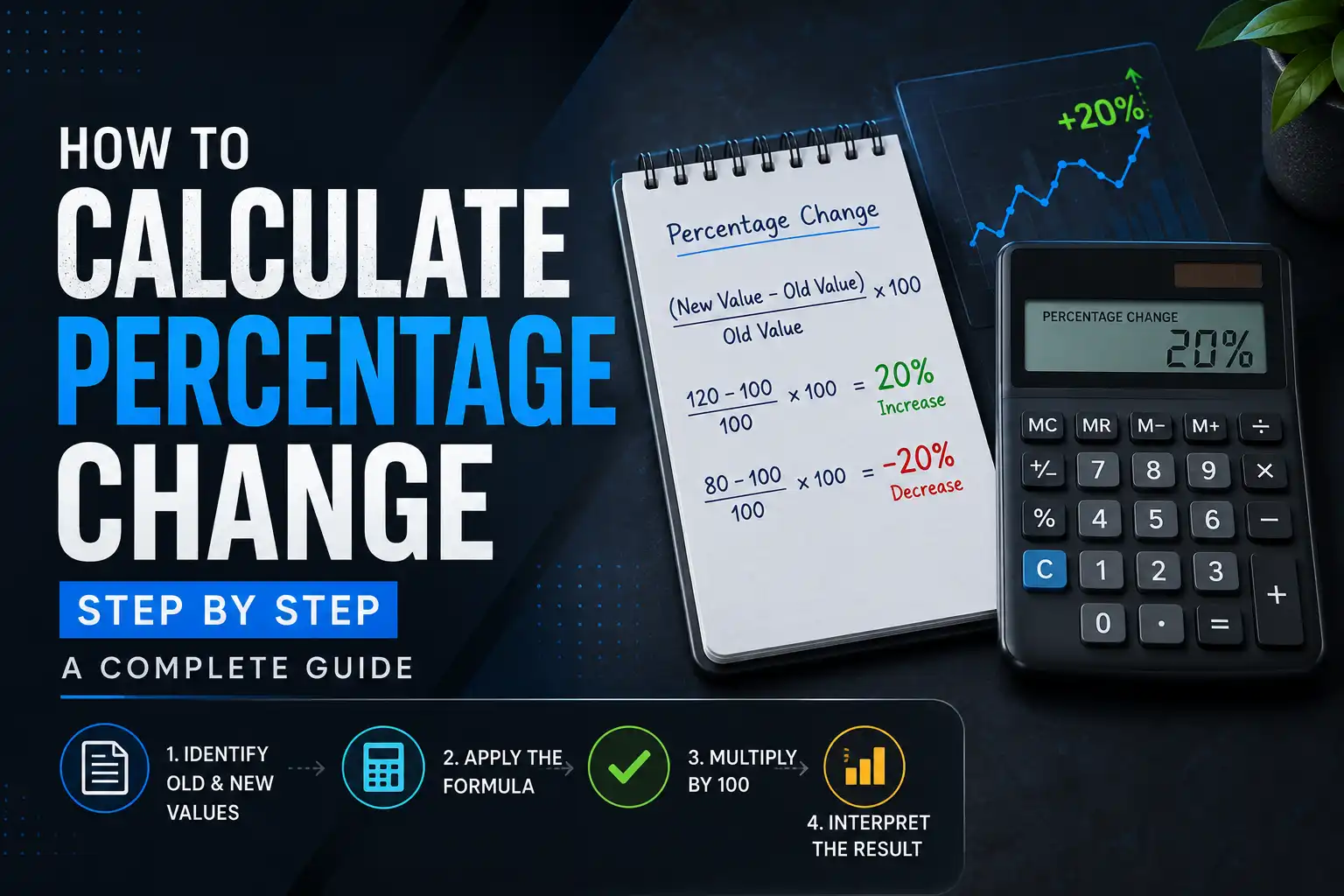
Percentage change is the measure of how much a value has increased or decreased relative to its original amount, expressed as a percentage. The formula is ((New Number − Old Number) ÷ Old Number) × 100.
For example, if your salary goes from $50,000 to $53,000, the percentage change is 6%. That's a $3,000 increase divided by the original $50,000, times 100.
The result tells you the relative movement, not just the absolute dollar change. A $3,000 raise sounds identical whether you make $30,000 or $300,000. But the percentage change reveals the truth: it's a 10% bump in the first case and only a 1% bump in the second.
Percentage change always has a direction. A positive result means the value increased. A negative result means it decreased. This directional nature is what separates percentage change from percentage difference.
What Is the Percentage Change Formula?
The percentage change formula is: ((New Number − Old Number) ÷ Old Number) × 100.
Here's what each component means:
- New Number: The value after the change occurred.
- Old Number: The original value before the change.
- New − Old: The absolute change, either positive (increase) or negative (decrease).
- ÷ Old: Divides the change by the starting value to get the relative change.
- × 100: Converts the decimal to a percentage.
For example, a product's price rises from $40 to $50. The new number is 50. The old number is 40. The calculation: (50 − 40) ÷ 40 × 100 = 25%. The price increased 25%.
Why Does Percentage Change Matter?
Percentage change matters because it provides context that raw numbers cannot. A $10 increase on a $20 item is a 50% jump. A $10 increase on a $2,000 item is a 0.5% blip. Same dollar amount, completely different significance.
First, percentage change enables fair comparisons across different scales. If two companies report revenue growth, one with $2 million and another with $800 million, raw dollar growth isn't comparable. But if one grew 12% and the other grew 7%, you can compare them directly.
Second, percentage change reveals trends over time. Tracking monthly percentage changes helps you spot acceleration or slowdown. A business might see revenue grow by 3% in January, 5% in February, and 8% in March. The absolute numbers might look steady, but the percentage change shows clear momentum.
Third, percentage change drives real-world decisions. Investors track percentage returns. Consumers compare percentage discounts. According to a 2023 survey, 72% of shoppers calculate percentage discounts before making a purchase decision. — Source: National Retail Federation, 2023
When Should You Use Percentage Change Instead of Percentage Difference?
Use percentage change when there's a clear before and after. One value came from the other. You're tracking movement over time or measuring growth from a baseline.
Use percentage difference when comparing two unrelated values. Neither is the starting point. You're just measuring how far apart they are.
Here's a concrete example. Your rent went from $1,200 to $1,320. That's a percentage change: (1,320 − 1,200) ÷ 1,200 × 100 = 10% increase. Now compare your rent ($1,320) to your friend's rent ($1,600). That's percentage difference: |1,320 − 1,600| ÷ ((1,320 + 1,600) ÷ 2) × 100 = 19.2%.
For more on percentage difference, see our guide on how to find the percentage difference between two numbers.
How Do You Calculate Percentage Increase Step by Step?
Percentage increase measures how much a value grew relative to its starting point. Follow these steps:
- Subtract the old value from the new value. This gives you the absolute increase.
- Divide the result by the old value. This gives you the relative increase as a decimal.
- Multiply by 100. This converts the decimal to a percentage.
Let's work through a real example. Your monthly subscription cost went from $12 to $15.
Step 1: 15 − 12 = 3
Step 2: 3 ÷ 12 = 0.25
Step 3: 0.25 × 100 = 25%
Your subscription increased 25%. That's a meaningful jump — over a year, that's $36 more.
Another example: A website's traffic grew from 8,000 monthly visitors to 10,400.
Step 1: 10,400 − 8,000 = 2,400
Step 2: 2,400 ÷ 8,000 = 0.30
Step 3: 0.30 × 100 = 30%
Traffic increased 30%. That's substantial growth worth investigating what drove it.
How Do You Calculate Percentage Decrease Step by Step?
Percentage decrease measures how much a value shrank relative to its starting point. The formula is (Old Number − New Number) ÷ Old Number × 100. This version always gives a positive percentage.
Follow these steps:
- Subtract the new value from the old value. This gives you the absolute decrease.
- Divide the result by the old value. This gives you the relative decrease as a decimal.
- Multiply by 100. This converts the decimal to a percentage.
Let's work through an example. A jacket originally priced at $85 is now selling for $51.
Step 1: 85 − 51 = 34
Step 2: 34 ÷ 85 = 0.40
Step 3: 0.40 × 100 = 40%
The jacket's price decreased 40%. That's a significant discount.
Another example: Your electricity bill dropped from $180 to $144.
Step 1: 180 − 144 = 36
Step 2: 36 ÷ 180 = 0.20
Step 3: 0.20 × 100 = 20%
Your bill decreased 20%. That's $36 in savings for the month, or $432 annually if it holds.
What Is the Difference Between Percentage Increase and Percentage Decrease?
Percentage increase and percentage decrease use the same underlying concept but different subtraction orders. Increase subtracts Old from New. Decrease subtracts New from Old.
The increase formula is ((New − Old) ÷ Old) × 100. The decrease formula is ((Old − New) ÷ Old) × 100.
Both divide by the Old value. That's the critical part. Never divide by the New value.
For example, a stock price goes from $100 to $80. Using the decrease formula: (100 − 80) ÷ 100 × 100 = 20% decrease. Using the increase formula: (80 − 100) ÷ 100 × 100 = −20%, which indicates a 20% decrease. Both give the same magnitude, just with different signs.
If you'd like to explore percentage increase and decrease more deeply, check out our dedicated guide on how to calculate percentage increase and decrease.
How Do You Calculate Percentage Change in Excel or Google Sheets?
You can calculate percentage change in Excel or Google Sheets using a simple formula. The formula is =(New Value − Old Value) / Old Value, then format the cell as a percentage.
For example, if cell A1 contains the old value (100) and cell B1 contains the new value (125):
=(B1−A1)/A1
This returns 0.25. Format the cell as a percentage, and it displays 25%.
For percentage decrease, the same formula works. If A1 contains 100 and B1 contains 75:
=(B1−A1)/A1
This returns −0.25, which displays as −25%. The negative sign indicates a decrease.
To always show a positive percentage with a label, use two separate columns. One column calculates the formula, and another column uses IF logic to label it "increase" or "decrease."
How Do You Calculate Reverse Percentage Change?
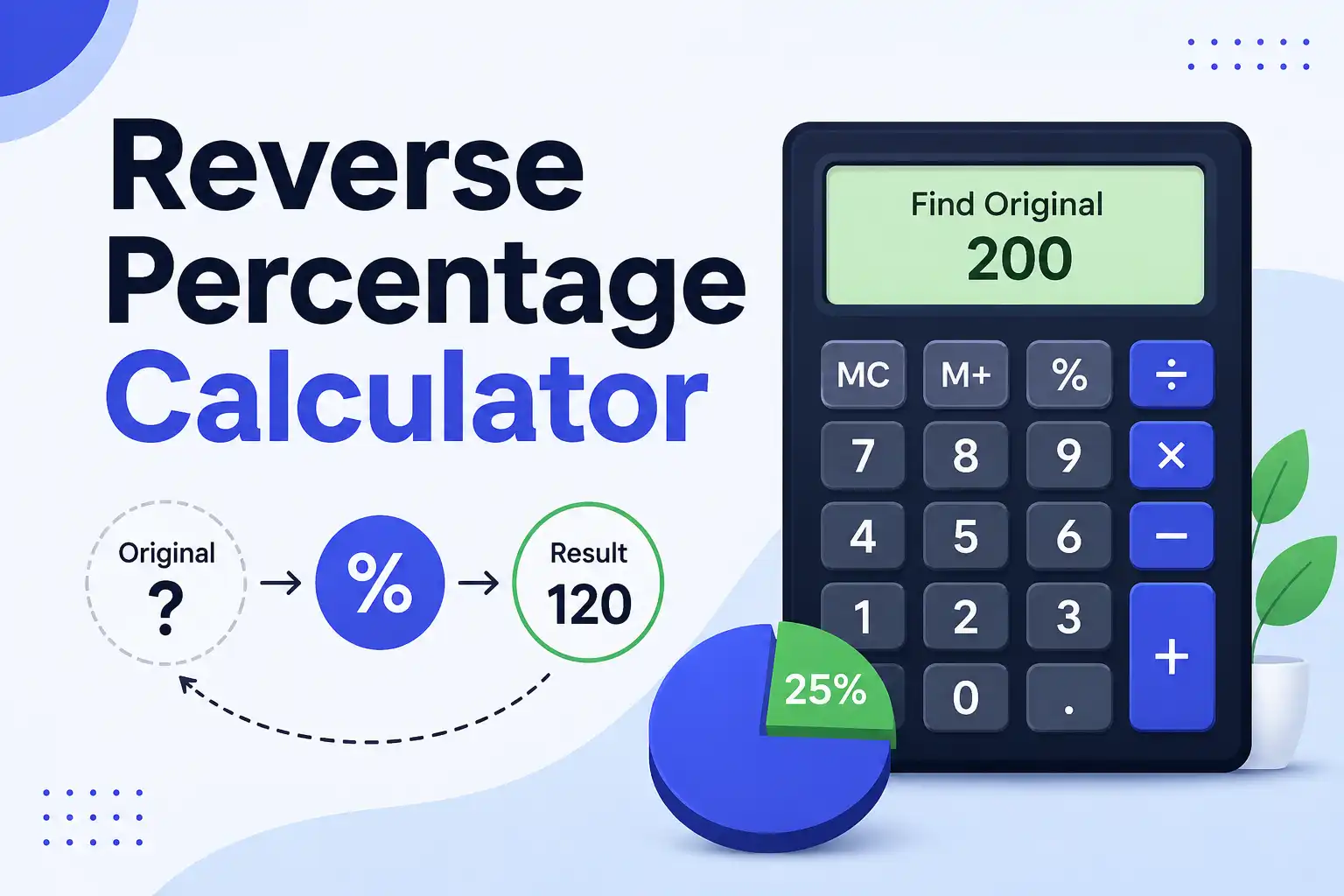
Reverse percentage change finds the original value when you know the new value and the percentage change. The formula depends on whether the change was an increase or decrease.
For a percentage increase: Original = New Value ÷ (1 + Percentage as Decimal).
For example, a product costs $120 after a 20% increase. What was the original price?
Original = 120 ÷ (1 + 0.20)
Original = 120 ÷ 1.20
Original = $100
For a percentage decrease: Original = New Value ÷ (1 − Percentage as Decimal).
A product costs $80 after a 20% discount. What was the original price?
Original = 80 ÷ (1 − 0.20)
Original = 80 ÷ 0.80
Original = $100
This reverse calculation is useful for figuring out pre-sale prices, pre-tax amounts, or historical values. You can also use the percentage calculator to handle reverse calculations quickly.
What Are Common Mistakes When Calculating Percentage Change?
Here are the most frequent errors people make:
- Dividing by the new value instead of the old value. This is the most common mistake. Always divide by the starting value.
- Confusing percentage points with percentages. A change from 10% to 15% is a 5 percentage point increase, but a 50% relative increase.
- Forgetting to multiply by 100. The decimal 0.25 is not 0.25%; it's 25%.
- Using the wrong formula for increase vs. decrease. The decrease formula subtracts New from Old, not Old from New.
- Calculating percentage change on already-changed values. A 10% increase followed by a 10% decrease does not bring you back to the original number.
That last point trips up many people. If you increase 100 by 10%, you get 110. If you then decrease 110 by 10%, you get 99. You're 1% below where you started. Percentage changes don't cancel out symmetrically because the base changes.
A Quick Reference Table: Percentage Change Scenarios
| Scenario | Old Value | New Value | Formula | Result |
|---|---|---|---|---|
| Price increase | $40 | $50 | (50 − 40) ÷ 40 × 100 | +25% |
| Price decrease | $50 | $40 | (50 − 40) ÷ 50 × 100 | −20% |
| Population growth | 1,000 | 1,150 | (1,150 − 1,000) ÷ 1,000 × 100 | +15% |
| Budget cut | $500 | $375 | (375 − 500) ÷ 500 × 100 | −25% |
| Revenue growth | $2M | $2.5M | (2.5M − 2M) ÷ 2M × 100 | +25% |
This table shows how the same formula applies across different contexts. The key is always using the Old value as the denominator.
What Are Real-World Examples of Percentage Change?
Percentage change appears in nearly every financial and statistical context. Here are the most common scenarios:
Percentage Change in Inflation
Inflation is measured as a percentage change in prices. In 2022, the US inflation rate peaked at 9.1% in June — the highest in four decades. — Source: U.S. Bureau of Labor Statistics, 2022
If a grocery basket cost $200 last year and inflation was 9.1%, the same basket would cost $218.20 this year. That's an $18.20 increase on identical items.
Percentage Change in Investment Returns
If you invest $10,000 and it grows to $12,500, your percentage return is 25%. That's (12,500 − 10,000) ÷ 10,000 × 100 = 25%.
But investment returns compound. A 10% gain followed by another 10% gain on the new total gives you a 21% overall increase, not 20%. This is why percentage change calculations must always use the current base, not the original base, for sequential changes.
Percentage Change in Business Metrics
Businesses track percentage change in revenue, expenses, customer counts, and dozens of other metrics. A company with $2 million in revenue last year and $2.3 million this year grew by 15%. That's a healthy growth rate for most industries.
But if expenses grew from $1.2 million to $1.5 million, that's a 25% increase. Expenses are growing faster than revenue. That's a red flag the percentage change calculation reveals instantly.
What Tools Can Help Calculate Percentage Change?
Several tools can handle percentage change calculations:
- MiniToolsPro Percentage Calculator — This free online tool calculates percentage increase and decrease instantly. Enter the old and new values, and it shows the percentage change. Try the percentage change calculator here.
- Excel or Google Sheets — Use the formula =(B1−A1)/A1 and format as a percentage. Works for single calculations and bulk data.
- Smartphone Calculator — The built-in calculator app on any phone can handle percentage change. Just follow the manual formula.
- Google Search — Type "percentage change from 50 to 75" directly into Google. The search engine returns the answer instantly.
- Mental Math — For simple changes, use the 10% rule. Find 10% of the original value, then scale up or down.
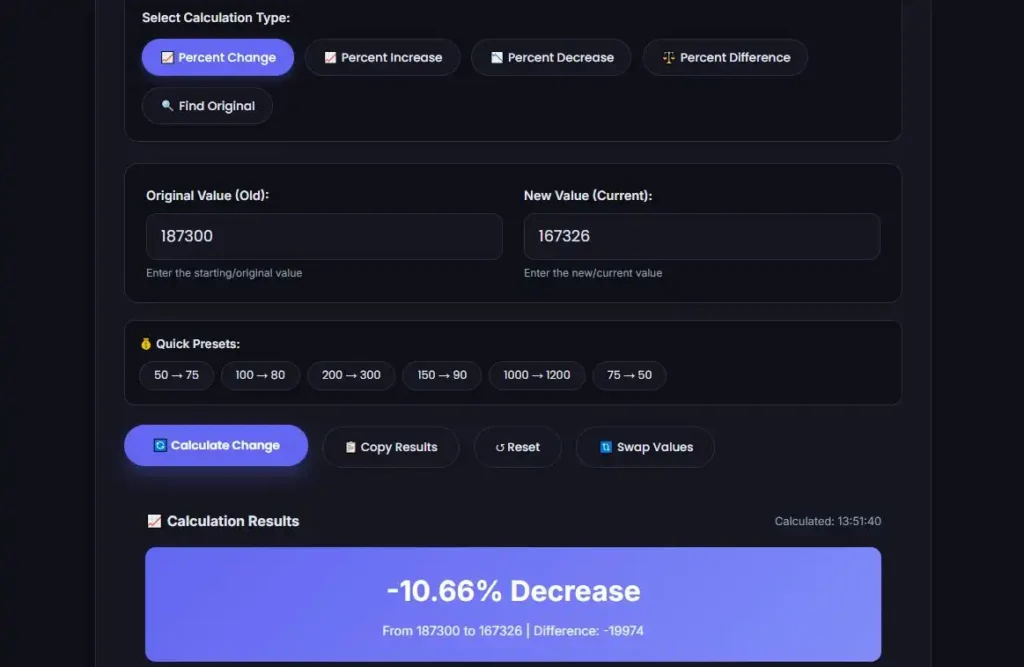
For more complex calculations involving multiple data points or weighted values, an average calculator can help you establish baselines before calculating percentage changes.
What's Next After Learning Percentage Change?
Start applying percentage change to your own numbers. Track your monthly expenses and calculate the percentage change month over month. Check the percentage increase on your rent, utilities, and subscriptions. Calculate the percentage return on your investments.
Then use this skill in decision-making. When comparing two offers, calculate the percentage difference. When evaluating a sale, verify the discount is real. When reviewing your budget, identify which categories increased by the highest percentages.
Don't aim for perfection on every calculation. Aim for consistency. The more you calculate percentage changes, the faster and more accurate you'll become. And when speed matters or the numbers are complex, use a calculator.
Conclusion
Percentage change measures how much a value moved relative to its starting point. The formula is simple: subtract, divide by the original, multiply by 100. A positive result means an increase. A negative result means a decrease.
The key is always dividing by the original value. Get that right, and you'll avoid the most common mistakes. Whether you're tracking inflation, negotiating a raise, or checking a discount, percentage change gives you the context that raw numbers can't.
Ready to calculate your first percentage change? Visit the percentage change calculator and enter two numbers. You'll have your answer in seconds.
Written by Sami, a full-stack web designer and developer who often shares their expertise on different platforms
Reviewed by MiniToolsPro Editorial Team
Percentage change is only one of several calculations you may need when working with percentages. For example, you may need to find a percentage of a number, compare two values, or determine a percentage increase or decrease. Our Percentage Calculator: How to Calculate Percentages Easily provides a broader introduction to these calculations and helps you understand which percentage formula to use.
Share this article 👇
0 Comments