
Table of Contents
Create Professional Invoices Instantly: The Complete Guide to Using an Invoice Generator
You just finished a project, sent the files, and your client is happy. Now comes the awkward part: asking for payment. You need an invoice that looks professional, calculates totals correctly, and includes all the legal bits — but you don’t want to spend an hour fiddling with spreadsheets or pay for expensive accounting software. That’s exactly why an online invoice generator exists.
Whether you’re a freelancer, small business owner, or contractor, creating a clear, accurate bill is the fastest way to get paid on time. In this guide, you’ll learn what an invoice generator does, how to use one correctly, common mistakes that delay payments, and how to create professional invoices in under two minutes — for free.
What is an online invoice generator in simple terms?
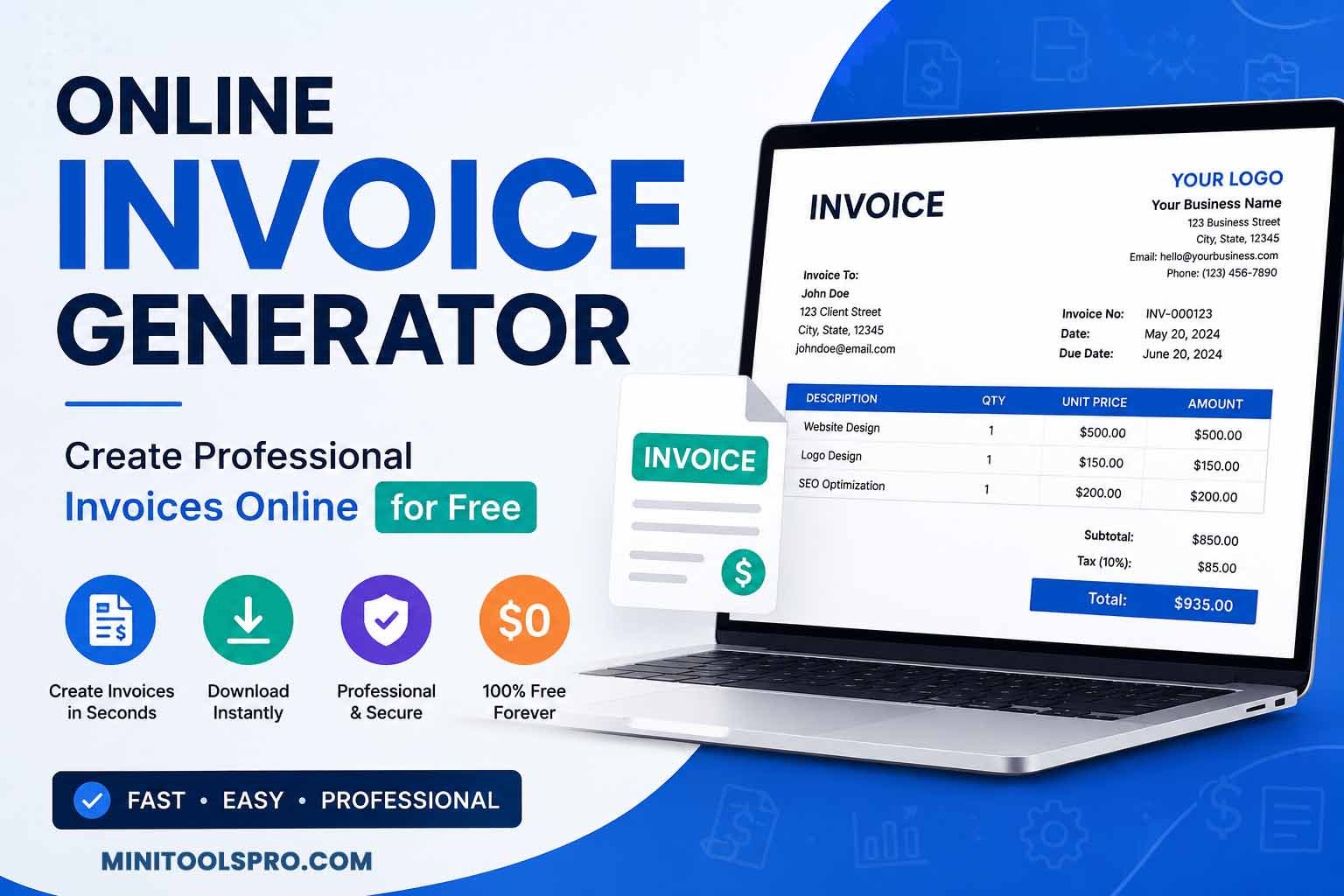
An invoice generator is an online tool that lets you create a professional bill or receipt without using spreadsheet software or manual templates. You enter your business details, client information, line items, taxes, and discounts — the tool automatically calculates totals, formats everything correctly, and outputs a PDF or printable invoice ready to send to your customer.
What Is an Online Invoice Generator? (And How It Saves You Hours)
An invoice generator is a web-based application that automates the creation of legally sound, professionally formatted invoices. Instead of building tables in Word or Google Docs, you fill out a simple form. The generator applies consistent branding, calculates subtotals, tax, shipping, and discounts automatically, and lets you download the final invoice as a PDF or print it directly.
Most modern invoice generators — including the free one on MiniToolsPro — require no account, no credit card, and no installation. You use it in your browser, download the invoice, and it’s gone from our servers. No data stored, no surprise subscriptions.
Why Using a Dedicated Invoice Generator Matters for Your Business
Sending a plain text email with “You owe me $500” isn’t just unprofessional — it creates confusion, delays payment, and can even cause tax issues. Here’s why a proper online invoice maker makes a real difference:
- Faster payment cycles: Professional invoices with clear due dates get paid 2x faster than informal requests.
- Tax compliance: Automatic tax calculations (including GST, VAT, or sales tax) reduce errors during tax season.
- Client trust: A clean, branded invoice signals that you run a legitimate operation.
- Record keeping: Downloadable PDFs create a permanent paper trail for both you and your client.
- No math errors: Automatic subtotals, discounts, and tax calculations eliminate manual spreadsheet mistakes.
The consequence of ignoring a proper bill generator? Disputed charges, late payments, awkward “can you send that again?” emails, and wasted time re-explaining what each charge means.
How an Online Invoice Generator Actually Works (Step by Step)
Even if you’ve never created an invoice before, the process is straightforward. Here’s what happens behind the scenes and what you’ll do on the invoice creator page.
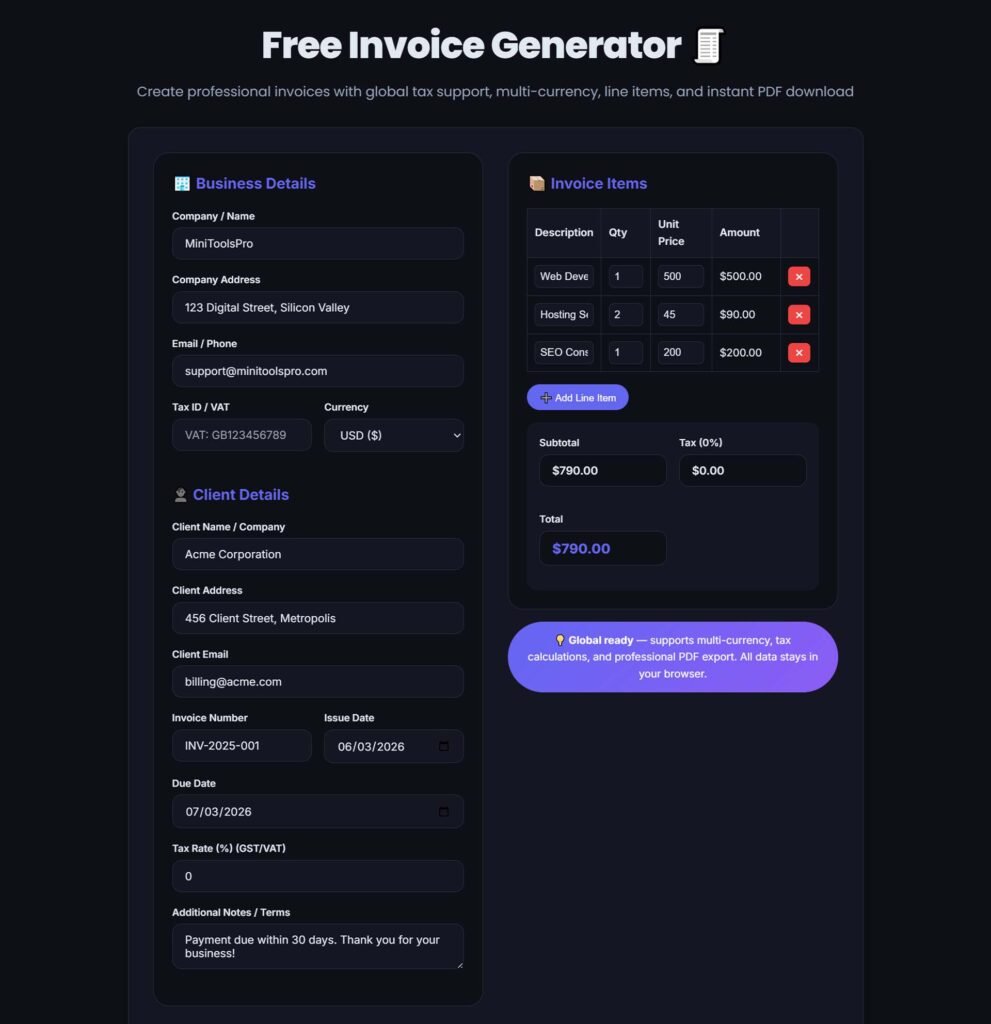
- Enter your business details: Business name, address, email, phone number, and logo (if you have one).
- Add client information: Client name, company, billing address, and email.
- Set invoice details: Invoice number (auto-generated or custom), issue date, and due date (e.g., “Net 15” or “Due on receipt”).
- List line items: Description of each product or service, quantity, unit price, and any discount per item.
- Apply taxes and fees: Choose tax rate (0%, 5%, GST, VAT), shipping costs, or additional fees.
- Add notes or terms: Payment instructions, late fee policy, or a thank-you note.
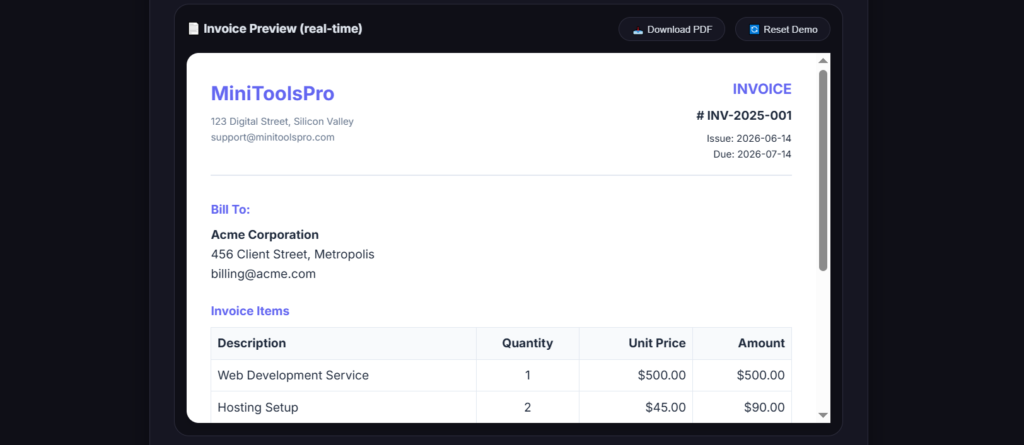
- Generate and download: Click to create a print-ready PDF or share a link.
Technical Explanation: How the tool ensures accuracy
The invoice generator uses client-side JavaScript to perform real-time calculations. Every time you add a line item, change a quantity, or adjust a discount, it recalculates the subtotal, tax amount, and grand total immediately — no page refresh. The final PDF is rendered using an HTML-to-PDF engine that preserves fonts, alignment, and your logo. No data is sent to external servers unless you explicitly choose a cloud-sharing option.
Invoice Generator vs. Alternatives: Which Is Right for You?
| Method | Time per invoice | Cost | Math errors | Professional look |
|---|---|---|---|---|
| Free invoice generator | 1–2 minutes | $0 | None (auto) | ✅ Excellent |
| Spreadsheet (Excel/Sheets) | 5–10 minutes | Free–$10/mo | Common | ⚠️ Basic |
| Word processor template | 8–15 minutes | Free | Very common | ⚠️ Inconsistent |
| Accounting software (QuickBooks) | 2 minutes | $15–30/mo | None | ✅ Professional |
| Pen and paper / manual | 15+ minutes | $0 | Very high | ❌ Poor |
For most freelancers and small businesses, a free online invoice generator hits the sweet spot: zero cost, professional output, and no math errors.
How to Create an Invoice: Manual Method vs. Modern Invoice Maker
The manual way (not recommended for regular use)
You’d open a word processor, insert a table, type your business name and logo, type client details, manually calculate quantity × price, add up all rows, calculate tax, and format everything. One typo in a formula or a misplaced decimal point means sending an incorrect bill — and that damages trust.
The modern method: Use a free online invoice builder
Here’s exactly how to create a professional invoice using the MiniToolsPro invoice generator:
- Step 1: Go to MiniToolsPro Invoice Generator (no signup required).
- Step 2: Fill in “From” (your business) and “To” (client) fields.
- Step 3: Set invoice number and date. Use a logical sequence like INV-001, INV-002 or date-based format like 2026-001.
- Step 4: Add line items. Example: “Website design – 10 hours @ $75/hr = $750”.
- Step 5: Apply tax (e.g., 8% sales tax) or discount (e.g., 10% early payment discount).
- Step 6: Add payment terms: “Due within 14 days. Late fee of 5% after 30 days.”
- Step 7: Click “Generate Invoice” → download PDF → email to client or print.
7 Common Invoice Mistakes That Delay Your Payments (And How to Avoid Them)
Mistake #1: Missing or incorrect invoice number
Problem: Clients’ accounting systems reject invoices without a unique number. Solution: Always use sequential or date-based numbering. Your invoice generator can auto-create this for you.
Mistake #2: No clear due date
Problem: “Please pay ASAP” has no legal weight. Solution: Specify a calendar date (“Due by July 15, 2026”) or terms (“Net 30”).
Mistake #3: Math errors in subtotals or taxes
Problem: Even a $1 mistake makes you look careless. Solution: Use an invoice generator that auto-calculates everything — never manually add columns again.
Mistake #4: Forgetting to add your business address
Problem: In many jurisdictions, an invoice without a seller’s address is invalid for tax purposes. Solution: Always include your full business address.
Mistake #5: Vague line item descriptions
Problem: “Services” doesn’t tell the client what they paid for. Solution: Be specific: “SEO audit (5 pages) – 3 hours @ $100/hr”.
Mistake #6: No payment instructions
Problem: Client wants to pay but doesn’t know your preferred method. Solution: Include bank transfer details, PayPal email, or payment link.
Mistake #7: Using inconsistent branding or fonts
Problem: Unprofessional appearance lowers trust. Solution: Use a free receipt maker or invoice tool that keeps your logo and colors consistent.
Real-World Examples: Who Uses an Online Invoice Generator Every Day
1. Freelance graphic designer
Sarah creates logos and social media kits. She uses an invoice creator to bill clients per project: “Logo design – flat fee $400”. She adds a 50% deposit invoice first, then final invoice upon completion.
2. Small landscaping business
Mike’s team mows lawns and does seasonal cleanups. He creates weekly invoices for residential clients, listing each property address and service date. The automatic tax calculation saves him hours every month.
3. Online tutor
Emma tutors math via Zoom. She bills parents monthly for 8 sessions. She uses a bill generation online tool to add each session date and duration, then emails PDFs directly.
4. Event planner
James coordinates weddings and corporate events. He needs detailed invoices with deposit amounts, final balances, and separate line items for catering, decor, and sound equipment. An invoice maker keeps everything organized.
5. Freelance writer (you)
You just completed a 3,000-word blog post for a marketing agency. You generate an invoice with line items: research (2 hours @ $45), writing (4 hours @ $60), and one round of revisions included. Add your PayPal email, download PDF, attach to email. Paid in 3 days.
Stop Doing Manual Invoice Calculations: Use Our Free Invoice Generator
Instead of opening spreadsheet software or re-creating tables in Word every time you need to bill someone, use a purpose-built tool. The MiniToolsPro Invoice Generator handles all the formatting, math, and tax logic for you.
- Time savings: Create a complete invoice in under 90 seconds.
- Accuracy: Automatic subtotals, discounts, tax calculations — zero math errors.
- Convenience: No account, no signup, no software installation. Works on any device.
- Professional output: Clean, print-ready PDF with your logo and branding.
It’s completely free, with no watermarks or hidden fees. Whether you need a restaurant bill generator, GST bill generator, or simple freelance invoice, the same tool works for every use case.
Advanced Tips: Optimize Your Invoices for Faster Payment and Better Recordkeeping
- Use a consistent numbering system: Try “YYYYMMDD-ClientInitials-Number” (e.g., 20260614-JD-001) to easily track invoices by date and client.
- Offer early payment discounts: A small “2% discount if paid within 7 days” improves cash flow dramatically.
- Add a late fee policy: Mention “1.5% monthly interest on overdue balances” to encourage timely payment.
- Include your tax ID: If you collect sales tax or VAT, display your registration number prominently.
- Save each PDF with a standard naming scheme: “ClientName_InvoiceNumber_Date.pdf” makes year-end tax filing much easier.
- Send a payment reminder 3 days before due date: Attach the original invoice PDF and politely remind the client.
Frequently Asked Questions About Invoice Generators
Is a free invoice generator really free?
Yes — the MiniToolsPro invoice generator is 100% free with no hidden fees, no watermarks, and no credit card required. You don’t even need to create an account.
Can I add my company logo to invoices?
Absolutely. Most online invoice makers, including ours, let you upload a logo image that appears at the top of your PDF invoice.
What’s the difference between an invoice and a receipt?
An invoice requests payment before or at the time of service. A receipt confirms payment was already received. Use an invoice generator for bills; use a free receipt maker for proof of payment.
Do invoice generators calculate GST or VAT automatically?
Yes. You can set a tax rate (e.g., 18% GST or 20% VAT), and the online invoice generator applies it to the subtotal. Some tools also allow different tax rates per line item.
Can I create a restaurant bill using an invoice generator?
Definitely. A restaurant bill generator works the same way: list food items, quantities, prices, add tax and service charge, and generate a guest check or formal invoice for catering clients.
What’s a typical invoice number format?
Common formats include “INV-001”, “2026-001”, or “CUSTNAME-001”. The key is consistency and uniqueness. Your invoice generator may auto-increment numbers for you.
Can I edit an invoice after generating it?
With most free invoice builder tools, you cannot edit the PDF directly — but you can re-enter the data and generate a corrected invoice with a new number (e.g., “INV-001-CORRECTED”).
Do I need an invoice for small amounts (under $50)?
Legally, it depends on your jurisdiction. But for professional recordkeeping, yes. Use a free online receipt generator for small transactions — it takes 30 seconds.
Are online invoice generators secure?
Reputable tools (like MiniToolsPro) process everything in your browser. Your data never leaves your device unless you manually download or print. No cloud storage = no data breach risk.
What is “invoicehome login” — do I need it?
InvoiceHome is a specific paid service requiring login. With our approach, you don’t need any login. The best invoice generator com tools are those that respect your privacy and require zero accounts.
Can I generate a fake receipt for practice?
You can generate sample receipts for testing or learning, but never use them to deceive. A fake receipt maker should only be used for design mockups or internal training, not for actual transactions.
What’s the best free invoice maker for freelancers?
For no-cost, no-signup, professional PDFs: MiniToolsPro’s invoice generator is an excellent choice. It balances simplicity with essential features like taxes, discounts, and logo uploads.
Your Next Step: Create Your First Professional Invoice in Under Two Minutes
You don’t need expensive software or accounting knowledge to send professional, legally sound invoices. A good invoice generator handles the math, formatting, and tax calculations so you can focus on your actual work — whether that’s designing, consulting, building, or serving customers.
Stop manually calculating totals and worrying about alignment. Try the free MiniToolsPro Online Invoice Generator right now. Enter your first client, add line items, and download a polished PDF invoice ready to email. No signup. No watermarks. Just faster payment.
Related Tools You May Find Useful
- Percentage Calculator – Quickly calculate discounts, tips, and tax percentages for invoices.
- Compound Interest Calculator – Perfect for estimating late fees or investment returns.
- EMI Calculator – For clients needing installment payment breakdowns on large invoices.
- Discount Calculator – Determine final prices after applying early payment discounts.
- Date to Date Calculator – Calculate invoice due dates, project durations, and payment windows.
- Word Counter – Freelance writers: count words in your deliverables before invoicing by the word.
Last updated: June 14, 2026
Share this article 👇
0 Comments