
Table of Contents
You've probably seen headlines like "prices rose 8%" or "sales dropped 15%" without thinking twice about the math behind them. But when you need to calculate that change yourself — for a budget, a business report, or a personal finance decision — the steps can feel fuzzy. This guide gives you the exact formulas, worked examples, and mental shortcuts to calculate percentage increase and decrease confidently.
Key Takeaways
- Percentage increase measures how much a value grew relative to its starting point.
- Percentage decrease measures how much a value shrank relative to its starting point.
- The increase formula is ((New − Old) ÷ Old) × 100.
- The decrease formula is ((Old − New) ÷ Old) × 100, which yields a positive percentage.
- Always divide by the original value, never the new value.
- Percentage change and percentage difference use different formulas and answer different questions.
- You can calculate most percentage changes mentally using the 10% trick.
What Is Percentage Increase?
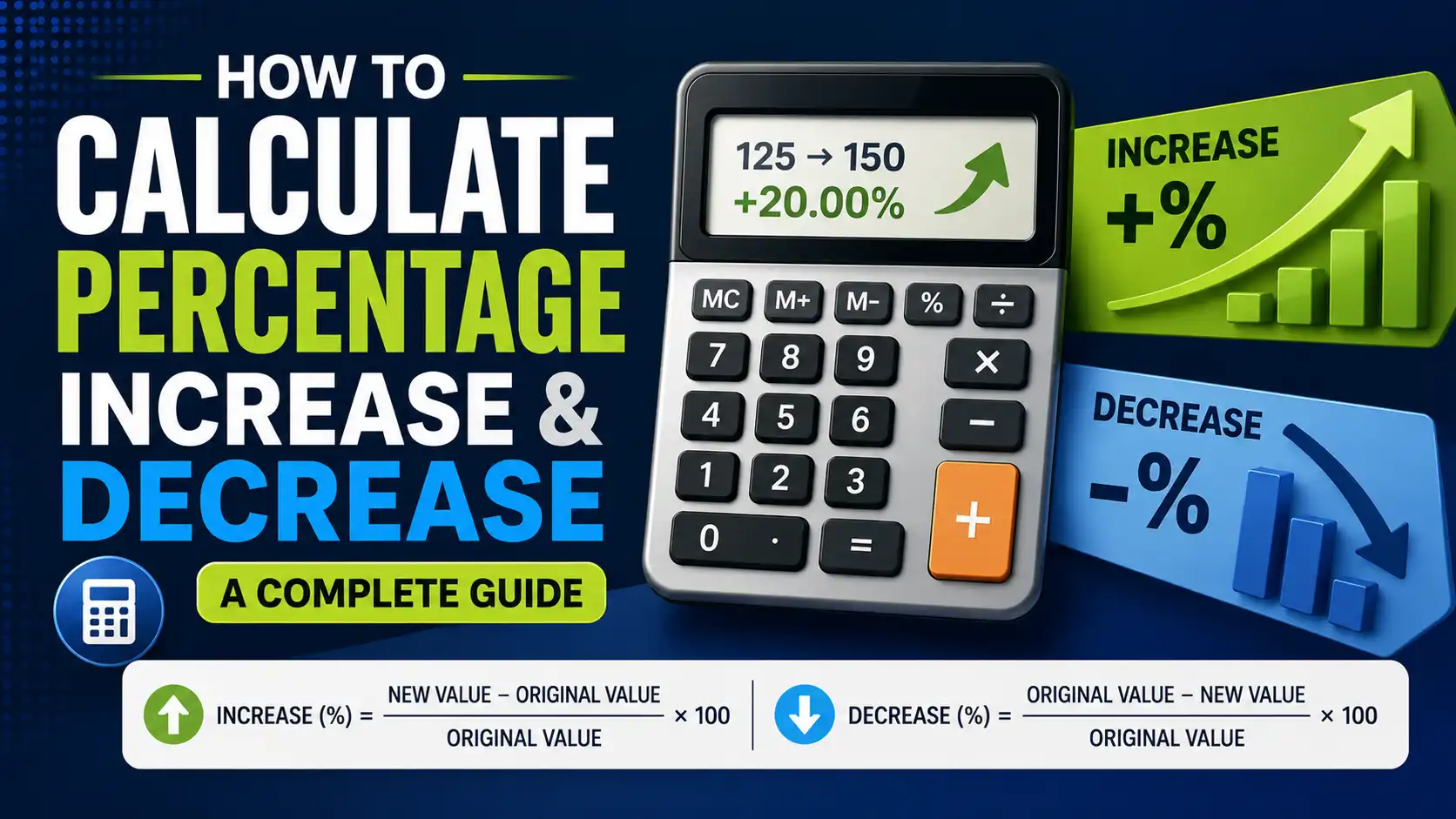
Percentage increase is the measure of how much a value has grown relative to its original amount, expressed as a percentage. The formula is (New Number − Old Number) ÷ Old Number × 100.
For example, if your salary goes from $50,000 to $55,000, the increase is $5,000. Divide that by the original $50,000, and you get 0.10. Multiply by 100, and you have a 10% increase.
This formula works for any positive change. It tells you the relative growth, not just the absolute dollar amount. A $5,000 raise sounds good, but the percentage tells you whether it's actually meaningful. Going from $50,000 to $55,000 is a 10% bump. Going from $200,000 to $205,000 is only a 2.5% bump. Same dollar increase, very different percentage.
How to Calculate Percentage Increase Step by Step
Follow these steps to calculate percentage increase manually:
- Subtract the old value from the new value. This gives you the absolute change.
- Divide the result by the old value. This gives you the relative change as a decimal.
- Multiply by 100. This converts the decimal to a percentage.
Let's work through a real example. Your electric bill was $95 last month and $118 this month.
Step 1: 118 − 95 = 23
Step 2: 23 ÷ 95 = 0.2421
Step 3: 0.2421 × 100 = 24.2%
Your electric bill increased 24.2%. That's a significant jump worth investigating.
What Is Percentage Decrease?
Percentage decrease is the measure of how much a value has shrunk relative to its original amount, expressed as a percentage. The formula is (Old Number − New Number) ÷ Old Number × 100.
For example, if a jacket drops from $85 to $51, the decrease is $34. Divide that by the original $85, and you get 0.40. Multiply by 100, and you have a 40% decrease.
Notice the order: Old Number minus New Number. This gives you a positive percentage, which is easier to read. Some people use the same formula as percentage increase and just accept a negative result. Both methods work, but using the decrease-specific formula avoids confusion.
How to Calculate Percentage Decrease Step by Step
Here's the process for percentage decrease:
- Subtract the new value from the old value. This gives you the absolute decrease.
- Divide the result by the old value. This gives you the relative decrease as a decimal.
- Multiply by 100. This converts the decimal to a percentage.
Let's say your monthly streaming subscription dropped from $15.99 to $9.99.
Step 1: 15.99 − 9.99 = 6.00
Step 2: 6.00 ÷ 15.99 = 0.3752
Step 3: 0.3752 × 100 = 37.5%
Your subscription cost decreased by about 37.5%. That's a substantial savings over a year — roughly $72.
Why Does Percentage Change Matter?
Percentage change matters because it provides context that raw numbers cannot. A $100 price increase on a $1,000 item is 10%. A $100 increase on a $100,000 item is 0.1%. Same dollar amount, completely different significance.
First, percentage change enables fair comparisons. If two companies report revenue growth, one with $1 million and another with $500 million, raw dollar growth isn't comparable. But if one grew 12% and the other grew 8%, you can compare them directly.
Second, percentage change reveals trends over time. Tracking monthly percentage changes helps you spot acceleration or slowdown. A business might see revenue increase by 5% in January, 7% in February, and 10% in March. The absolute numbers might look fine, but the percentage change shows momentum.
Third, percentage change drives financial decisions. Investors track percentage returns. Managers track percentage cost increases. Consumers compare percentage discounts. According to a 2023 retail survey, 61% of shoppers say they compare percentage discounts between stores before making a purchase. — Source: National Retail Federation, 2023
How Do You Calculate Percentage Change in Excel or Google Sheets?
You can calculate percentage change in Excel or Google Sheets using a simple formula. The formula is =(New Value − Old Value) / Old Value, then format the cell as a percentage.
For example, if cell A1 contains the old value (100) and cell B1 contains the new value (120), the formula would be:
=(B1−A1)/A1
This returns 0.20. Format the cell as a percentage, and it displays 20%.
For percentage decrease, the same formula works. If A1 contains 100 and B1 contains 80:
=(B1−A1)/A1
This returns −0.20, which displays as −20%. The negative sign indicates a decrease.
To avoid negative numbers, wrap the formula in the ABS function for the absolute value. Or use a custom formula that always returns a positive percentage and labels it as increase or decrease separately.
How Do You Calculate Reverse Percentage Change?
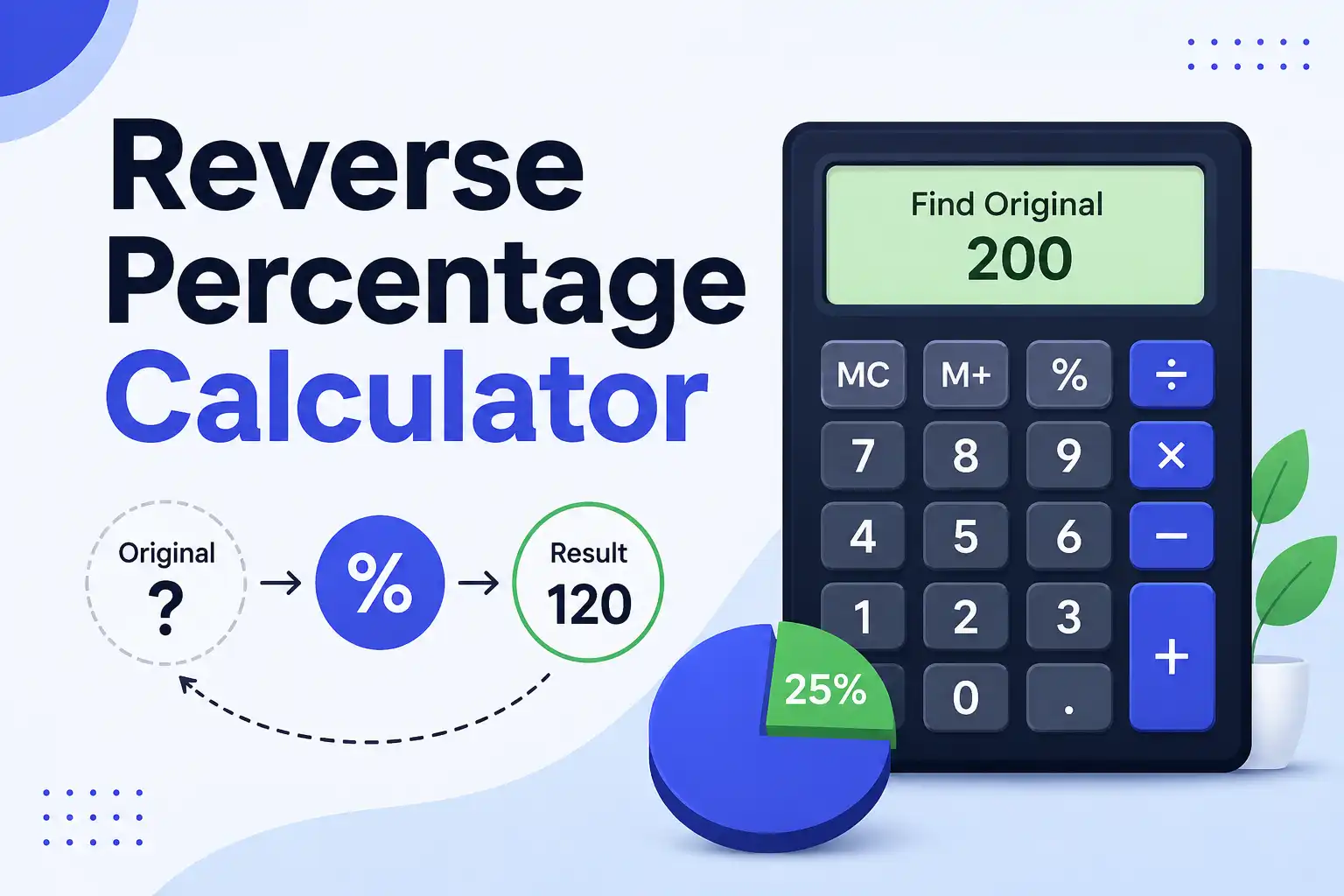
Reverse percentage change answers the question: "If I know the new value and the percentage change, what was the original value?"
The formula for finding the original value after a percentage increase is: Original = New Value ÷ (1 + Percentage as Decimal).
For example, a product costs $120 after a 20% increase. What was the original price?
Original = 120 ÷ (1 + 0.20)
Original = 120 ÷ 1.20
Original = $100
The product originally cost $100.
For a percentage decrease, use: Original = New Value ÷ (1 − Percentage as Decimal).
A product costs $80 after a 20% discount. What was the original price?
Original = 80 ÷ (1 − 0.20)
Original = 80 ÷ 0.80
Original = $100
This reverse calculation is useful for figuring out pre-sale prices or pre-tax amounts. You can also use the percentage calculator to handle reverse calculations quickly.
What Is the Difference Between Percentage Change and Percentage Difference?
Percentage change measures how a single value moves from an old number to a new number. Percentage difference compares two separate values where neither is the baseline. They use different formulas and answer different questions.
Percentage change is directional. It asks: "How much did this value increase or decrease from its previous state?"
The formula: ((New − Old) ÷ Old) × 100
Percentage difference is non-directional. It asks: "How much do these two unrelated values differ from each other?"
The formula: |A − B| ÷ ((A + B) ÷ 2) × 100
For example, if you're tracking your weight and you went from 180 pounds to 170 pounds, that's a percentage decrease of 5.6%. If you're comparing two different phone plans — one costs $45 and another costs $60 — that's a percentage difference of 28.6%.
Using the wrong formula produces wrong answers. A percentage change calculation on two unrelated values gives you a meaningless number because there's no "before" and "after" relationship.
Common Mistakes When Calculating Percentage Change
Here are the most frequent errors people make:
- Dividing by the new value instead of the old value. This is the most common mistake. Always divide by the starting value.
- Confusing percentage points with percentages. A change from 10% to 15% is a 5 percentage point increase, but a 50% relative increase.
- Using the wrong formula for increase vs. decrease. The decrease formula subtracts New from Old, not Old from New.
- Forgetting to multiply by 100. The decimal 0.25 is not 0.25%; it's 25%.
- Calculating percentage change on already-changed values. A 10% increase followed by a 10% decrease does not bring you back to the original number.
That last point trips up many people. If you increase 100 by 10%, you get 110. If you then decrease 110 by 10%, you get 99. You're 1% below where you started. Percentage changes don't cancel out symmetrically.
What Are Real-World Examples of Percentage Increase and Decrease?
Percentage increase and decrease appear in nearly every financial and statistical context. Here are the most common scenarios:
Price Increases and Inflation
Inflation is measured as a percentage increase in prices. In 2022, the US inflation rate peaked at 9.1% in June — the highest in four decades. — Source: U.S. Bureau of Labor Statistics, 2022
If a grocery basket cost $200 last year and inflation was 9.1%, the same basket would cost $218.20 this year. That's an $18.20 increase on the same items.
Salary Raises and Negotiations
A 5% raise on a $65,000 salary is $3,250 more per year, or about $62 per week before taxes. That's a meaningful increase. But if inflation was 4%, your real raise is only 1% in purchasing power terms.
Always calculate your raise as a percentage of your current salary, not as a dollar amount alone. A $3,000 raise on a $40,000 salary is 7.5%. On a $120,000 salary, it's only 2.5%.
Discounts and Sales
A store advertises "30% off" on a $70 item. The discount is $21, and the final price is $49. But if the store raised the original price from $60 to $70 before the sale, the real discount from the true original is only about 18%.
Percentage discounts are only meaningful if the original price is genuine. Some retailers inflate original prices to make discounts look larger. To learn more about percentage basics, see our what is a percentage guide.
Investment Returns
If you invest $5,000 and it grows to $6,500, your percentage increase is 30%. That's (6,500 − 5,000) ÷ 5,000 × 100 = 30%.
But investment returns compound. A 10% gain followed by another 10% gain on the new total gives you a 21% overall increase, not 20%. This is why percentage change matters more than absolute dollar gains in investing.
What Tools Can Help Calculate Percentage Increase and Decrease?
Several tools can handle percentage change calculations for you:
- MiniToolsPro Percentage Calculator — This free online tool calculates percentage increase and decrease instantly. Enter the old and new values, and it shows the percentage change. Try the percentage increase and decrease calculator here.
- Excel or Google Sheets — Use the formula =(B1−A1)/A1 and format as percentage. This works for single calculations and bulk data.
- Smartphone Calculator — The built-in calculator app on any phone can handle percentage change. Just follow the manual formula.
- Google Search — Type "percentage increase from 50 to 75" directly into Google. The search engine returns the answer instantly.
- Mental Math — For simple changes, use the 10% rule. Find 10% of the original value, then scale up or down.
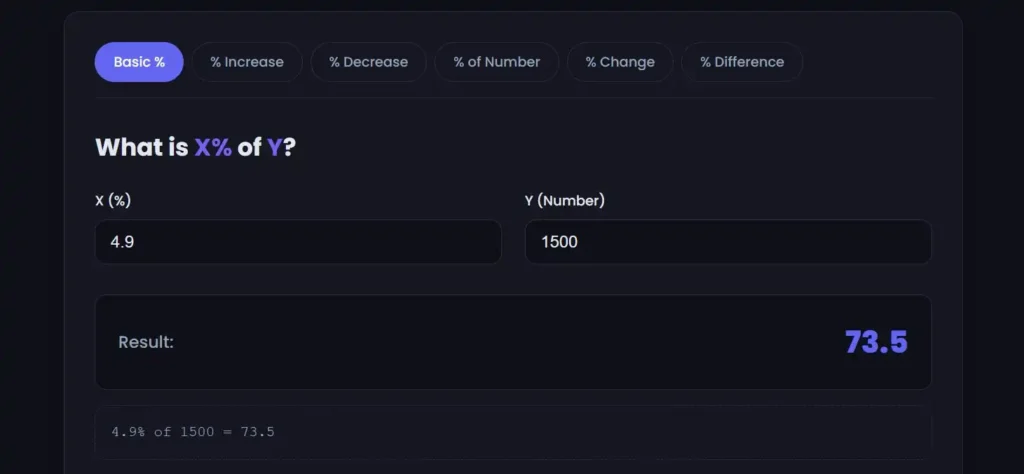
[Insert image: Screenshot of MiniToolsPro percentage change calculator showing old value and new value input fields | Alt text: "Calculate percentage increase with MiniToolsPro percentage change calculator"]
For more complex calculations involving multiple data points, an average calculator can help you establish baselines before calculating percentage changes.
What's Next After Learning Percentage Change?
Start applying percentage change to your own numbers. Track your monthly expenses and calculate the percentage change month over month. Check the percentage increase on your rent, utilities, and subscriptions. Calculate the percentage return on your investments.
Then use this skill in decision-making. When comparing two offers, calculate the percentage difference. When evaluating a sale, verify the discount is real. When reviewing your budget, identify which categories increased by the highest percentages.
Don't aim for perfection on every calculation. Aim for consistency. The more you calculate percentage changes, the faster and more accurate you'll become. And when speed matters or the numbers are complex, use a calculator.
Conclusion
Percentage increase measures how much a value grew relative to its starting point. Percentage decrease measures how much it shrank. Both use simple formulas: subtract, divide by the original, multiply by 100.
The key is always dividing by the original value. Get that right, and you'll avoid the most common mistakes. Whether you're tracking inflation, negotiating a raise, or checking a discount, percentage change gives you the context that raw numbers can't.
Ready to calculate your first percentage change? Visit the percentage change calculator and enter two numbers. You'll have your answer in seconds.
Written by Sami, a full-stack web designer and developer who often shares their expertise on different platforms.
Reviewed by MiniToolsPro Editorial Team
Percentage increases and decreases are frequently used for prices, salaries, statistics, measurements, and financial calculations. If you want to go beyond increases and decreases, visit our Percentage Calculator: How to Calculate Percentages Easily, where you can learn the fundamental percentage formulas and how they apply to different types of problems.
Share this article 👇
0 Comments