
Table of Contents
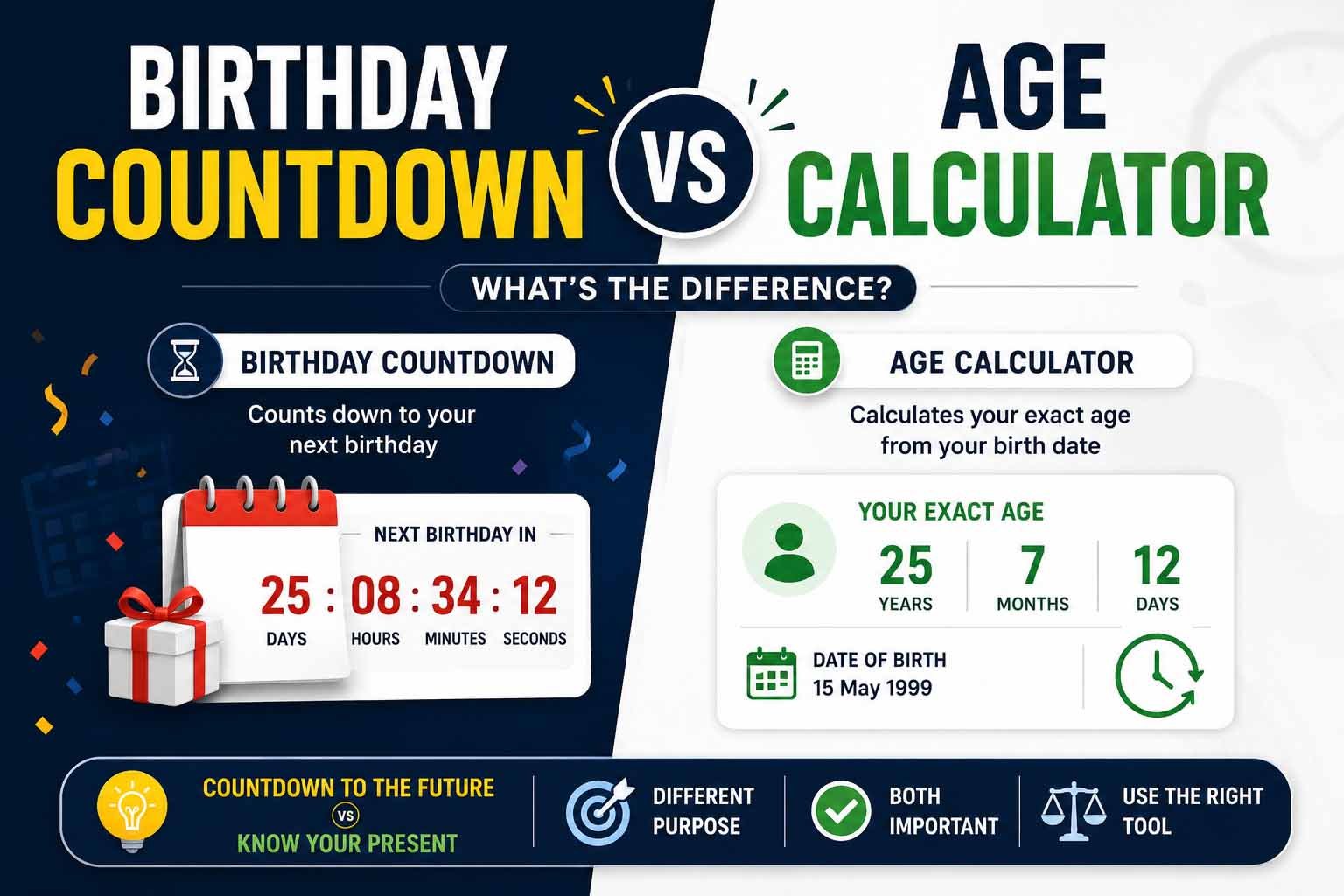
Two people open their phones. One wants to know exactly how many days until their wedding anniversary. The other is filling out a passport renewal and needs their exact chronological age as of today. Both type a date into a tool. But they are not using the same tool, even if the screen looks similar at first glance. The birthday countdown vs age calculator distinction matters because one looks forward and the other looks backward. One counts the time remaining. The other counts the time already lived. Confusing them leads to wrong numbers on forms, missed celebration planning, and a fuzzy understanding of how time is actually measured from a date of birth. This article explains what each tool does, how they overlap, and how the same underlying age calculation logic powers both.
What Is a Birthday Countdown?
A birthday countdown is a forward-looking tool. It takes a future event—usually a birthday, but it can be any anniversary—and tells you how much time remains until that date arrives. The output is typically expressed in days, hours, minutes, and even seconds. Some countdowns show months and weeks as well.
People use birthday countdowns for anticipation. A child waiting for their birthday, a couple counting down to a wedding, or an employee tracking days until retirement. The countdown creates a sense of progress toward a specific moment. The tool does not care how old the person is now. It only cares how far away the next occurrence of that calendar date sits.
Want to calculate your exact age instantly? Use our Age Calculator.
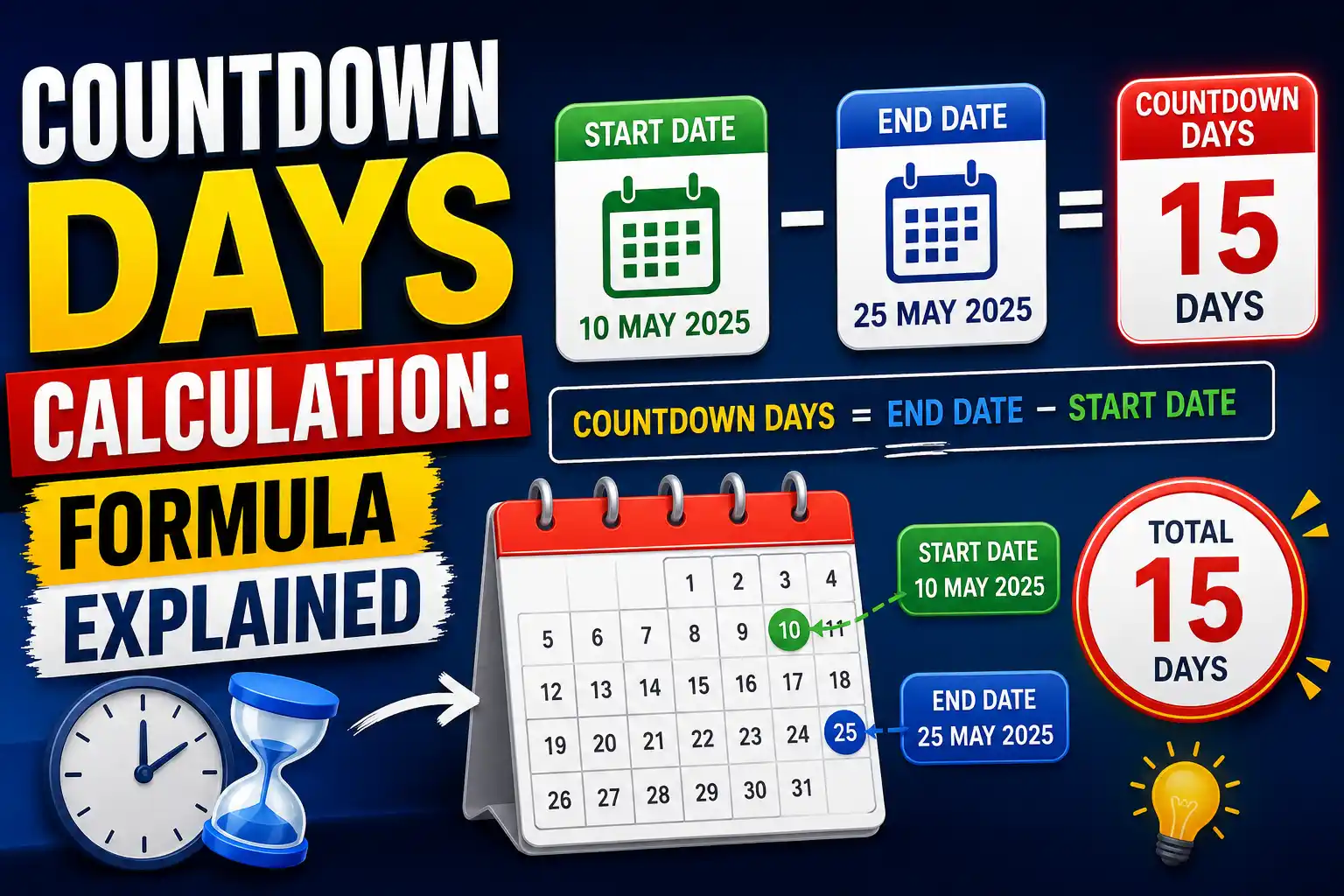
A birthday countdown answers questions like "How many days until my birthday?" or "How long until our anniversary?" It is motivational, celebratory, and forward-moving by design. The calculation is simple: take the target date in the future, subtract today's date, and display the difference. If the birthday has already passed this year, the countdown automatically targets the same date next year.
What Is an Age Calculator?
An age calculator works in the opposite direction. It looks backward from today to a date of birth and calculates the elapsed time. The result is chronological age—the exact amount of calendar time a person has been alive. Outputs include age in years, months, and days; age in weeks; and age in days.
People use age calculators for official purposes. A parent checking if a child meets the school cutoff date. An HR professional verifying retirement eligibility. A traveler confirming their age for a visa application. The age calculator is not about anticipation. It is about precision. It answers "How old am I exactly?" not "How long until I turn older?"
An age calculator applies the age formula to compare the birth year, month, and day against the current date. It adjusts for whether the birthday has already occurred this year. It handles leap years. It counts every day between two dates. The output is a factual statement of time lived, which is why government agencies, healthcare providers, and legal systems rely on this method.
Birthday Countdown vs Age Calculator: Core Differences
At first glance, the two tools look like they do the same math in reverse. But the purpose, output, and user need behind each are fundamentally different. Understanding the birthday countdown vs age calculator distinction prevents you from using the wrong tool at the wrong moment.
A birthday countdown measures time until a future event. It answers "how long until." It produces a countdown—days remaining, sleeps left, moments to go. The emotional driver is excitement or planning. Accuracy matters, but a day off is rarely catastrophic because the event itself is fixed on the calendar.
An age calculator measures time since a past event. It answers "how long since." It produces an age—years, months, days lived. The emotional driver is documentation, verification, and compliance. Accuracy is critical. A one-day error on a pension application can delay benefits. A one-year mistake on a school form can force a child to wait an entire academic year.
The table below captures the key differences at a glance.
| Feature | Birthday Countdown | Age Calculator |
|---|---|---|
| Direction | Forward (future) | Backward (past) |
| Primary question | How long until? | How old am I? |
| Typical output | Days, hours, minutes | Years, months, days |
| User intent | Anticipation, planning | Verification, documentation |
| Accuracy tolerance | Moderate | Absolute |
| Leap year handling | Automatic | Critical |
| Official use | Rarely | Frequently |
What Both Tools Share Under the Hood
Despite serving opposite purposes, a birthday countdown and an age calculator share the same mathematical core. Both need to know the current date. Both need to know a target date. Both must handle month boundaries, different month lengths, and leap years. The difference is only in which date gets subtracted from which.
When you ask "how many days until my next birthday," the tool calculates the date of your next birthday and subtracts today's date. When you ask "how old am I," the tool subtracts your birth date from today's date. The arithmetic is the same. The direction of subtraction reverses. That is why many websites offer both features in a single tool. The engine underneath can run in forward or reverse.
This shared foundation means that understanding how age is calculated teaches you how a countdown works too. Learn one, and you understand both. The same age formula and the same leap year rules apply. The same pitfalls—miscounting months, forgetting the birthday check—can trip you up whether you are counting forward or backward.
How Age Is Calculated Behind Every Tool
Whether you are using a countdown or an age calculator, the starting point is always the same: a date of birth and a reference date. For an age calculator, the reference date is usually today. For a countdown, it is the next occurrence of the birthday. The method to calculate age or time difference follows a three-step comparison of year, month, and day.
First, subtract the birth year from the reference year. This gives a preliminary number of years. Second, compare the months. If the reference month is greater than the birth month, the full year difference stands. If the reference month is less, you are still waiting for the birthday, so you subtract one year. If the months are equal, you move to days. If the reference day is greater than or equal to the birth day, the birthday is considered passed. Otherwise, subtract one year. This is the universal logic for chronological age.
For a countdown, the same logic identifies whether the birthday has already occurred this year. If it has, the next birthday is in the following calendar year. The tool then calculates the days between today and that future date. Every digital tool, from the simplest widget to the most advanced online age calculator, uses this exact reasoning.
The Age Formula Explained
Every age result traces back to one conditional formula. Write it down, and you hold the key to verifying any tool.
Age in years = Reference Year – Birth Year – (1 if Birthday has not occurred yet in the reference year, else 0)
The birthday condition activates when (Reference Month < Birth Month) OR (Reference Month = Birth Month AND Reference Day < Birth Day). That is the entire formula. Nothing hidden. No magic. When an age calculator displays your exact age calculation, it simply applies this formula and then extends the subtraction to months and days with proper borrowing. A countdown uses the same condition to find the next birthday date, then subtracts today's date from that future date. The formula is the heartbeat of both tools.
Step-by-Step Manual Age Calculation
Let's ground the formula in real examples. Assume today is August 8, 2025.
Example 1: Birthday already passed this year.
Date of birth: March 3, 1988.
Year subtraction: 2025 – 1988 = 37.
Month comparison: August (8) vs March (3). 8 is greater than 3. Birthday passed. Age is 37 years. A countdown would now target March 3, 2026 and calculate the days remaining.
Example 2: Birthday not yet passed.
Date of birth: December 14, 1995.
Year subtraction: 2025 – 1995 = 30.
Month comparison: August (8) vs December (12). 8 is less than 12. Birthday not passed. Subtract one. Age is 29. The countdown targets December 14, 2025, which is still ahead.
Example 3: Same month, birthday passed.
Date of birth: August 2, 2010.
Year subtraction: 2025 – 2010 = 15.
Month comparison: Both August. Day comparison: 8 vs 2. 8 is greater. Birthday passed. Age is 15. Countdown now points to August 2, 2026.
Example 4: Same month, birthday today.
Date of birth: August 8, 2000.
Year subtraction: 2025 – 2000 = 25.
Month comparison: Both August. Day comparison: 8 vs 8. Equal means birthday is today. Age is exactly 25. A countdown today would show zero days remaining and likely target the next year's date immediately after.
These four cases cover every scenario any tool will ever encounter. Master them, and you can manually calculate age from date of birth or find the days until any future birthday without touching a screen.
How Leap Years Affect Both Tools
Leap years add an extra day to the calendar every four years. February 29 appears, and with it comes a small set of complications for both countdowns and age calculators.
For a birthday countdown, if someone's birthday is February 29, the countdown must decide what date to target in non-leap years. Most countdown tools default to March 1 as the observance date in common years. Some allow the user to choose February 28. Either way, the countdown logic adjusts the target date accordingly. The days-remaining calculation must also account for the extra day in leap years when counting across February in a leap year itself.
For an age calculator, the handling is more critical because legal age may depend on it. A person born February 29, 2000, who needs to prove they are 18 on March 1, 2018, will be recognized as 18 by the March 1 observance rule. The calculator must apply the same rule consistently. When calculating age in days, the tool counts every leap day in the range automatically. Manual counting across 30 years without missing a leap year is tedious and error-prone.
A common misconception is that leap day babies only age once every four years. Chronologically, they age one year per calendar year. Their birthday anniversary appears less frequently, but their age increments each year. Both countdowns and age calculators reflect this reality when correctly programmed.
When to Use a Birthday Countdown
A birthday countdown is the right tool when the question is about a future moment. Planning a surprise party and need to know exactly how many days remain to prepare? Countdown. A child asking "how many sleeps until I turn six?" Countdown. Tracking days until a wedding, a graduation, a retirement date, or a product launch? Countdown every time.
The countdown thrives on emotional engagement. Seeing the numbers tick down creates excitement. It is inherently visual and often shared socially. The output does not need to be legally defensible. If the countdown says 30 days and the actual answer is 31 because of a time zone quirk, the party does not get canceled.
Countdowns also work well for recurring events. You do not need to re-enter the date each year. The tool automatically cycles to the next occurrence. This makes countdowns ideal for annual celebrations, subscription renewals, or any date that matters on a repeating calendar cycle.
When to Use an Age Calculator
An age calculator is the tool you reach for when the number carries consequences. Filling out a government form. Applying for a driver's license. Enrolling a child in school. Submitting a pension claim. Verifying identity for a background check. In every one of these scenarios, the age must be exact, defensible, and calculated the same way the receiving institution calculates it.
The exact age calculation matters. A person born July 15, 2007, applying for a learner's permit on July 14, 2025, is still 17 in the eyes of the law. One day makes the difference between eligible and ineligible. An age calculator gives the precise chronological age as of the application date, removing ambiguity.
Healthcare providers use age in months for infants because developmental milestones and medication doses depend on it. A 23-month-old and a 24-month-old are developmentally and medically distinct. Writing "2 years" on a form is not precise enough. An age calculator provides the month-level breakdown automatically.
HR departments calculate retirement dates, provident fund maturity, and benefits eligibility based on exact age. An error in an employee's file that persists for years can create legal liability. Using a verified free age calculator with an audit trail is standard practice in many organizations.
When the number is for official use, do not count down. Do not estimate. Use an age calculator and double-check the reference date on the form.
Common Mistakes People Make with Both
The same errors appear whether someone is counting down or calculating age. Recognizing them prevents frustration and paperwork headaches.
Using the wrong tool for the job. This is the central mistake. A countdown shows days until a birthday, not current age. Someone who reads "30 days until my birthday" and writes "I am already the older age" on a form has made a consequential error.
Forgetting the birthday check. Subtracting the birth year from the current year and stopping gives the wrong age for nearly half the population at any moment. Both countdowns and age calculators must evaluate whether the birthday has passed this year.
Ignoring the reference date. Forms often specify an "as of" date. It may be the date the form was printed, the start of the fiscal year, or a cutoff date like September 1. Using today's date when the form asks for a different reference date invalidates the result. Always read the form instructions first.
Miscounting months. When finding age in months, it is easy to count only within the current year. A child born October 2023, with a reference date of August 2025, is 22 months old, not 10. Count across the full span from birth month to reference month.
Forgetting leap years in day counts. Each missed leap year adds a one-day error to a total age in days calculation. Over decades, the error compounds. Digital tools handle this automatically. Manual calculations rarely do.
Confusing chronological age with biological age. No countdown and no age calculator measures health, fitness, or aging speed. They measure calendar time only. Conflating the two leads to incorrect official filings and misunderstanding of what the number represents.
Each mistake is avoidable by asking one question: "What exactly am I trying to measure—time forward or time backward—and what does the form or situation actually require?"
Frequently Asked Questions
What is the difference between a birthday countdown and an age calculator?
A birthday countdown measures time remaining until a future birthday or event. An age calculator measures time elapsed since a past date of birth, giving chronological age in years, months, and days.
Can I use a birthday countdown to find my age?
No. A countdown shows days until your next birthday, not your current age. If it says 45 days remain, you are still your current age, not the next one. Use an age calculator to find your exact age today.
How do I calculate my age manually?
Subtract your birth year from the current year. If your birthday has not occurred yet this year, subtract one year. This gives your age in completed years.
What is chronological age?
Chronological age is the exact calendar time elapsed from your date of birth to a specific reference date. It is the standard age used on official documents and legal forms.
How do leap years affect my age calculation?
Leap years add one day to the year. If you were born on February 29, your birthday is typically observed on March 1 in non-leap years. Leap years also add an extra day to total day counts, which digital tools handle automatically.
When should I use an age calculator instead of a countdown?
Use an age calculator for any official or legal purpose: government forms, school enrollment, healthcare, employment verification, and pension claims. Use a countdown for personal planning and celebration tracking.
Can age calculators make mistakes?
A correctly programmed age calculator does not make arithmetic errors. The only source of wrong results is incorrect input—typing the wrong birth date or using the wrong reference date.
How do I calculate age in months?
Count the full calendar months from the birth month to the reference month. If the reference day is less than the birth day, subtract one month. For example, a child born March 15 measured on August 10 is 4 full months old.
Why does my countdown show a different number than my friend's for the same date?
Time zone differences can shift the countdown by several hours. Also, some countdowns include the current day or the target day in their count, while others do not. Check the tool's settings.
Which age do I put on a job application?
Use your chronological age in completed years as of the application date, unless the form specifies a different reference date. An age calculator will give you the exact number.
Do I count the day I was born when calculating age in days?
Age in days is typically calculated as the number of full days elapsed since the date of birth, not including the birth day itself. Most age calculators follow this convention.
Related Birthday and Age Calculation Guides
An age calculator tells you how old you are, while a birthday countdown focuses on how long remains until your next birthday. For a deeper look at birthday countdowns, read our Birthday Countdown Guide. For broader age calculation information, visit our Age Calculator Guide.
Conclusion
A birthday countdown and an age calculator sit side by side on many websites, and it is easy to see them as interchangeable. They are not. One looks ahead. One looks back. One fuels anticipation. One provides verification. The birthday countdown vs age calculator difference is the difference between "how long until I celebrate" and "how long have I lived." Both are useful. Both rely on the same date arithmetic underneath. But using the wrong one at the wrong time turns a helpful tool into a source of error.
When the stakes are low and the goal is excitement, use a countdown. When the number goes on a form that determines eligibility, benefits, or legal status, use an age calculator. Better yet, understand the age formula that powers both so you can verify the answer no matter which tool you open. The math is not hard. The discipline to use the right tool for the right question is what separates a correct result from a costly mistake.
Recommended online Tool
If you need your exact chronological age for an official form or simply want to know how many years, months, and days you have lived, our free Age Calculator gives you the precise answer in seconds. Try the Free Age Calculator

Outbound Links
- USA.gov official government guidance on age of majority and eligibility dates
- Wikipedia leap year explanation and Gregorian calendar rules
Share this article 👇
0 Comments