
Table of Contents
Why You Need a Birthday Countdown (And How to Never Miss Another Celebration)
Last year, I woke up to a text message that made my stomach drop. "Hey, are you coming to dinner tonight?" It was my best friend's 30th birthday. I had completely forgotten. No gift, no card, no reservation. Just pure panic and a rushed apology that felt hollow even as I typed it.
That feeling—the guilt, the scrambling, the embarrassment—stuck with me. So I started looking for a solution that actually worked. Not just another calendar alert that I would swipe away. Something that would keep the date front of mind without annoying me. That is when I discovered how useful a proper birthday countdown can be.
Not the fancy apps with notifications you ignore. Not the sticky notes that fall behind your desk. A simple, visual reminder of exactly how much time you have left to prepare. In this guide, I will show you why tracking birthdays this way changes everything, the common mistakes people make, and a free tool that takes the mental load off completely.
What Is a Birthday Countdown?
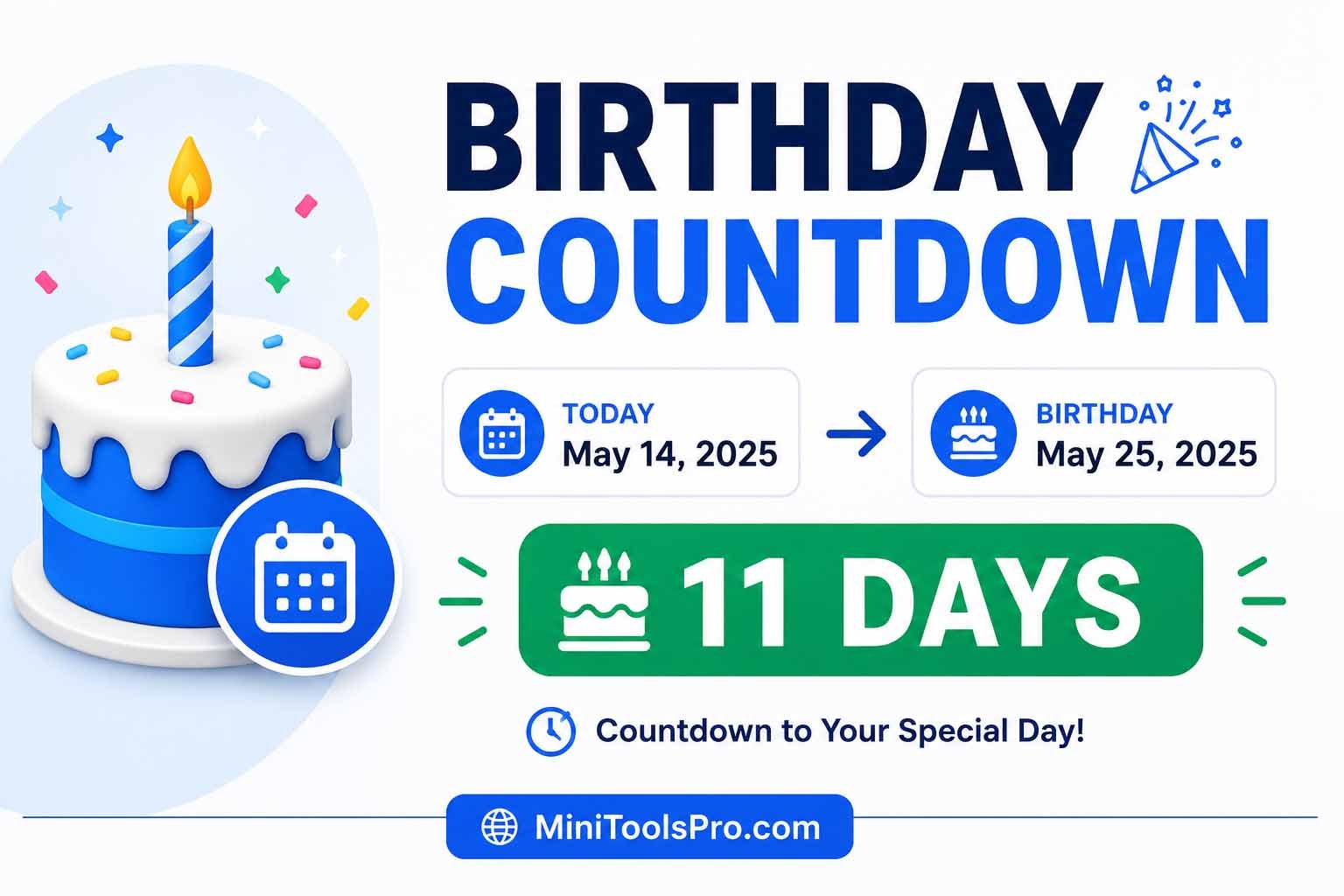
A birthday countdown is a real-time tracker that calculates the exact days, hours, minutes, and seconds remaining until a specific birthday. It answers one simple question: How much time do I have left to prepare?
Unlike a standard calendar that just shows the date, a countdown creates urgency and anticipation. When you see "32 days left," you think differently than when you see "July 15th." The first motivates action. The second just sits there. That psychological shift is what makes countdowns so effective for planning gifts, parties, travel, or even just sending a thoughtful text on time.
Why a Birthday Countdown Matters More Than You Think
You probably already have a calendar on your phone. Maybe you even set reminders. So why do people still forget birthdays? Because reminders show up once and disappear. You swipe them away during a busy meeting, promise yourself you will deal with it later, and then later never comes.
A birthday countdown days tracker stays visible. It keeps the information in front of you every time you check it. That repeated exposure changes your behavior. Here is what happens when you start using one consistently:
- You stop scrambling. No more last-minute dashes to the store or rushed digital gift cards.
- You save money. Last-minute shipping costs disappear when you order two weeks early.
- Your relationships improve. People notice when you remember. They also notice when you forget.
- You sleep better. That nagging "I am forgetting something" feeling goes away.
The real cost of forgetting is not just embarrassment. It is the slow erosion of trust and connection. When someone important to you feels like an afterthought, that damage is hard to repair. A simple count down for birthday habit prevents all of that.
How a Birthday Countdown Actually Works
Under the hood, a birthday countdown compares two dates: today's date and the target birthday. It calculates the difference in milliseconds, then converts that number into days, hours, minutes, and seconds. The math is straightforward, but doing it manually every day would be tedious.
Here is what the tool does automatically:
- Gets the current date and time from your device
- Identifies the next occurrence of the birthday you entered
- Subtracts today from that future date
- Displays the result in an easy-to-read format
- Updates in real time as seconds pass
The smart part happens when a birthday has already passed this year. Instead of showing a negative number or an error, the tool automatically jumps to next year's date. You do not have to think about it. Just enter the birthday once, and the tool handles the rest.
Technical Explanation (For the Curious)
JavaScript's Date object powers most birthday countdown tools. The calculation uses getTime() to convert dates to milliseconds since January 1, 1970. Subtracting two timestamps gives the difference in milliseconds. Dividing by 1000 gives seconds, then by 60 for minutes, then by 60 for hours, then by 24 for days. Leap years and varying month lengths are handled automatically because the Date object accounts for them natively.
Step-by-Step Guide: How to Track a Birthday Countdown
You have two options for tracking a birthday countdown. The manual method works in a pinch. The digital method saves time and eliminates errors.
Manual Method (Paper and Calculator)
- Write down today's date
- Write down the birthday date
- Count the days remaining on a physical calendar
- Subtract one from the other, accounting for different month lengths
- Repeat this process every day if you want an updated number
This works, but it is time-consuming and easy to mess up. Miss a day, and your count is wrong. Forget a leap year, and you are off by a full day.
Digital Method (Using a Birthday Countdown Tool)
- Open a birthday countdown clock tool in your browser
- Select the month, day, and year of the birthday
- Add an optional label like "Mom's 60th" to stay organized
- Click the start button
- View your remaining days, hours, and minutes instantly
The digital method takes about ten seconds and updates automatically. You never have to recalculate or double-check your math.
Best Practices for Accurate Tracking
- Always confirm the year. If the birthday already happened this year, make sure your tool knows to count toward next year.
- Set the time if precision matters. For surprise parties or video calls with time zone differences, include the specific hour.
- Use labels for multiple countdowns. "Sarah" is clearer than "Birthday 1" when you have five different dates saved.
- Check your device time zone. The countdown uses your local settings, so verify they are correct.
Common Mistakes People Make With Birthday Countdowns
Even a simple tool can trip you up if you are not paying attention. Here are the most frequent errors I have seen, plus how to avoid them.
Mistake 1: Forgetting the Year
This is the number one mistake. Someone enters March 15th without specifying the year, assuming the tool knows they mean next March. But if today is March 16th, the tool might show 364 days instead of just 364 days. Always select the correct year, especially when entering dates close to the current date.
Fix: Double-check the year before clicking start. If the birthday is in two weeks, make sure you did not accidentally select next year.
Mistake 2: Ignoring Time Zones for Video Calls
You set a countdown for 7 PM Friday. The person you are surprising lives three time zones ahead. By your clock, it is 7 PM. By theirs, it is 10 PM. You miss the call because they went to bed.
Fix: When setting a countdown for an event involving someone in a different time zone, adjust the event time on your end. If they are three hours ahead, set your countdown for 4 PM instead of 7 PM.
Mistake 3: Not Saving or Bookmarking the Countdown
You set up a beautiful birthday countdown calendar with multiple dates. Then you close the browser tab and lose everything. Unlike apps with accounts, browser-based tools do not save your data unless you take action.
Fix: Bookmark the page. Take a screenshot of your results. Or keep the tab open in the background. Better yet, use a tool that lets you regenerate the same countdown quickly by remembering your inputs.
Mistake 4: Setting the Wrong Date Format
Different countries write dates differently. You enter 04/05 thinking April 5th, but the tool reads it as May 4th. Suddenly your countdown is off by nearly a month.
Fix: Use a tool with a visual date picker instead of a text field. Clicking a calendar eliminates format confusion completely.
Mistake 5: Counting Down to the Wrong Occurrence
You enter December 25th for a Christmas birthday. The tool shows 200+ days because it is counting toward next December. But the birthday you care about is actually this December, which is only 30 days away.
Fix: Most good birthday countdown tools automatically detect the next occurrence. If today is November 1st and you enter December 25th of this year, it should show about 54 days. If it shows over 300, the tool is looking at next year instead. Choose a tool that handles this logic correctly.
Real-World Use Cases for Birthday Countdowns
Different people use birthday countdown ideas in completely different ways. Here is how various groups put this tool to work.
For Busy Parents
You have three kids. Each one has friends with birthdays. Plus grandparents, aunts, uncles, and your own anniversary mixed in. Keeping track manually is impossible. A birthday countdown helps you prioritize. When you see a cousin's birthday is in 5 days but your child's best friend is in 20, you know where to focus your energy first. Use labels like "Emma's party - need gift" to stay organized across multiple events.
For Professionals and Coworkers
Office culture often includes birthday celebrations. Forgetting a teammate's birthday looks unprofessional. Setting up a birthday countdown clock for each team member takes five minutes at the start of the year. Check it every Monday morning. Buy a card, order a cake, or just send a Slack message. Small efforts build team morale. Large gaps damage it.
For Long-Distance Families
You live in New York. Your mom lives in London. Her birthday is coming up, and you want to surprise her with a video call before she starts her day. A standard calendar shows the date but not the time difference. A countdown set to 8 AM her time (3 AM your time) tells you exactly when to wake up. No confusion. No missed calls. Just a happy mom.
For Social Media Managers and Influencers
Birthday giveaways and shoutouts perform best when you build anticipation. Screenshot your birthday countdown days display and post it in stories. "3 days until the big giveaway" creates more engagement than a single reminder on the day itself. The countdown becomes content. Use it to drive comments, shares, and excitement.
For Event Planners
Whether you plan parties for a living or just for your own family, knowing exact days remaining helps you schedule tasks. At 30 days out, send invitations. At 14 days out, order the cake. At 7 days out, confirm vendors. At 3 days out, buy groceries. A countdown turns a stressful process into a manageable timeline.
For Anyone Who Struggles With Memory
ADHD, busy schedules, or just getting older—many people genuinely struggle to remember dates. This is not a moral failing. It is a cognitive reality. Using a count down for birthday tool is not cheating. It is adapting. Give yourself permission to use the tools that make your life easier.
Use Our Free Birthday Countdown Tool Instead of Doing It Manually
After reading all of this, you could grab a calendar and start counting days manually. You could set up a spreadsheet with complicated date formulas. Or you could use a tool that does all of this work in under ten seconds.
MiniToolsPro Birthday Countdown Tool gives you everything you need without the hassle:
- Real-time updates: Watch the seconds tick down automatically
- Multiple event tracking: Run several countdowns side by side
- Privacy-focused: No data stored on our servers
- Mobile responsive: Works perfectly on your phone
- Completely free: No account, no credit card, no catch
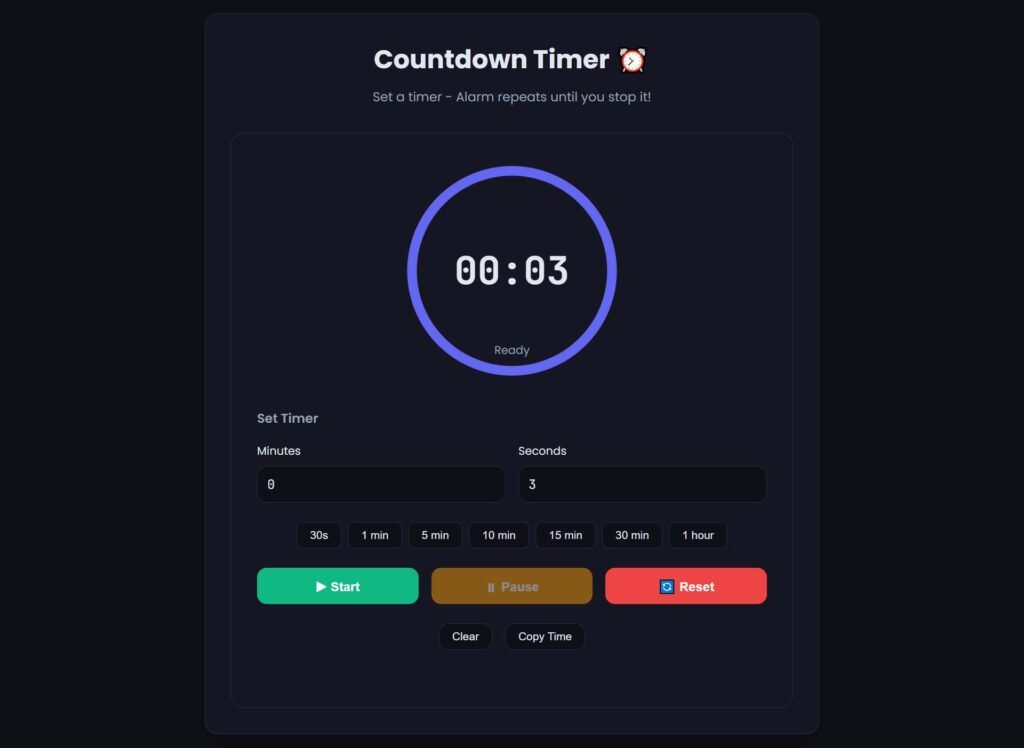
The tool takes a date input and returns an exact breakdown of days, hours, minutes, and seconds remaining. You do not have to do any math. You do not have to worry about leap years or month lengths. Just enter the birthday and let the tool work.
Most people who try manual tracking give up within two weeks. It is too much effort for too little reward. But using a dedicated birthday countdown tool takes thirty seconds to set up and pays off every time you check it. Try it for your next important birthday and see the difference.
Advanced Tips and Best Practices
Once you have the basics down, try these power-user strategies to get even more value from birthday countdowns.
Create a Birthday Countdown Calendar at the Start of Each Year
On January 1st (or whenever your calendar resets), enter every important birthday for the entire year. Label each one clearly. Then bookmark the page or take a screenshot. You now have a full-year view of exactly how much time you have between celebrations. This helps with budgeting too. If three birthdays all fall in the same week, you can plan your gift spending months in advance.
Combine With a Gift Planning System
A countdown tells you when a birthday is happening. Pair it with a gift list to know what to buy. When you see a birthday is 30 days out, add a gift idea to your notes app. When you see 14 days out, order it online. When you see 3 days out, wrap it and write a card. The countdown becomes a trigger for specific actions, not just a number on a screen.
Use Countdowns for Non-Birthday Events Too
The same logic applies to anniversaries, holidays, vacations, project deadlines, and product launches. A birthday countdown calendar tool might be labeled for birthdays, but it works for any future date. Get creative. Count down to your next dentist appointment if it helps you prepare. Count down to a job interview so you have time to research the company. The tool does not care what you are counting toward.
Set Check-in Reminders
A countdown alone does nothing if you never look at it. Pair it with a weekly check-in habit. Every Sunday evening, spend two minutes reviewing your active countdowns. For any birthday within the next 14 days, decide what action you need to take. This five-minute weekly ritual eliminates last-minute scrambling completely.
Frequently Asked Questions
What is the most accurate way to count down to a birthday?
The most accurate method uses an automated digital tool that pulls the current date and time from your device. Manual counting introduces human error, especially when accounting for different month lengths and leap years. Digital tools also update in real time, so you always see the most current numbers without recalculating.
Can I count down to multiple birthdays at the same time?
Yes. Many birthday countdown tools allow you to run multiple counters simultaneously. You can either open separate tabs for each birthday or use a tool that supports multiple entries on one page. Just label each one clearly so you know which is which.
Do birthday countdown tools work across different time zones?
Most tools use your device's local time zone. If you are counting down to a birthday for someone in a different time zone, you have two options. First, manually adjust the event time on your end to match their local time. Second, change your device time zone temporarily. The tool itself does not automatically convert between zones.
What happens if the birthday already passed this year?
A good birthday countdown tool automatically detects that the date has passed and starts counting toward next year's occurrence. You do not need to do anything special. Just enter the birthday once, and the tool handles the logic of finding the next upcoming date.
Is there a mobile app for birthday countdowns?
Yes, many mobile apps offer birthday countdown features. However, web-based tools work just as well on mobile browsers without taking up storage space. You can add a web tool to your phone's home screen, and it will function similarly to an app while using less storage and battery.
How do I save my countdowns so I do not have to re-enter them?
Browser-based tools do not save data automatically unless you create an account or the tool uses local storage. To save your countdowns, bookmark the page after entering your dates. Alternatively, take a screenshot or write down the remaining days. For long-term tracking, consider a dedicated app with account-based saving.
Does a birthday countdown account for leap years?
Yes, digital countdown tools automatically account for leap years because they use the device's date calculation engine. The extra day in February is handled just like any other date difference. You do not need to make any manual adjustments.
Can I embed a birthday countdown on my own website?
Some tools offer embed codes for websites. Check the specific tool you are using for embed options. Alternatively, you can create your own simple countdown using JavaScript and host it on your site. Many developers share open-source countdown code that you can customize.
What is the difference between a birthday countdown and a birthday reminder?
A countdown shows how much time remains until an event. A reminder alerts you at a specific time, usually right before or on the event day. Countdowns help with advance planning. Reminders help with day-of execution. Using both together is the most effective approach.
How far in advance should I start a birthday countdown?
Start as soon as you know the date. For close friends and family, setting up a countdown a full year in advance helps with long-term planning like saving for a gift or booking travel. For casual acquaintances, starting 30 days out is usually enough time to buy a card or send a message.
Are birthday countdown tools free to use?
Most basic birthday countdown tools are completely free. Premium features like multiple simultaneous countdowns, cloud saving, or email reminders may require payment. The tool linked in this article is 100% free with no paid upgrades.
Can I use a birthday countdown for someone who has passed away?
Yes. Some people find comfort in counting down to a deceased loved one's birthday as a way to remember and honor them. There is no technical limitation preventing this use. However, if you find the countdown causes distress, consider using a different memorial practice instead.
Related Birthday and Age Calculation Guides
A birthday countdown focuses on the time remaining until your next birthday, while an age calculator determines your current age. Learn more about the difference in our Birthday Countdown vs Age Calculator guide. For a broader look at calculating your exact age, visit our Age Calculator Guide.
Final Thoughts
That morning I forgot my best friend's 30th birthday changed how I think about dates. I realized I was not a bad friend. I was just a busy person using the wrong system. A calendar alone was not enough. I needed something that kept the information visible, created urgency, and required almost no effort to maintain.
A good birthday countdown gives you all of that. It turns a passive date on a calendar into an active planning tool. You see time shrinking. You feel motivated to act. And when the day finally arrives, you are prepared instead of panicked.
The people in your life deserve to feel remembered. Not because you owe them anything, but because showing up for the people we care about is one of the best parts of being human. Let a countdown handle the remembering so you can focus on the celebrating.
Try the free birthday countdown tool from MiniToolsPro for your next important date. It takes ten seconds to set up and could save you from that awful moment of realizing you forgot someone who matters to you.
Related Tools You May Find Useful
- Age Calculator – Quickly calculate someone's exact age in years, months, and days
- Date Difference Calculator – Find the number of days between any two dates
- General Countdown Timer – Count down to any event, not just birthdays
Last updated: June 2026
Share this article 👇
0 Comments