
Table of Contents
Every web designer, marketer, and content creator faces the same question: should you use JPEG or PNG? The choice affects your page load speed, user experience, and search rankings. Understanding the JPEG vs PNG file size difference is essential for making smart decisions about your images.
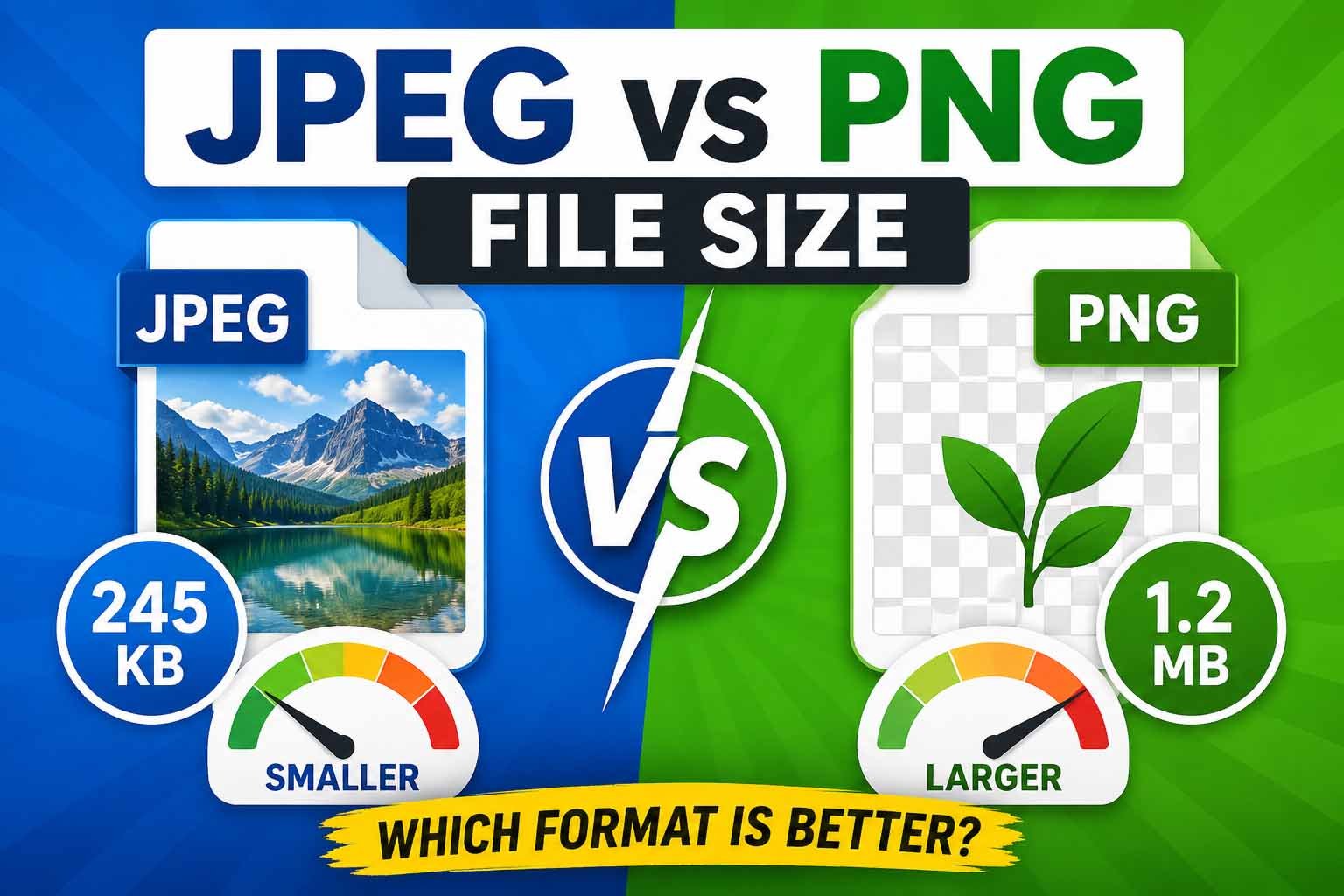
When you compare JPEG vs PNG file size, the differences are often dramatic. A JPEG file can be 60-80% smaller than the same image saved as PNG. But file size isn't everything. PNG preserves detail and supports transparency, while JPEG excels at compressing photographs.
This guide breaks down the JPEG vs PNG file size comparison across different scenarios. You'll learn when to use each format, how much size difference to expect, and how to get the best results. Whether you're optimizing a website, creating email content, or building social media graphics, this guide will help you choose wisely.
What Determines JPEG vs PNG File Size
To understand the JPEG vs PNG file size difference, you need to know how each format works. They use completely different compression methods, which explains why the JPEG vs PNG file size gap can be so large.
How JPEG Compression Works
JPEG uses lossy compression. When you save a JPEG, the algorithm analyzes the image and discards visual information that human eyes are less sensitive to. It groups similar colors together and averages them out. The result is a much smaller file at the cost of some detail.
JPEG compression works well for photographs because photos have gradual color transitions. The lossy approach is nearly invisible when compression levels are kept reasonable. This is why the JPEG vs PNG file size comparison often shows JPEG winning by a wide margin.
How PNG Compression Works
PNG uses lossless compression. It keeps every pixel exactly as it appears in the original. The algorithm finds patterns and stores them more efficiently, but nothing is removed. This preserves every detail and allows for transparent backgrounds.
PNG files are larger because they retain complete image data. When you compare JPEG vs PNG file size, PNG files can be several times larger. The difference varies depending on the image content.
Key Factors Affecting File Size
When you evaluate JPEG vs PNG file size, several factors influence the outcome:
- Image complexity: Photos with many colors and details show larger JPEG vs PNG file size differences.
- Color depth: PNG supports more colors and higher bit depths, increasing file size.
- Compression level: JPEG quality settings directly affect JPEG vs PNG file size comparison.
- Image dimensions: Larger pixels mean larger files in both formats.
- Transparency: PNG supports transparency, which adds data compared to JPEG.
JPEG vs PNG File Size Comparison
Let's look at real numbers. These comparisons show typical JPEG vs PNG file size differences for common scenarios.
| Image Type | PNG File Size | JPEG File Size | Size Difference |
|---|---|---|---|
| Product Photo (800x600) | 1.2 MB | 120 KB | 90% smaller |
| Website Hero Image (1920x1080) | 4.5 MB | 350 KB | 92% smaller |
| Logo with Text (500x200) | 80 KB | 45 KB | 44% smaller |
| Screenshot (1200x800) | 600 KB | 120 KB | 80% smaller |
| Icon (100x100) | 5 KB | 3 KB | 40% smaller |
| Marketing Banner (600x400) | 850 KB | 95 KB | 89% smaller |
The JPEG vs PNG file size difference is most dramatic for photographs and complex images. Simple graphics with few colors show less JPEG vs PNG file size variation.
When to Use JPEG
Understanding when to use JPEG helps you optimize the JPEG vs PNG file size trade-off for your specific needs.
Photographs and Product Images
JPEG is the right choice for photographs. The JPEG vs PNG file size difference for photos is enormous—often 5-10 times smaller. Since photos have gradual color changes, lossy compression is barely noticeable.
When you evaluate JPEG vs PNG file size for product photos, JPEG wins every time. You get fast loading pages and happy users. Save your PNG budget for images that actually need it.
Social Media Graphics
For most social media images, JPEG is the better choice. The JPEG vs PNG file size gap affects posting speed and user experience. Social platforms already compress images, so PNG files often get recompressed anyway.
Save JPEG at high quality (80-90%) for professional-looking social graphics. This balances the JPEG vs PNG file size advantage with visual quality.
Email Images
Email images must be small to avoid spam filters and clipping. The JPEG vs PNG file size difference makes JPEG the clear winner. A JPEG email image loads faster and avoids the dreaded "attachment too large" message.
Web Background Images
Background images benefit from JPEG compression. The JPEG vs PNG file size comparison for large background images shows JPEG being dramatically smaller. This reduces page load time without sacrificing visual appeal.
When to Use PNG
Despite the JPEG vs PNG file size advantage, PNG remains the better choice in specific situations.
Logos and Icons
Logos require crisp edges and clear text. The JPEG vs PNG file size difference is less important here because logos are usually small. PNG preserves the sharp detail that makes your brand look professional.
For logos with transparent backgrounds, PNG is the only choice. JPEG doesn't support transparency, so the JPEG vs PNG file size comparison doesn't even apply.
Images with Text Overlay
Images containing readable text should use PNG. JPEG artifacts around text make it look fuzzy and unprofessional. When you compare JPEG vs PNG file size for text-heavy images, PNG provides superior clarity.
Screenshots and UI Designs
Screenshots have sharp edges, text, and often flat colors. PNG preserves these details perfectly. The JPEG vs PNG file size difference matters less because screenshots are often small or viewed at 100% zoom.
Graphics Requiring Transparency
PNG is the standard format for transparent images. JPEG can't do transparency, making PNG the only option when you need to overlay images on different backgrounds.
Quality vs File Size Trade-Off
The JPEG vs PNG file size decision often comes down to balancing quality and size. Here's how to find the sweet spot.
JPEG Quality Settings
JPEG compression is adjustable. You control the JPEG vs PNG file size ratio by choosing quality settings.
- 90-100%: Excellent quality, larger files. Use for important images where quality matters most.
- 70-85%: Good quality, much smaller. This is the sweet spot for most web images.
- 50-70%: Acceptable quality, very small. Use for thumbnails or secondary images.
- Below 50%: Visible artifacts. Avoid unless file size is critical.
When Higher Quality Matters
Some images need higher quality that makes the JPEG vs PNG file size comparison less relevant. Professional photography portfolios, medical images, and artwork need preservation of detail.
Even then, balance the JPEG vs PNG file size with visual needs. A high-quality JPEG at 90% is usually indistinguishable from PNG but much smaller.
When File Size Matters More
For most web images, file size is more important than absolute quality. The JPEG vs PNG file size difference directly affects page speed. Faster pages rank better and convert more visitors.
Common Mistakes to Avoid
Even when you understand JPEG vs PNG file size differences, common mistakes can hurt your results.
Using PNG for Everything
This is the most common mistake. PNG files are larger, and the JPEG vs PNG file size difference for photos is massive. Using PNG for photographs makes your website slow and hurts user experience.
Over-Compressing JPEGs
Setting JPEG quality too low creates visible artifacts. When you compare JPEG vs PNG file size, a heavily compressed JPEG is smaller but looks bad. Find the balance that works for your content.
Re-saving JPEGs Multiple Times
Each time you save a JPEG, you lose more quality. Keep original files as source material. When you need to adjust JPEG vs PNG file size, start from the original.
Ignoring WebP as an Alternative
WebP offers smaller files than both JPEG and PNG. For modern websites, WebP is often a better option than either format. The JPEG vs PNG file size comparison becomes less relevant when WebP is available.
Real-World Comparison Examples
Let's look at JPEG vs PNG file size in practical scenarios.
E-Commerce Product Gallery
An e-commerce store with 100 product images. Saving each photo as PNG instead of JPEG adds megabytes to each page.
- PNG gallery: 100 images × 1.2 MB = 120 MB
- JPEG gallery: 100 images × 120 KB = 12 MB
- Difference: 90% smaller with JPEG
The JPEG vs PNG file size difference directly impacts loading time and user patience. This is why successful stores prioritize JPEG for product photos.
Marketing Email Campaign
An email with 5 product images. Email providers clip messages over 102KB. The JPEG vs PNG file size comparison determines whether your email delivers properly.
- PNG email: 5 images × 600 KB = 3 MB (clipped)
- JPEG email: 5 images × 80 KB = 400 KB (delivered)
Website Header Image
A hero image on your homepage. The JPEG vs PNG file size difference affects your core web vitals.
- PNG header: 4.5 MB → 3.2 seconds load time
- JPEG header: 350 KB → 0.4 seconds load time
Frequently Asked Questions
1. Why is PNG file size larger than JPEG?
PNG uses lossless compression that preserves all image data. JPEG uses lossy compression that discards visual information. This is why the JPEG vs PNG file size difference is significant, especially for photos.
2. How much smaller is JPEG compared to PNG?
When you compare JPEG vs PNG file size, JPEG is typically 60-90% smaller for photographs. For graphics with flat colors, the JPEG vs PNG file size difference is smaller, often 30-50%.
3. When should I use PNG instead of JPEG?
Use PNG for images with transparency, logos, icons, screenshots, and images with text. Despite the JPEG vs PNG file size advantage, these cases need PNG's lossless quality and transparency.
4. Can I convert PNG to JPEG to reduce file size?
Yes. Converting PNG to JPEG can dramatically reduce file size. The JPEG vs PNG file size improvement makes this worthwhile for photographs and complex images. Use the PNG to JPG tool for quick conversion.
5. Does JPEG lose quality every time I save it?
Yes. Each time you save a JPEG, it recompresses and loses some data. This makes the JPEG vs PNG file size comparison more complex for files that need editing. Keep originals in PNG or another lossless format.
6. Which format is better for website images?
For most website images, JPEG is better due to the JPEG vs PNG file size advantage. Use PNG only when you need transparency or lossless quality. For modern websites, consider WebP as an alternative to both.
7. What quality setting should I use for JPEG images?
The best JPEG quality setting is 70-85% for most web images. This balances the JPEG vs PNG file size advantage with visual quality. Use higher settings (85-95%) for important images like product hero shots.
8. Can PNG support more colors than JPEG?
PNG supports higher color depths than JPEG. PNG can display 16-bit color while JPEG typically uses 8-bit. However, this rarely matters because most screens can't display the additional colors. The JPEG vs PNG file size comparison reflects this extra data.
9. Is JPEG or PNG better for email signatures?
For email signatures, use PNG for logos with transparency. If your logo has no transparent background, JPEG is fine. The JPEG vs PNG file size difference matters less for these small images.
10. Why does my PNG look better than JPEG on my website?
PNG preserves sharp edges and text better than JPEG. If you're comparing JPEG vs PNG file size on images with text or sharp lines, PNG will look clearer. Choose the format based on your image content, not just file size.
11. Does image compression affect JPEG vs PNG file size?
Yes. Both formats can be compressed further using tools like the Image Compressor. This can reduce JPEG vs PNG file size differences while maintaining quality.
12. Which format is better for Instagram?
JPEG is generally better for Instagram. The JPEG vs PNG file size difference means faster uploads and less data usage. However, Instagram compresses images anyway, so the starting file size matters less than in other applications.
13. What is the main difference between JPEG and PNG?
The main differences are compression type and transparency support. JPEG uses lossy compression and doesn't support transparency. PNG uses lossless compression and supports transparency. The JPEG vs PNG file size gap is a result of these differences.
14. Should I save screenshots as PNG or JPEG?
Save screenshots as PNG to preserve text clarity and sharp edges. The JPEG vs PNG file size difference is less important for screenshots, which tend to be small and simple.
15. How can I reduce PNG file size without converting to JPEG?
Use PNG compression tools or convert to PNG-8 (256 colors) if your image doesn't need many colors. You can also use the Image Compressor to optimize PNG files. However, for web use, consider the JPEG vs PNG file size advantage and convert when appropriate.
Key Takeaways & Next Steps
Understanding the JPEG vs PNG file size difference helps you make better decisions about your images. Here's what to remember:
- JPEG is best for photographs and complex images where the JPEG vs PNG file size advantage is most significant.
- PNG is best for logos, icons, and transparent images where quality matters more than the JPEG vs PNG file size difference.
- Consider the JPEG vs PNG file size as part of your overall optimization strategy.
- Don't ignore other formats like WebP that may offer even better results than either JPEG or PNG.
- Always resize first, then compress to get the best JPEG vs PNG file size results.
Your Next Step: Stop guessing which format to use. The MiniToolsPro Image Compressor helps you optimize images in both JPEG and PNG formats. Try it free and see the JPEG vs PNG file size difference for yourself.
Try the MiniToolsPro Image Compressor Now
Additional Resources
- PNG Specification (W3C Recommendation): Official W3C specification for the Portable Network Graphics format.
- Image SEO Best Practices (Google Search Central): Google's official documentation on optimizing images for search engines.
- Improve Image Delivery (Chrome for Developers): Google's performance guide covering image compression and modern formats.
- Responsive Images Guide (MDN Web Docs): Comprehensive documentation on implementing responsive images.
Share this article 👇


0 Comments